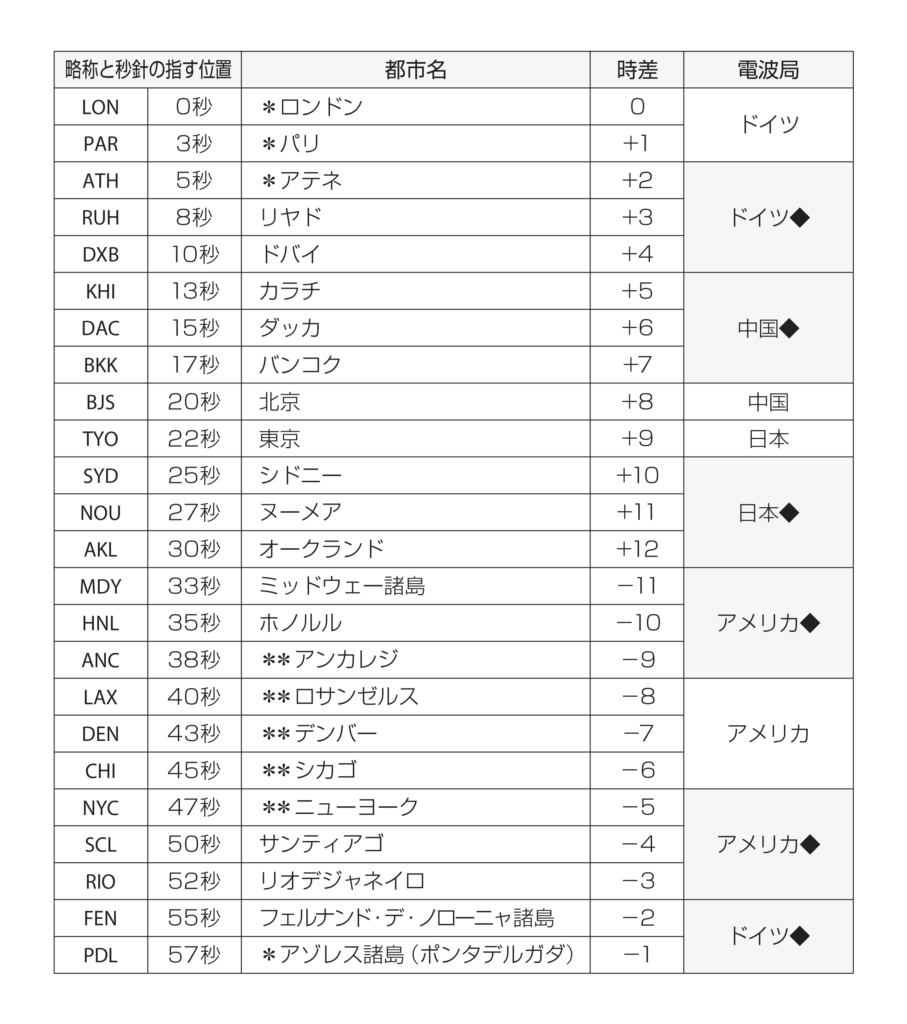
Movement No. 9051
Component Roles

Time display
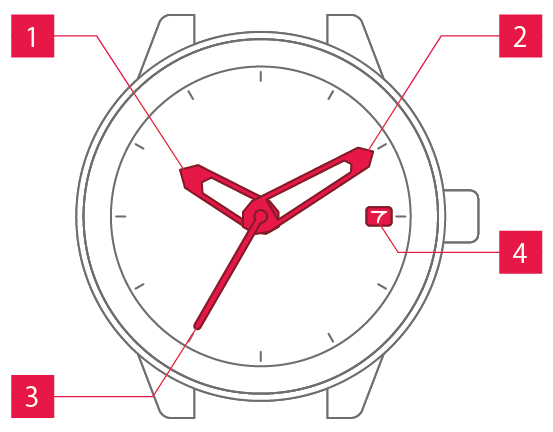
 Hour hand Hour hand
|
Shows the hour. |
 Minute hand Minute hand
|
Shows the minute. |
 Second hand Second hand
|
Shows the second. |
 Date display Date display
|
Shows the date. |
Operation (crown/button)
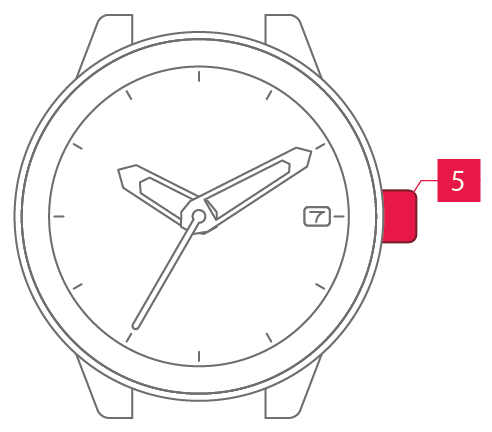
 Crown Crown
|
Allows you to adjust the time and date. |
Normal crown
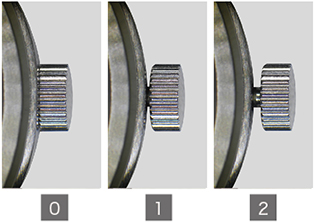
Can be pulled out in 2 steps.
Screw-lock crown
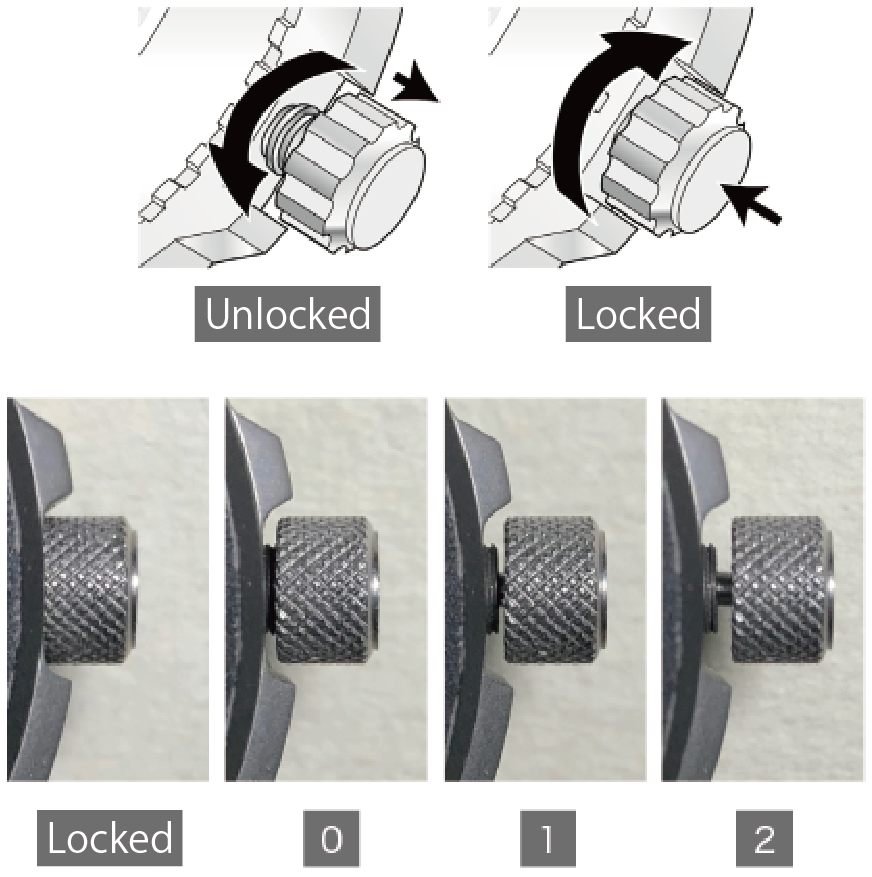
The crowns on some models can be screw-locked to prevent unintended operation.
To apply the screw-lock, press the screw section inwards while turning it.
To prevent water ingress, do not forget to lock the crown.
Hidden buttons
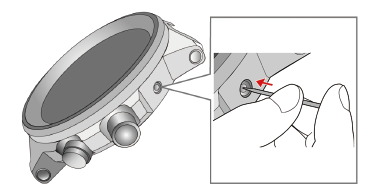
On some models, there are hidden buttons.
Press them using a toothpick or similar implement that will not scratch the watch.