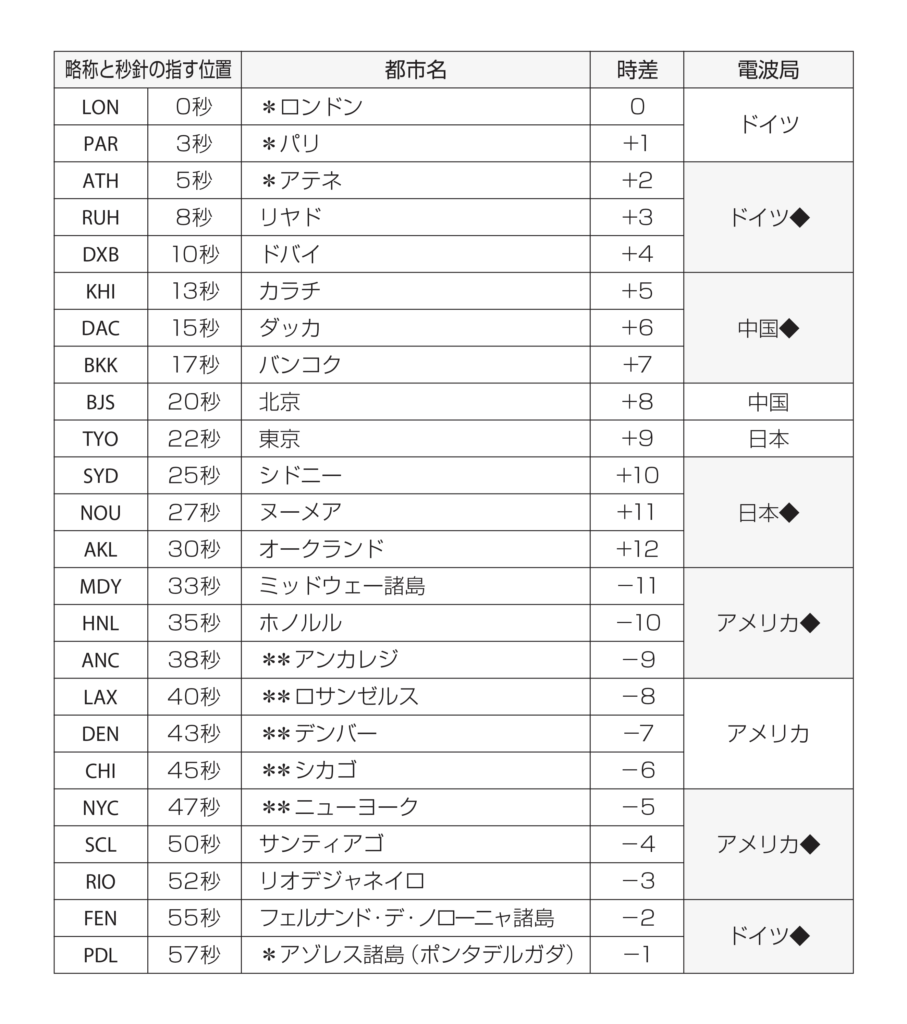
Movement No.B620
Component Roles

Time display
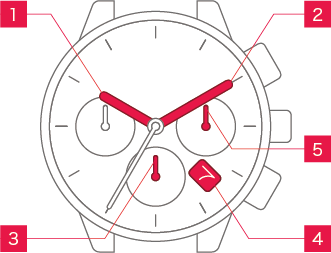
 Hour hand Hour hand
|
Shows the hour. |
 Minute hand Minute hand
|
Shows the minute. |
 Second hand Second hand
|
Shows the second. |
 Date display Date display
|
Shows the date. |
 24-hour hand 24-hour hand
|
Shows the hour in 24-hour display mode. |
Other displays
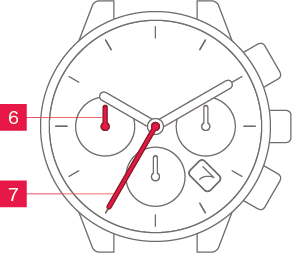
 Chronograph Chronographminute hand |
Shows the minute on the chronograph (Stopwatch function). |
 Chronograph Chronographsecond hand |
Shows the second on the chronograph (Stopwatch function). |
Operation (crown)
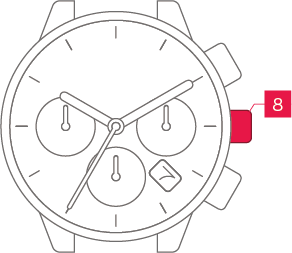
 Crown Crown
|
Allows you to adjust the time and date. |
Normal crown
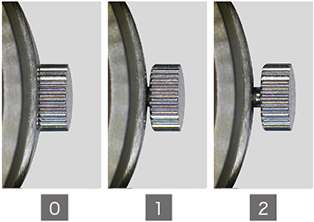
Can be pulled out in 2 steps.
Screw-lock crown

The crowns on some models can be screw-locked to prevent unintended operation.
To apply the screw-lock, press the crown in while turning it.
Operation (buttons)
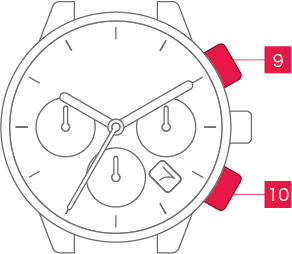
 B button B button
|
Used for operations such as starting and stopping the chronograph. |
 A button A button
|
Used to reset the chronograph. |
Hidden buttons
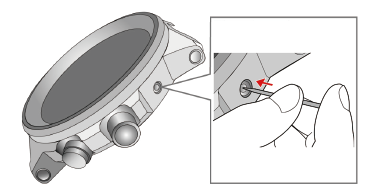
On some models, there are hidden buttons.
Press them using a toothpick or similar
implement that will not scratch the watch.
Screw-lock buttons
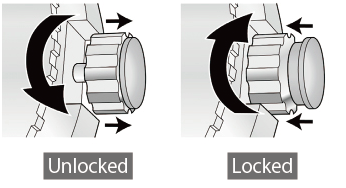
The buttons on some models can be screw-locked to prevent unintended operation.
To apply the screw-lock, press the screw section inwards while turning it.