Movement No.H060
Component Roles

Time display
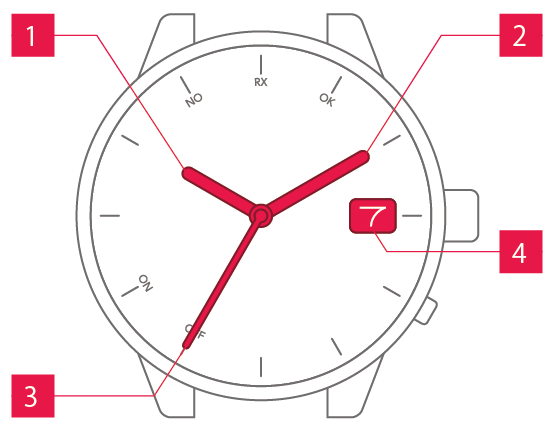
 Hour hand Hour hand
|
Shows the hour. |
 Minute hand Minute hand
|
Shows the minute. |
 Second hand Second hand
|
Shows the second. |
 Date display Date display
|
Shows the date. |
Operation (crown)
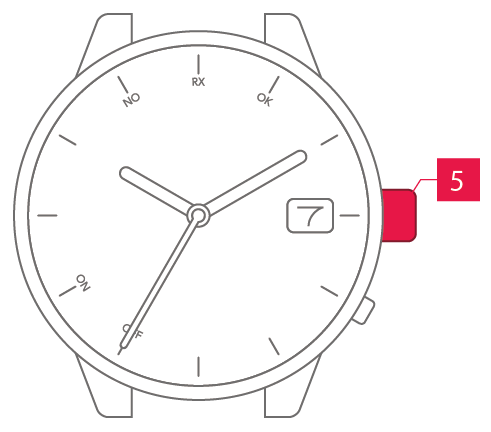
 Crown Crown
|
Allows you to adjust the time and date. |
Normal crown
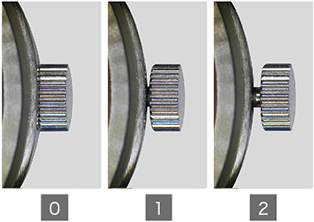
Can be pulled out in 2 steps.
Screw-lock crown
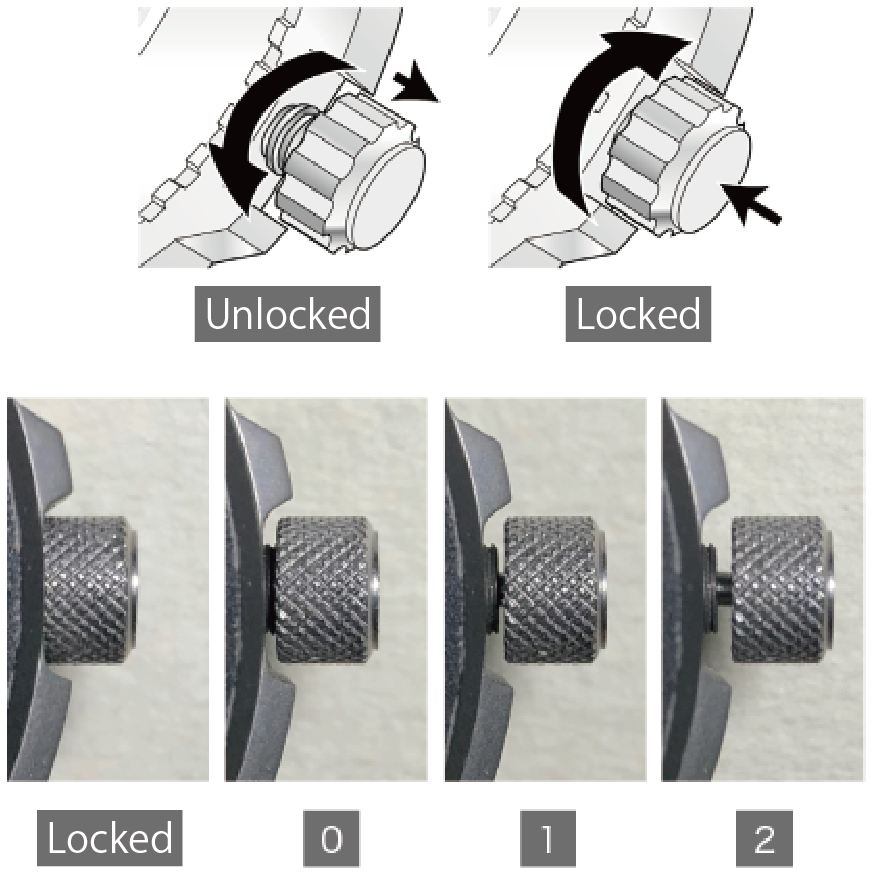
The crowns on some models can be screw-locked to prevent unintended operation.
To apply the screw-lock, press the crown in while turning it.
To ensure that the watch remains water-resistant, do not forget to apply the screw-lock.
Operation (buttons)
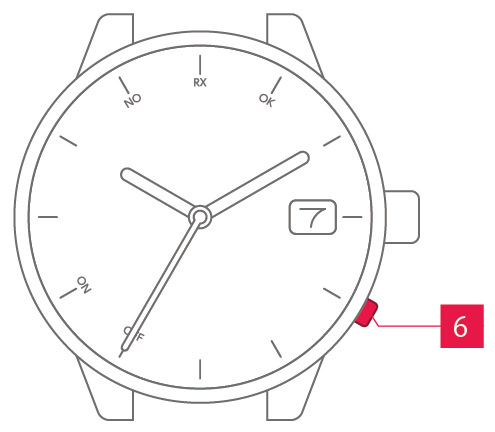
 A button A button
|
Used for functions such as receiving time signals. |
Hidden buttons
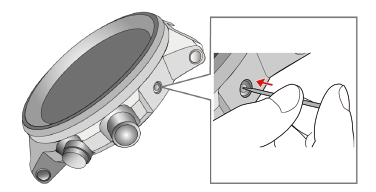
On some models, there are hidden buttons.
Press them using a toothpick or similar implement that will not scratch the watch.
Screw-lock buttons
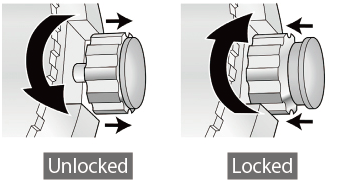
The buttons on some models can be screw-locked to prevent unintended operation.
To apply the screw-lock, press the screw section inwards while turning it.