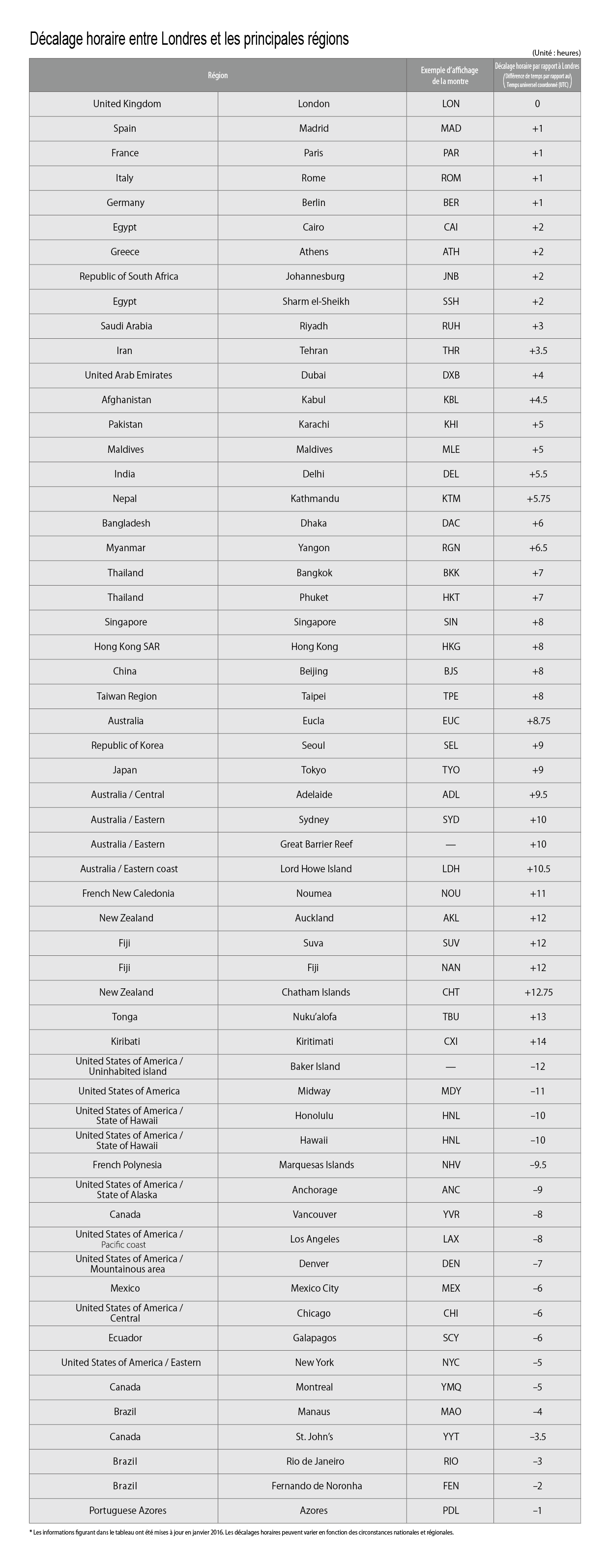
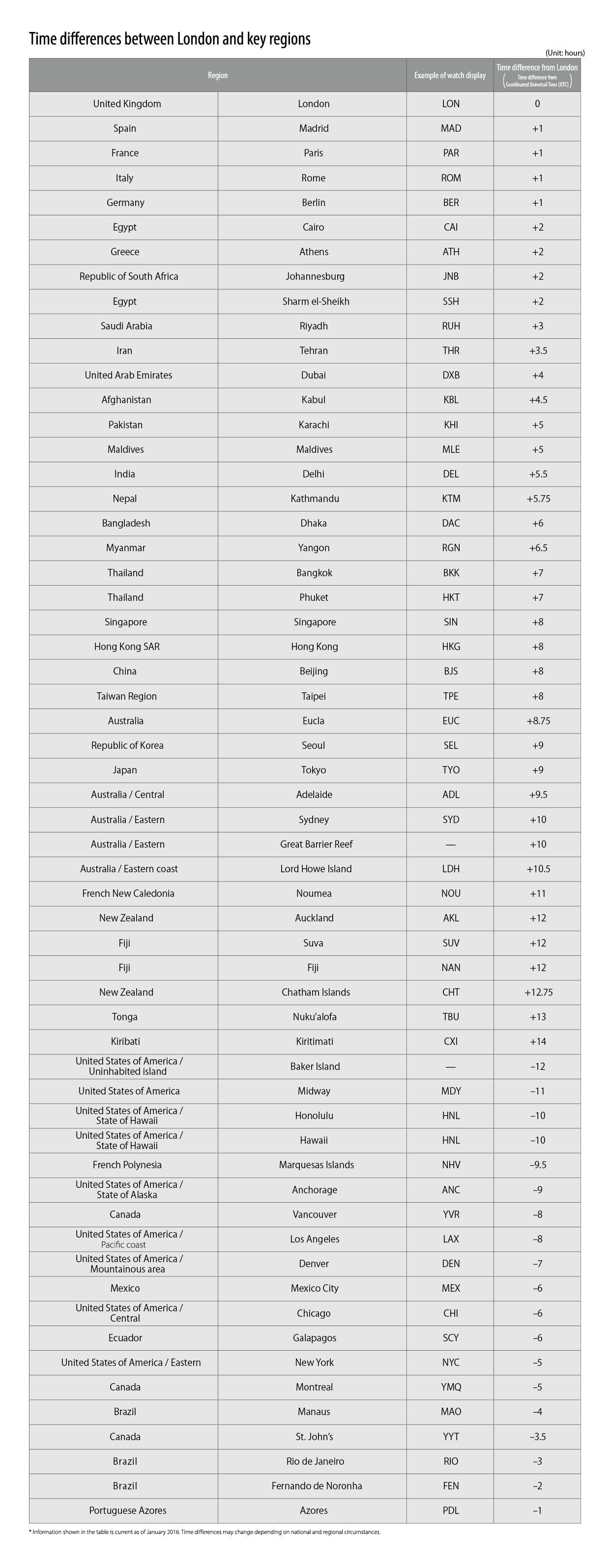
Movement No.H060
To correct the reference position


View in illustrations

1
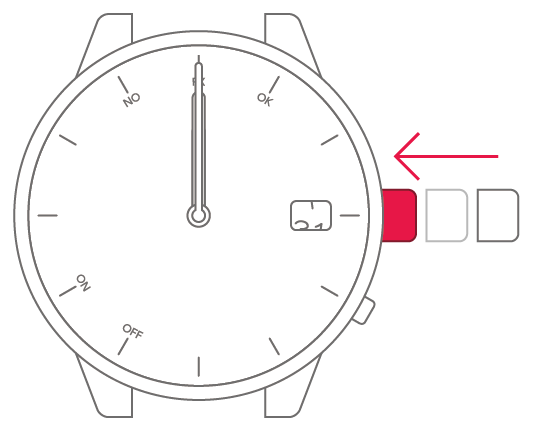
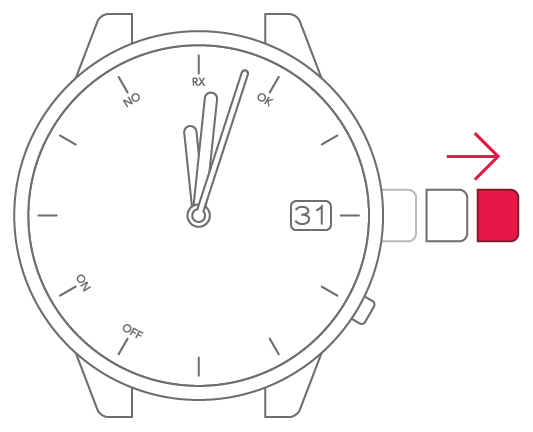
Pull the crown out 1 step.
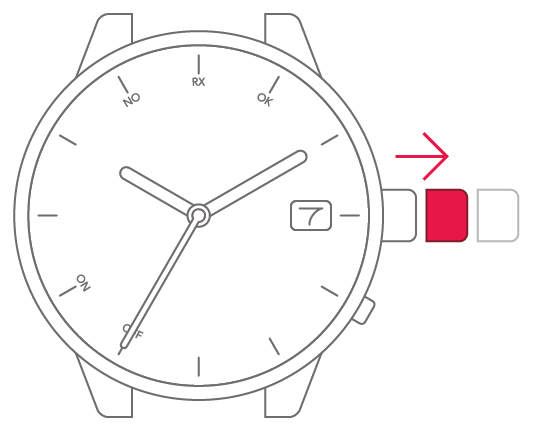

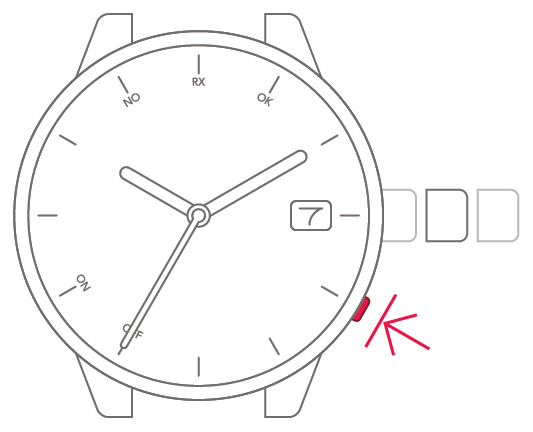
2
Press and hold the lower-right
button for at least 5 seconds.
The hands and date indication
move to the current reference
position.
3
Pull the crown out 1 more step.
4
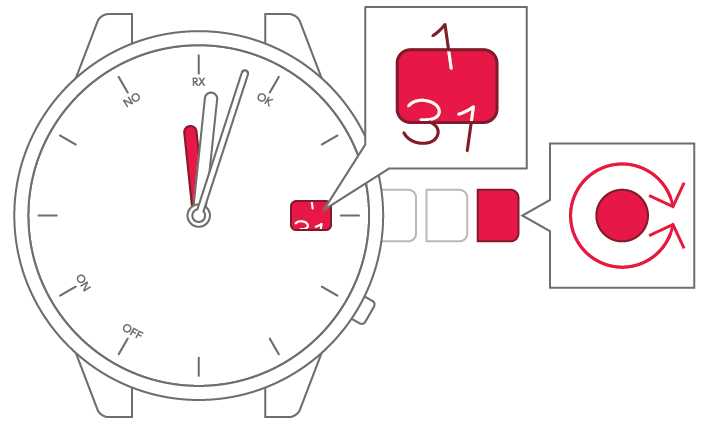
Turn the crown to set the hour
hand to 0 (12-o'clock position)
and the date indication to a
position midway between 31
and 1.
5
Push the crown back in to
complete the process.