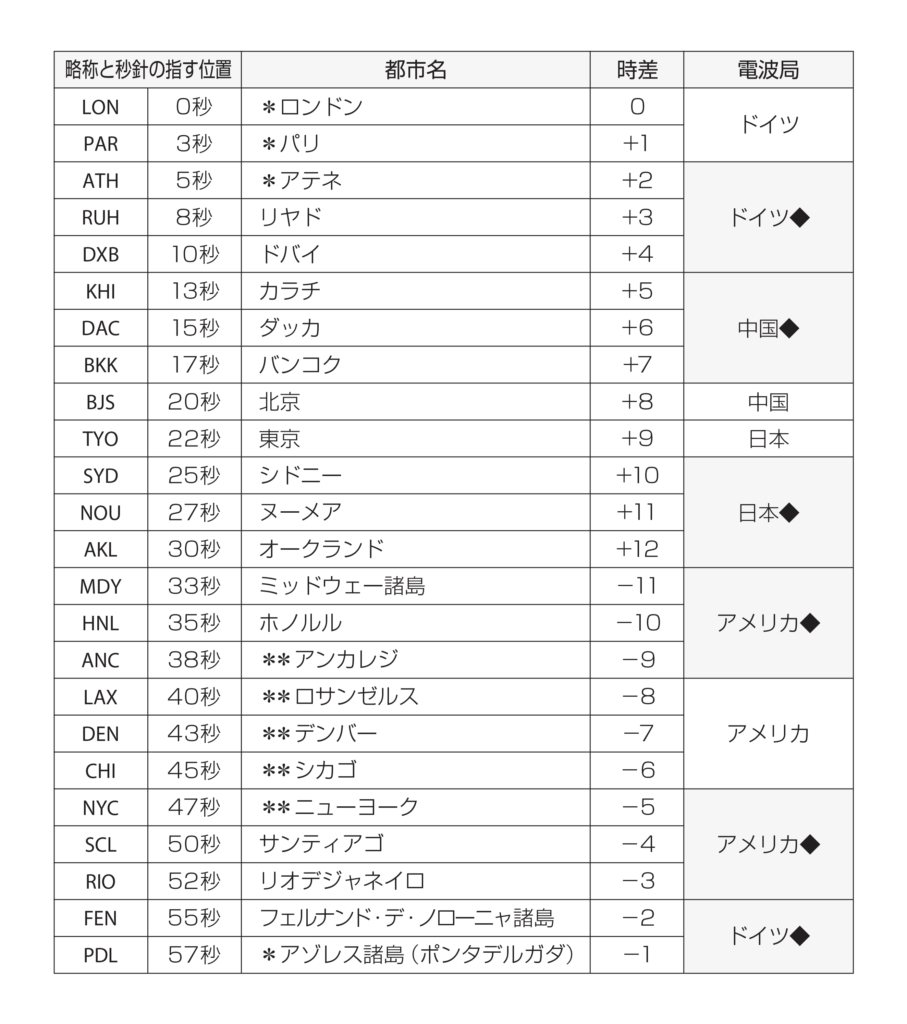
Movement No. J250
Component Roles

Time display
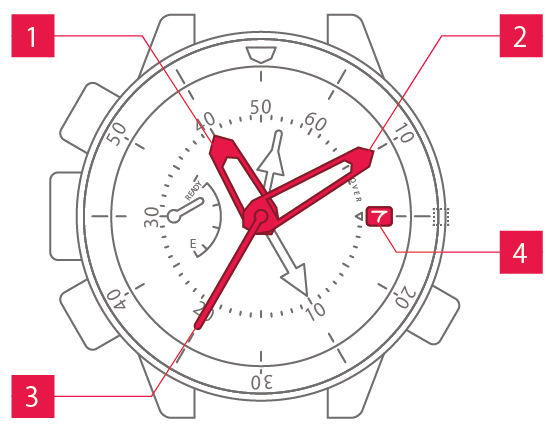
 Hour hand Hour hand
|
Shows the hour. |
 Minute hand Minute hand
|
Shows the minute. |
 Second hand Second hand
|
Shows the second. |
 Date display Date display
|
Shows the date. |
Other displays
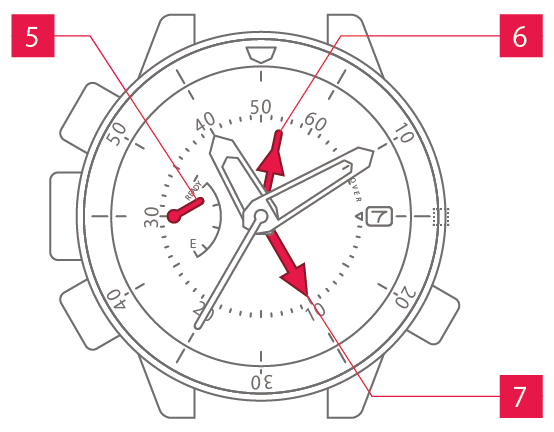
 Power reserve Power reserveindication hand |
Shows the power reserve. |
 Maximum water Maximum waterdepth hand |
Shows the maximum depth. |
 Water depth hand Water depth hand
|
Shows the depth. |
Operation (crown)
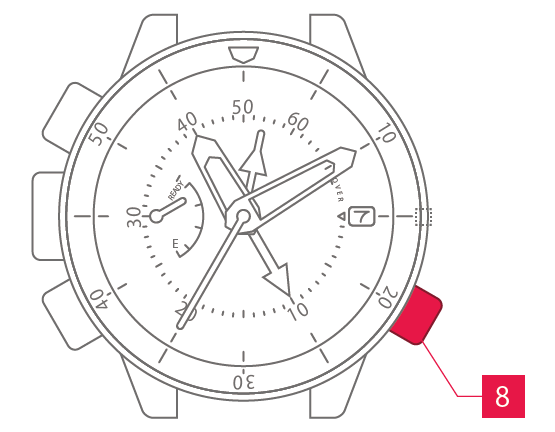
 Crown Crown
|
Allows you to adjust the time and date. |
Normal crown
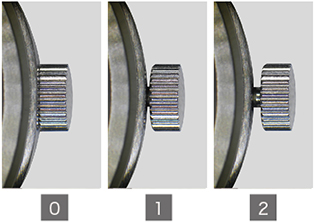
Can be pulled out in 2 steps.
Screw-lock crown
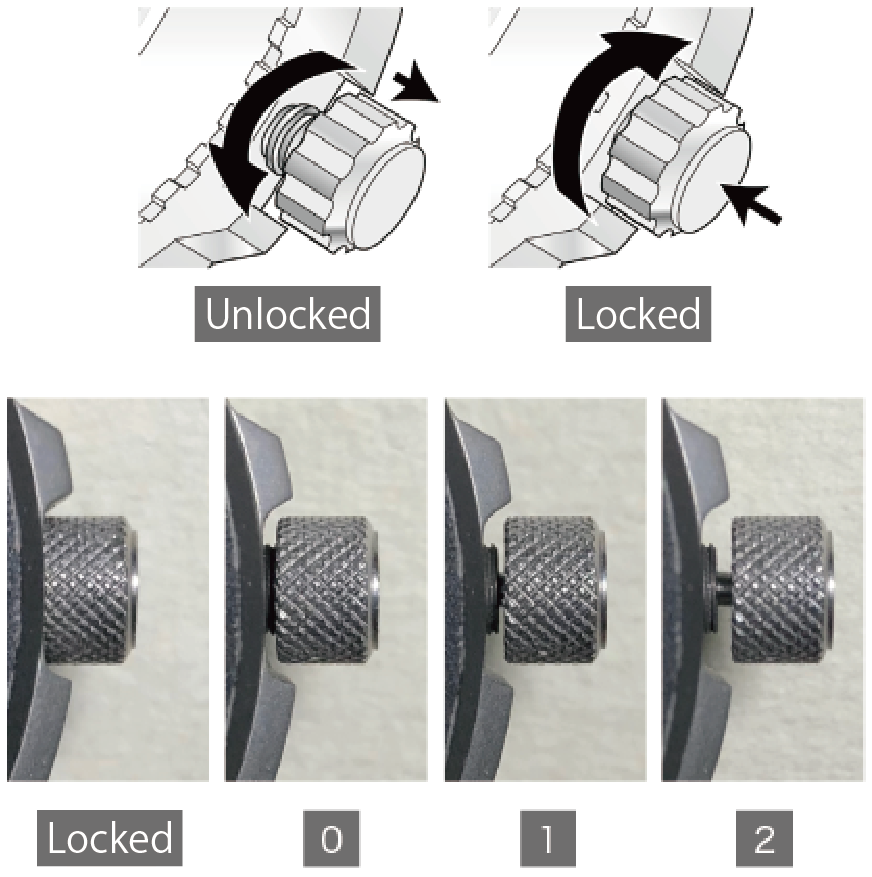
The crowns on some models can be screw-locked to prevent unintended operation.
To apply the screw-lock, press the crown in while turning it.
Operation (buttons)
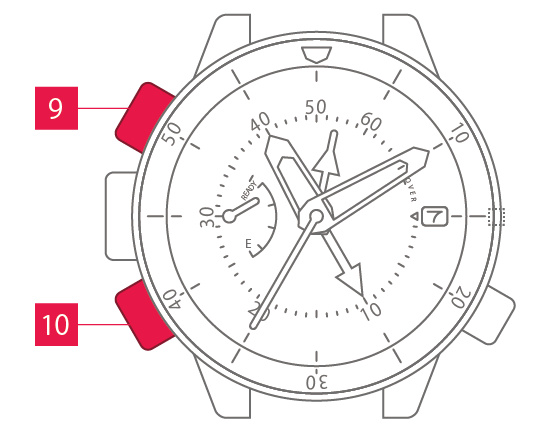
 A button A button
|
Used for functions such as checking the rapid ascent warning alarm tone. |
 B button B button
|
Used for functions such as checking the maximum depth. |
Screw-lock buttons
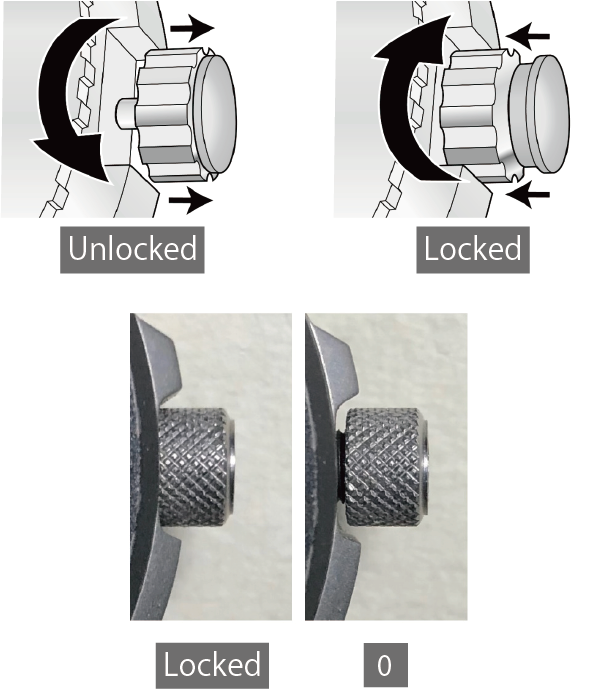
The buttons on some models can be screw-locked to prevent unintended operation.
To apply the screw-lock, press the screw section inwards while turning it.
Others
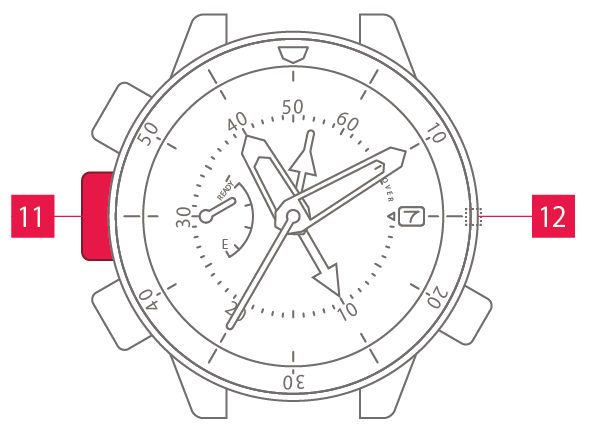
 Water pressure Water pressuresensor |
Measures the water pressure to show the depth. |
 Water sensor Water sensor
|
Depth measurement begins when this sensor comes into contact with water. |