Movement No. U822
To set the time and date
(setting the LCD)


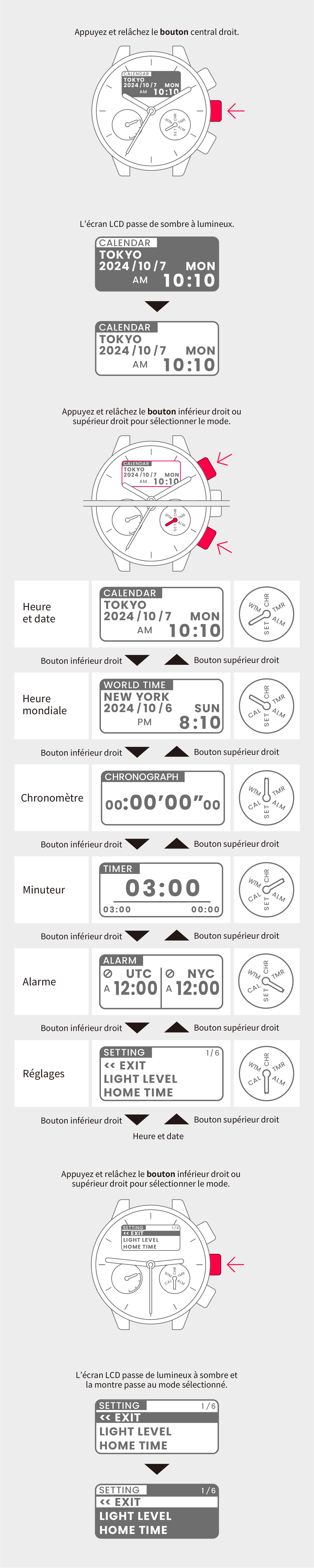
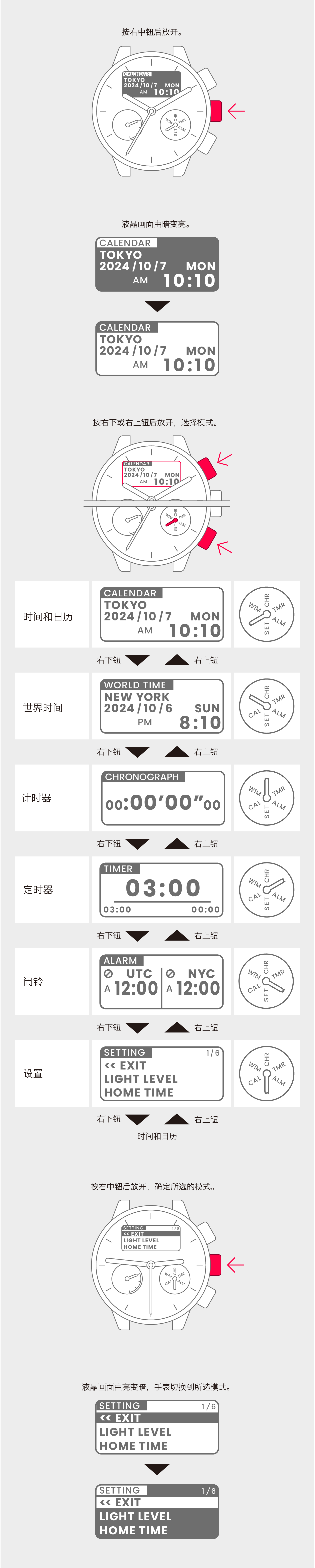
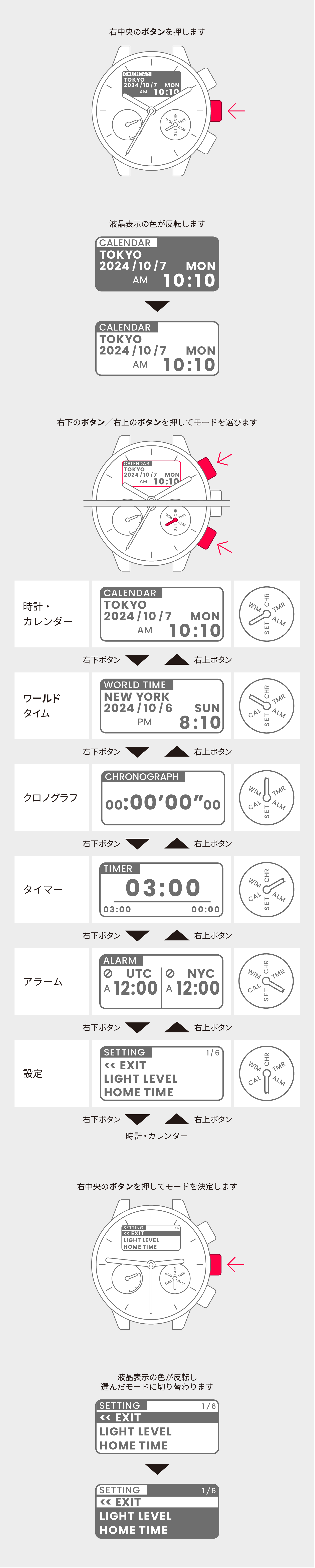
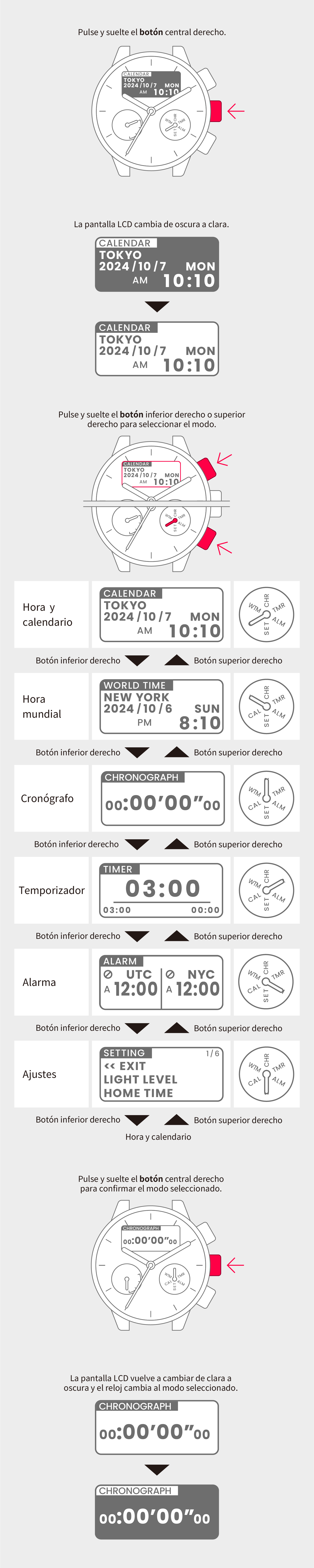
View in illustrations

1
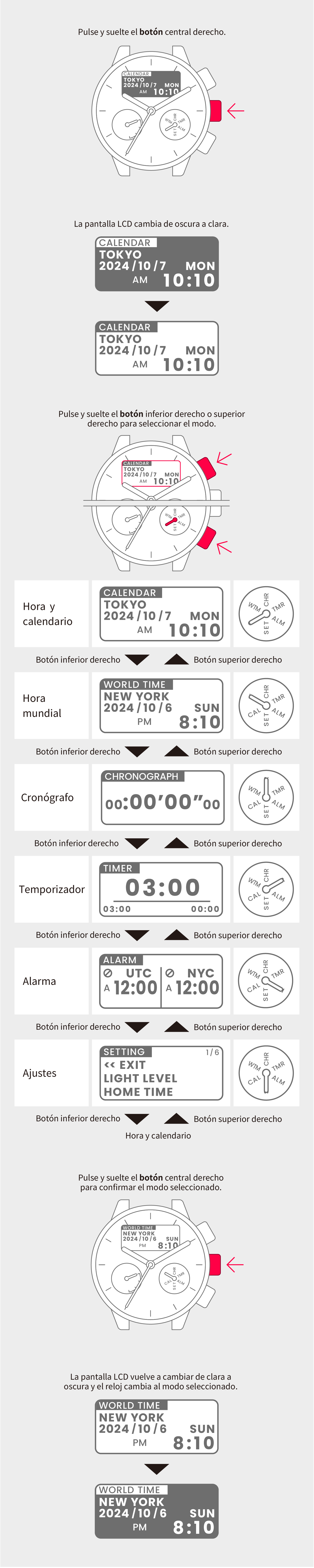
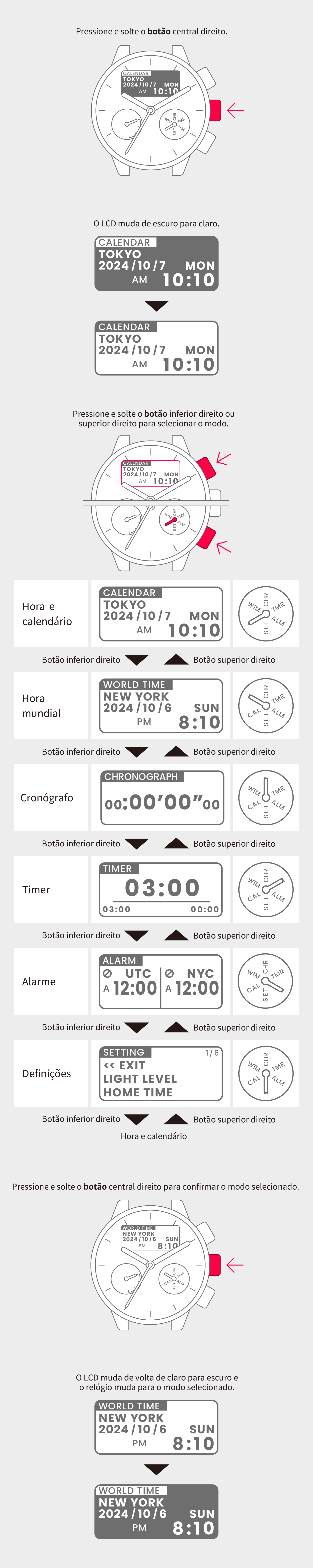
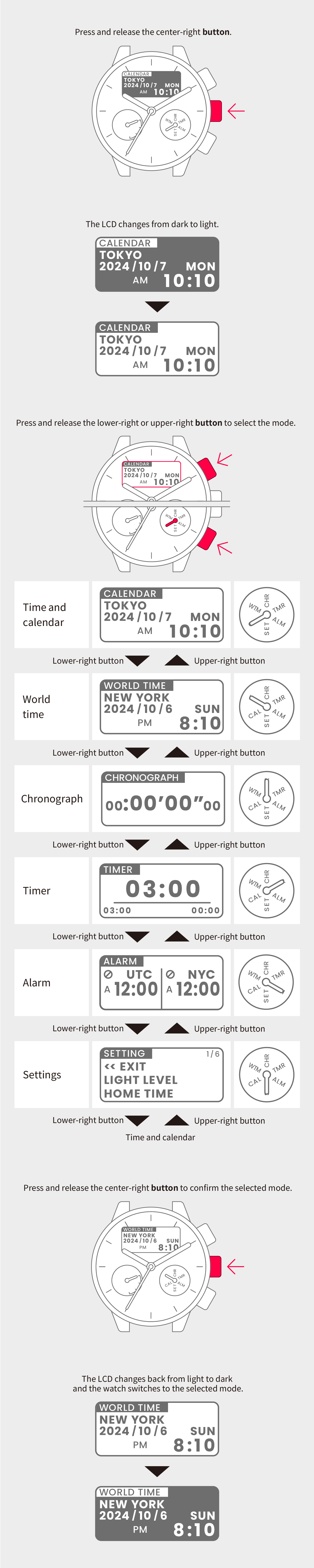
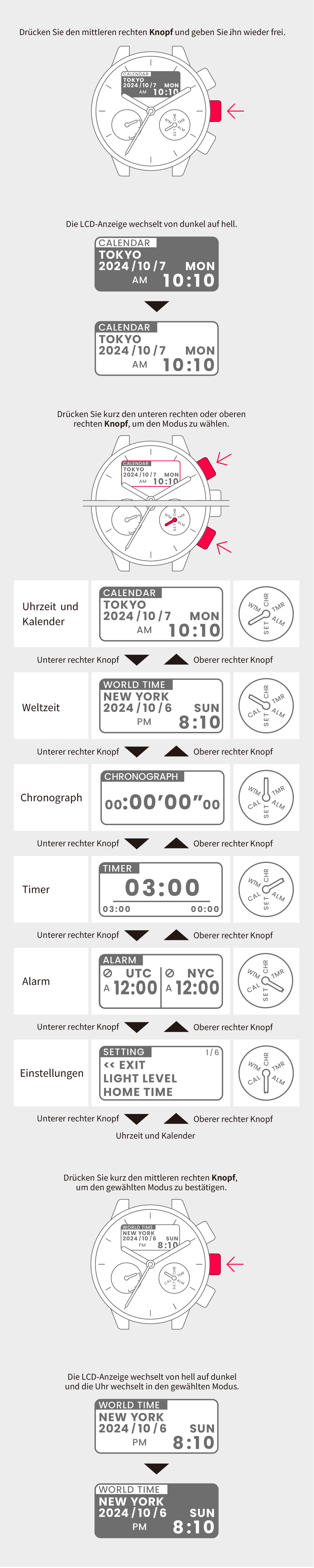
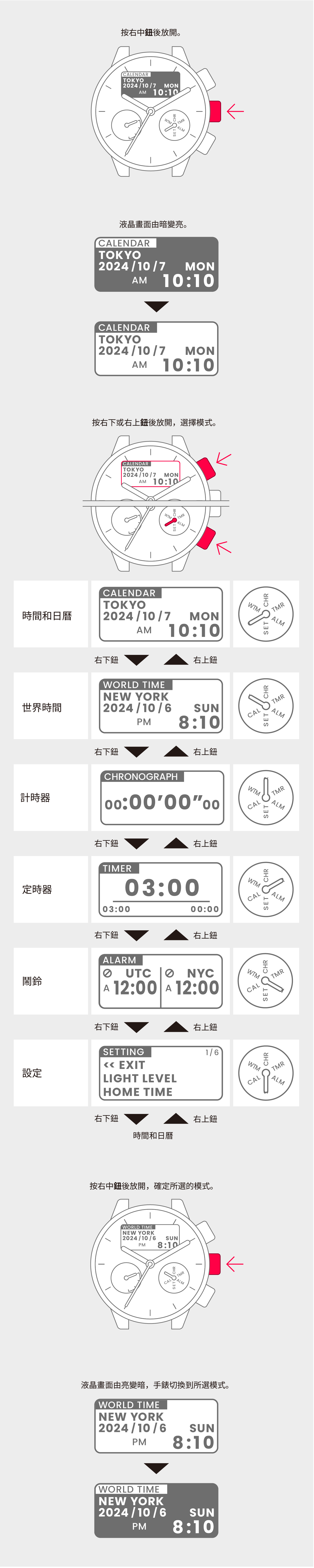
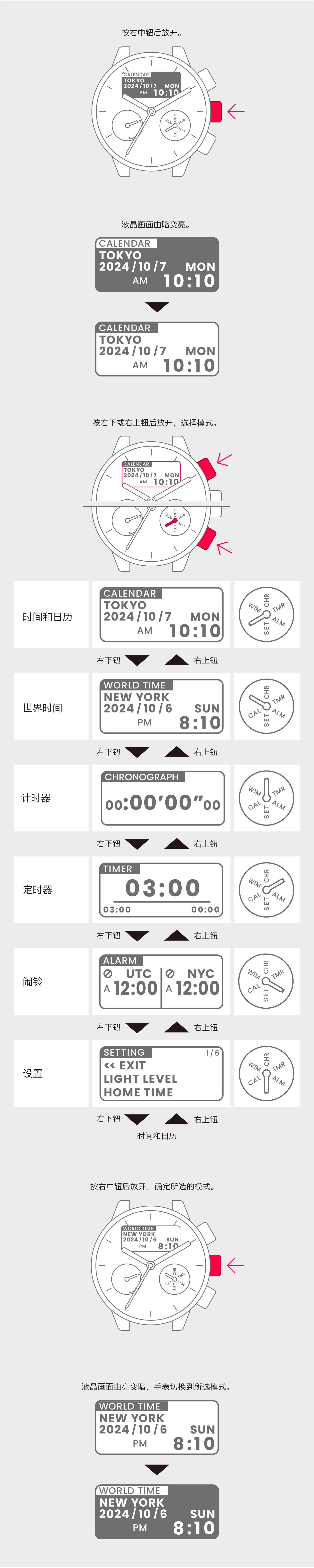
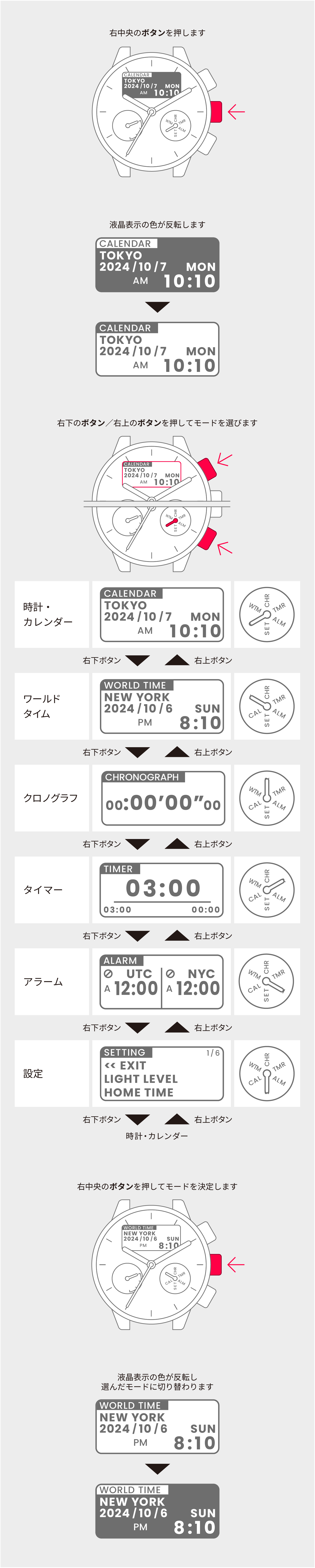
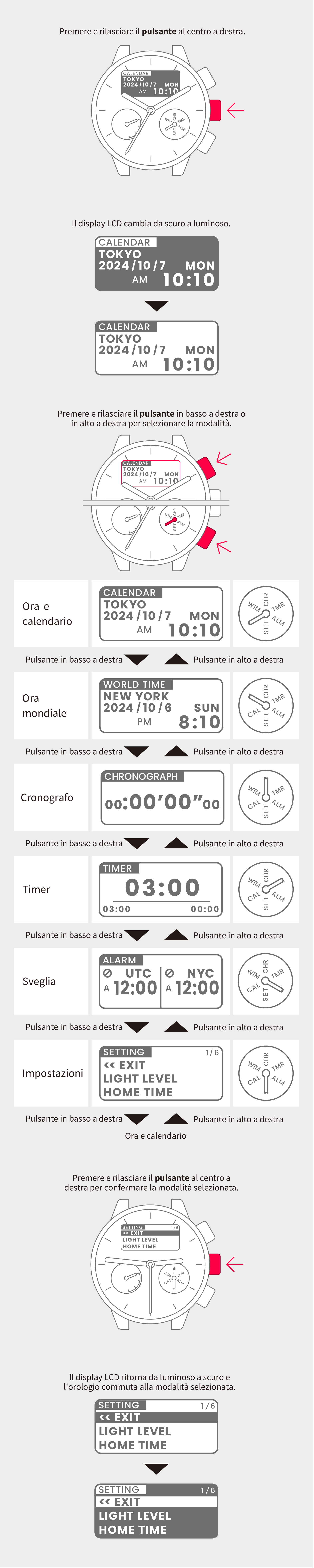
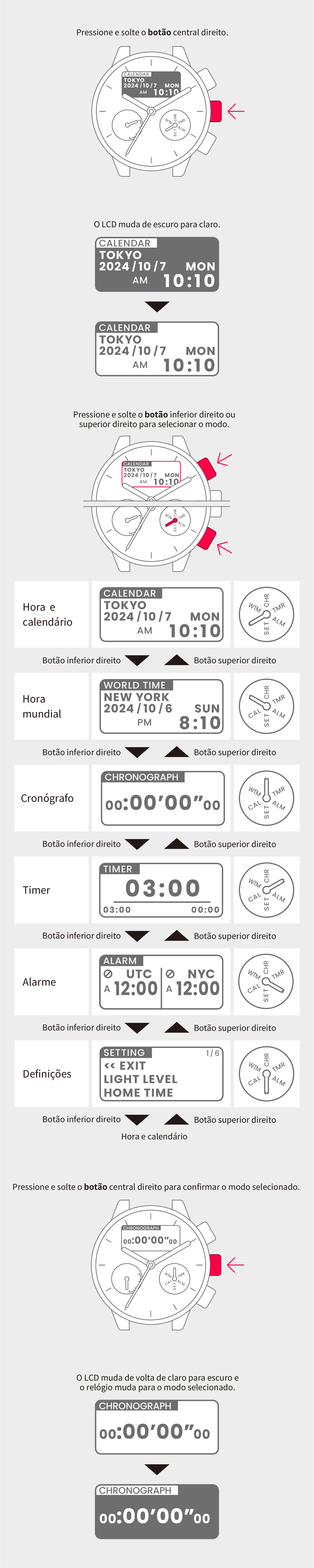
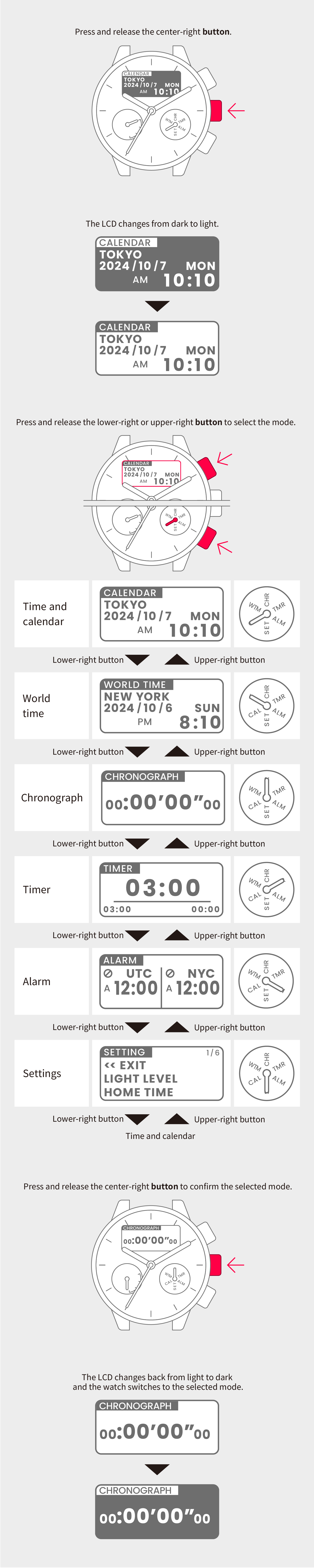
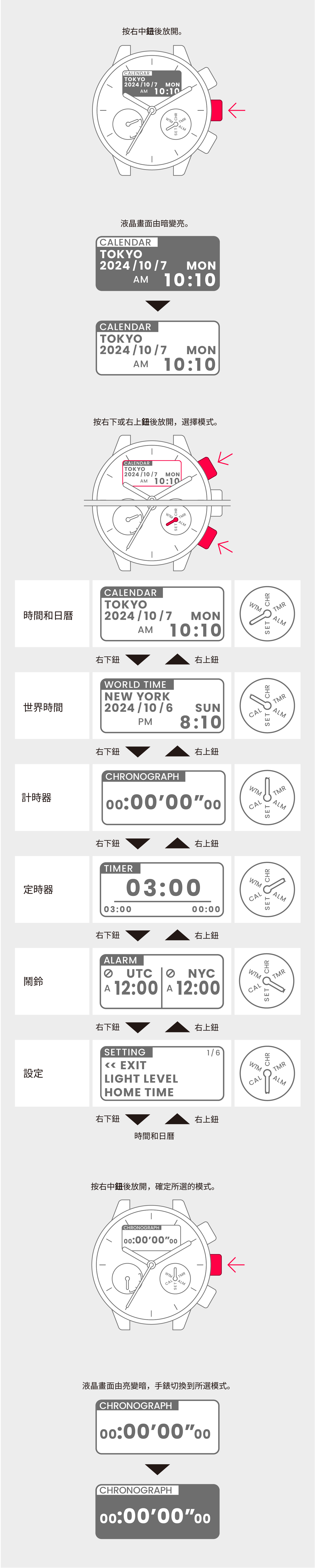
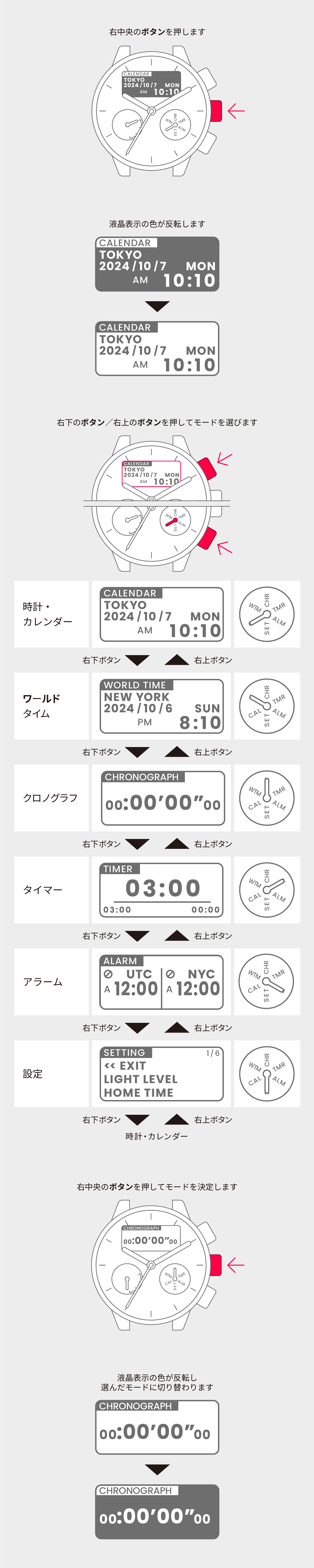
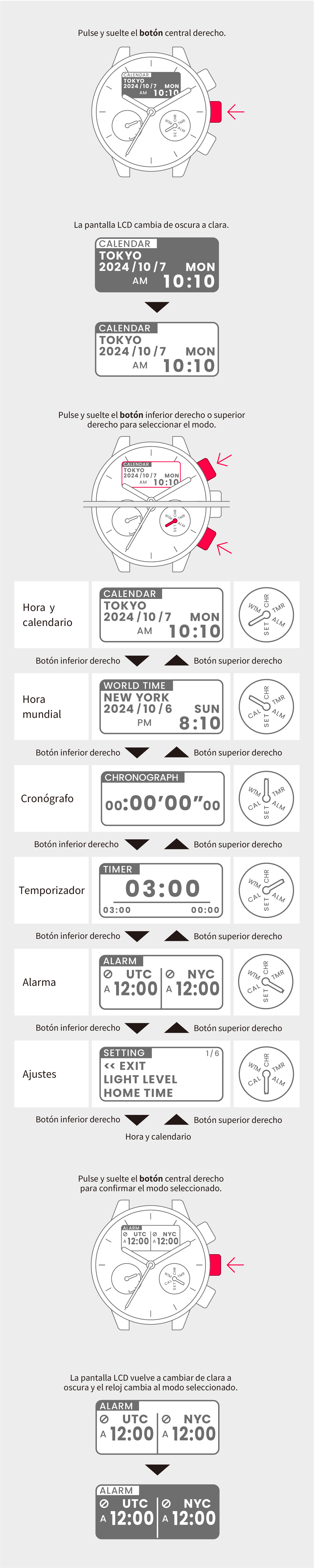
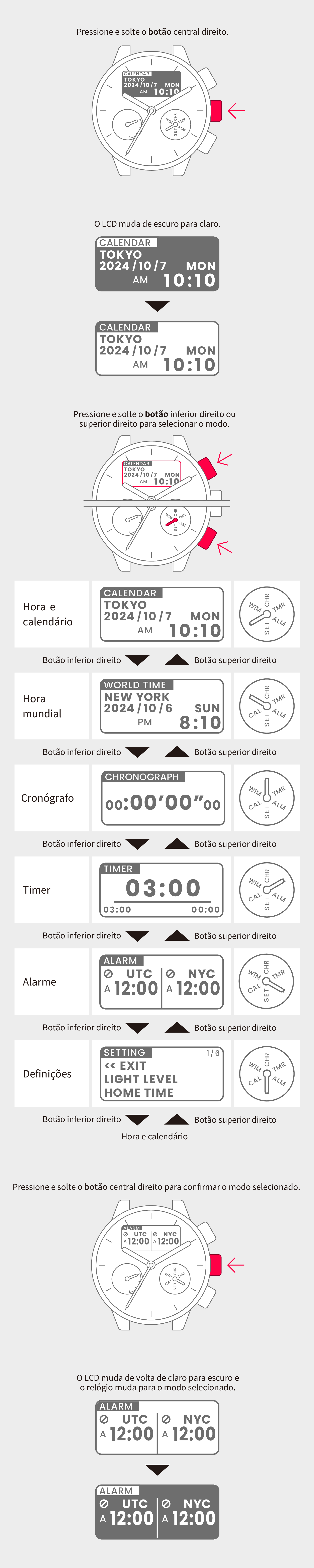
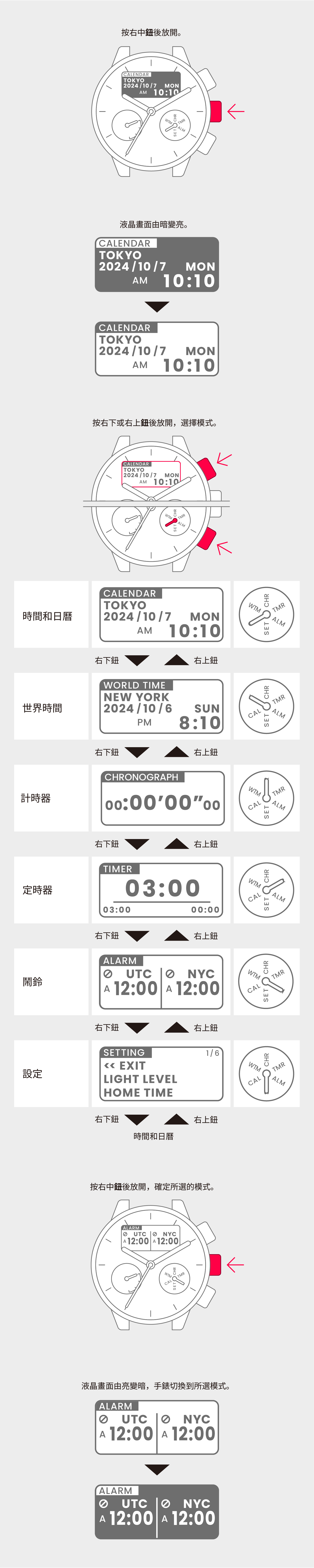
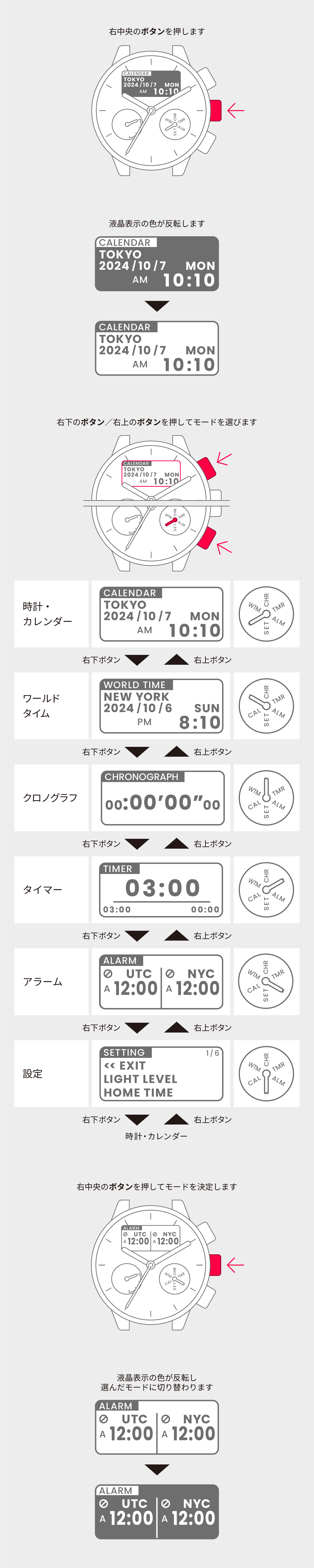
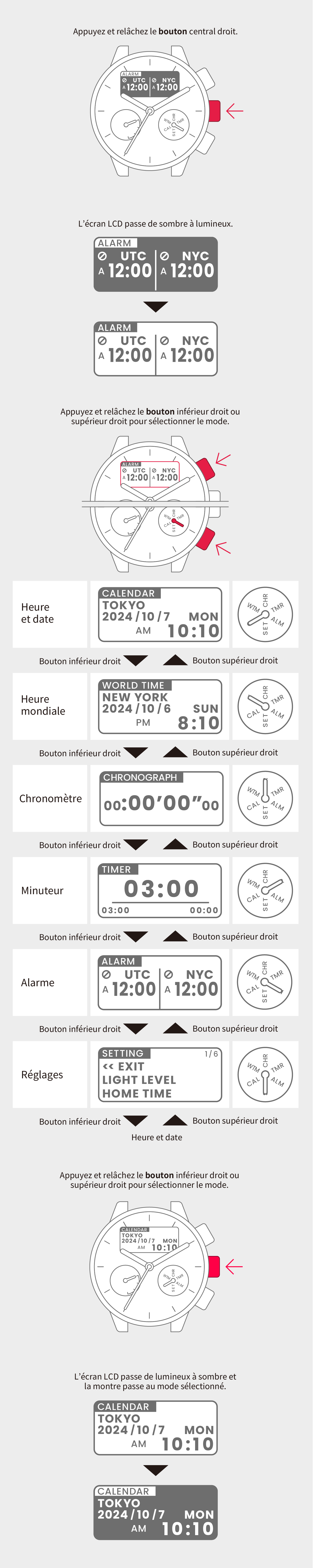
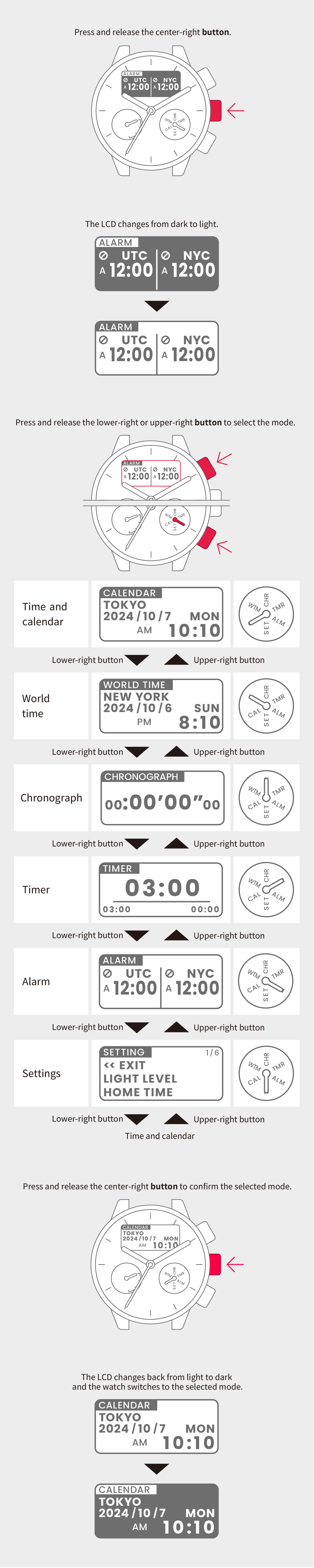
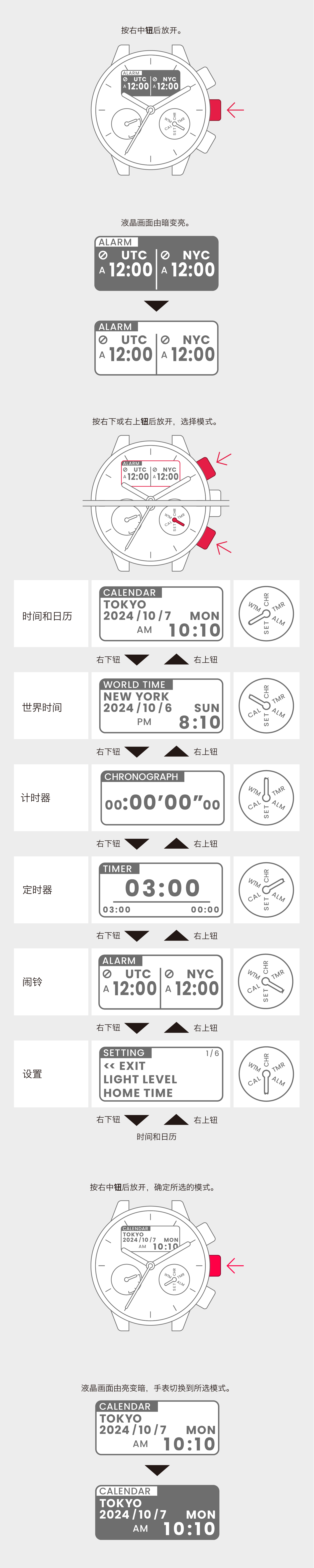
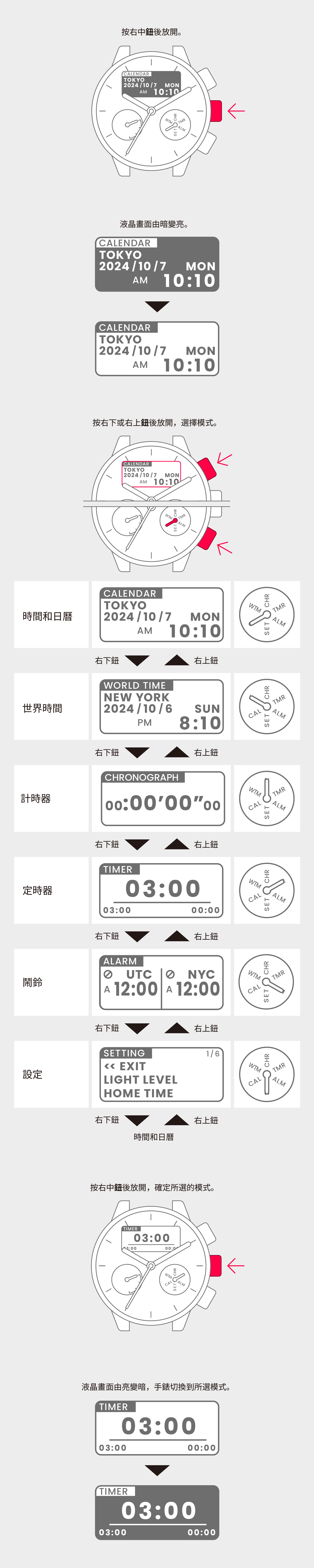
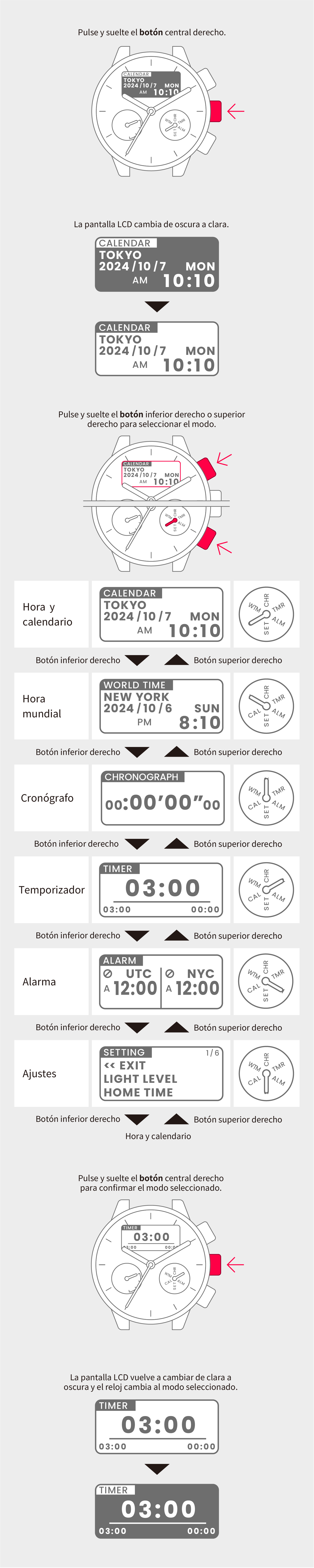
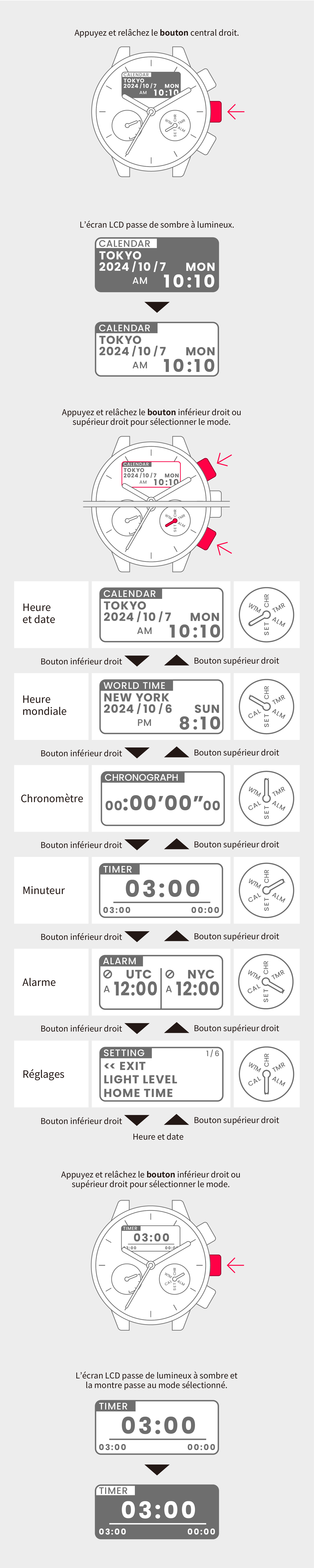
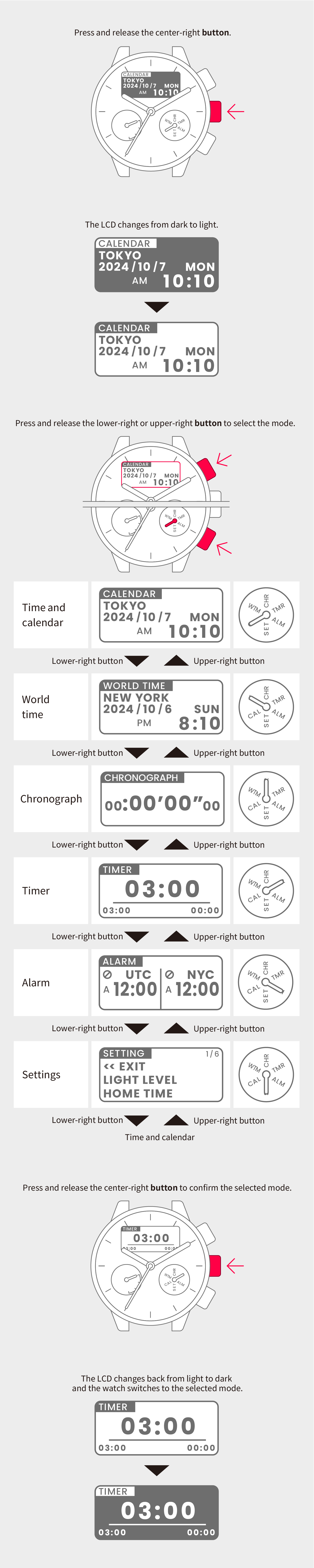
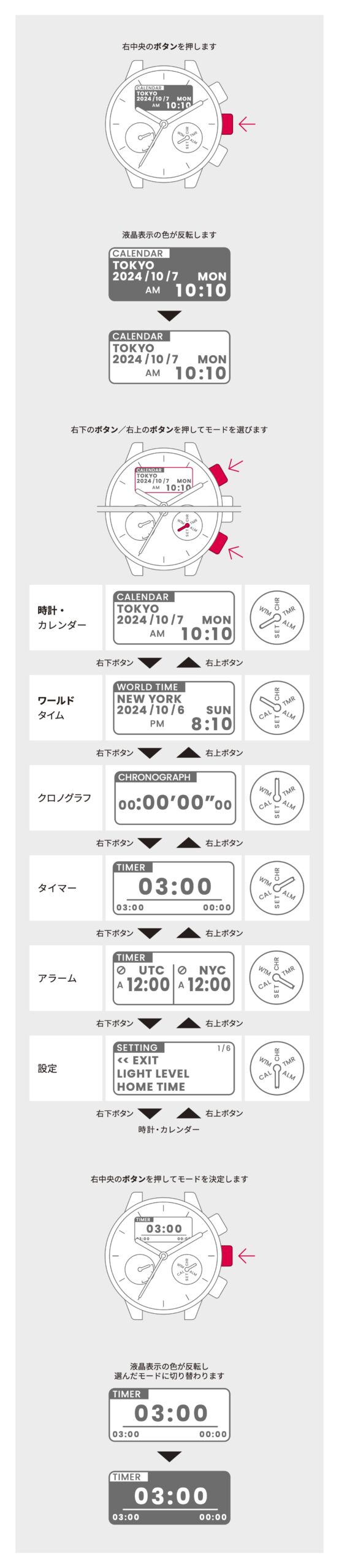
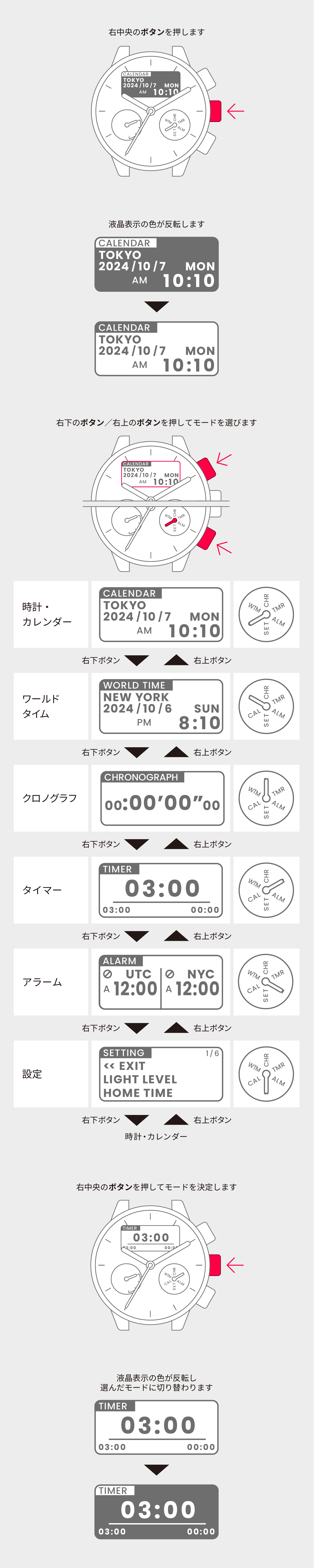
Switch to Time and calendar mode.
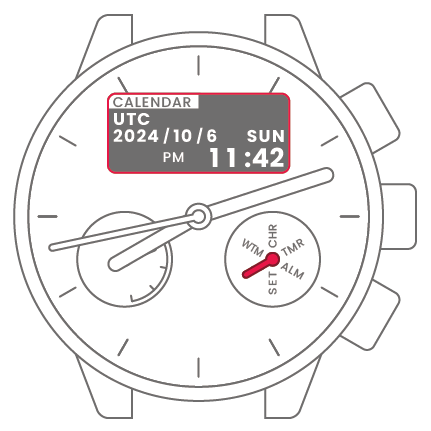
To set the time zone for the current region
2
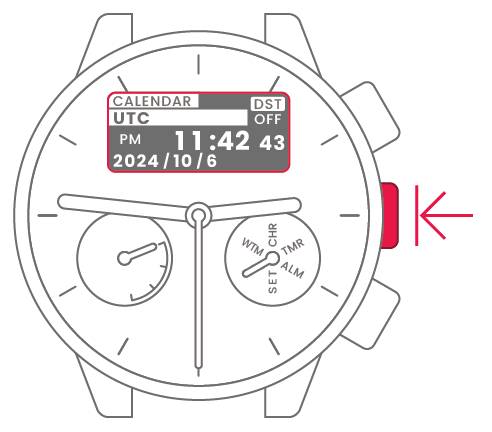
Press and hold the center-right
button for at least 2 seconds to
highlight the region.

3
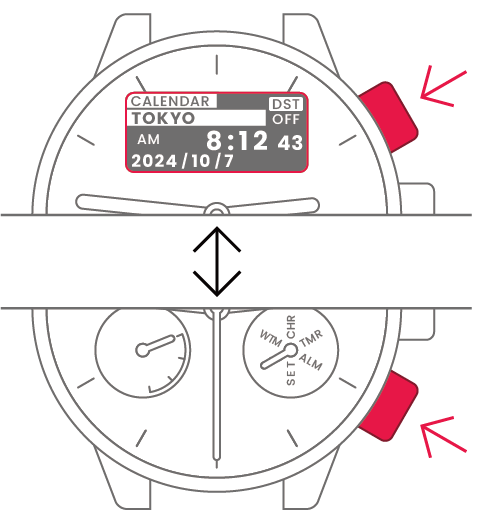
Press and release the lower-right
or upper-right button to select
the region.
4
Press and release the
center-right button to confirm
the selected region.
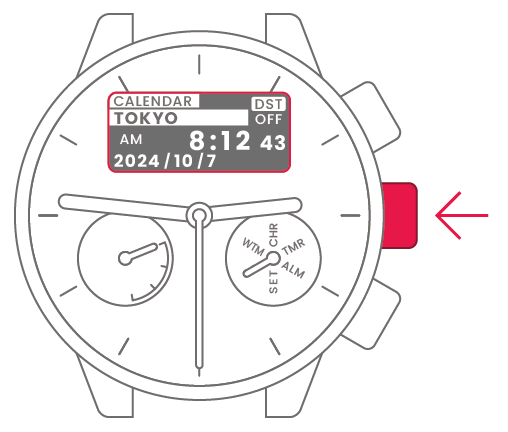
To set the time and date
5
Press and release the lower-right
or upper-right button to select
daylight saving time (DST) or
standard time.
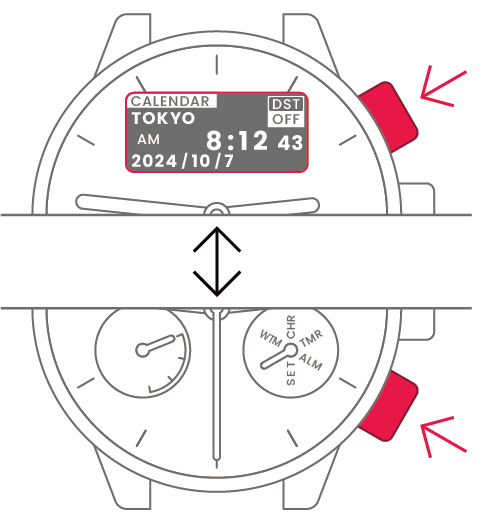
 |
Summer time |
 |
Standard time |
6
Press and release the
center-right button to confirm
daylight saving time or standard
time.
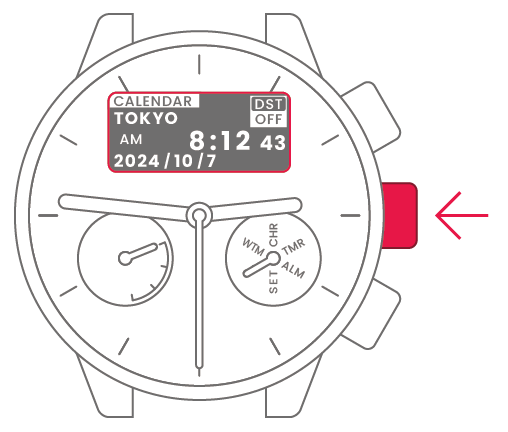
7
Press and release the lower-right
or upper-right button to confirm
0 seconds.

8
Press and release the
center-right button.
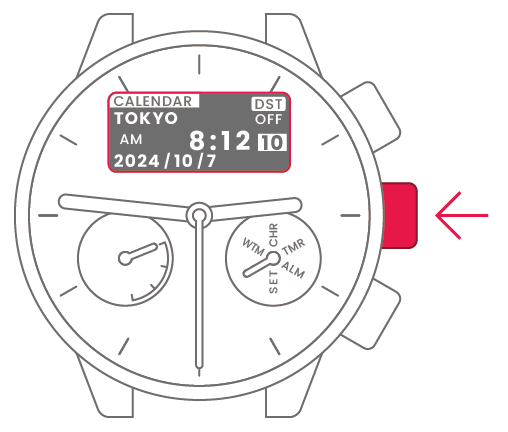
9
Press and release the lower-right
or upper-right button to change
the time and date.

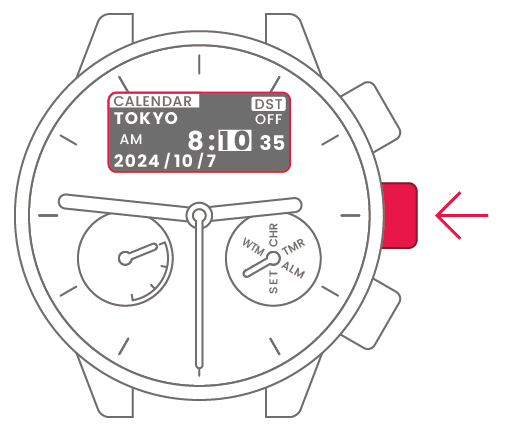
| Minute | Press and release upper-right or lower-right button to change. | 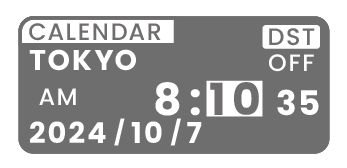 |
 |
Center-right button |
| Hour | Press and release upper-right or lower-right button to change. | 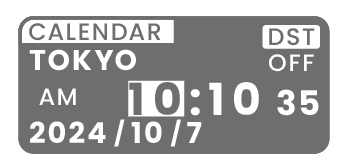 |
|
Center-right button |
| Year | Press and release upper-right or lower-right button to change. | 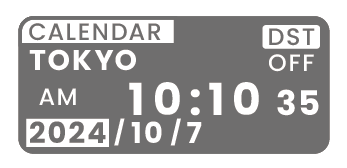 |
|
Center-right button |
| Month | Press and release upper-right or lower-right button to change. | 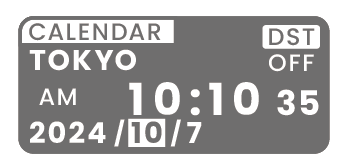 |
|
Center-right button |
| Day | Press and release upper-right or lower-right button to change. | 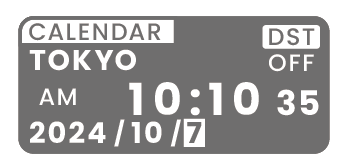 |
|
Center-right button |
| Setting complete |  |