Movement No. U822
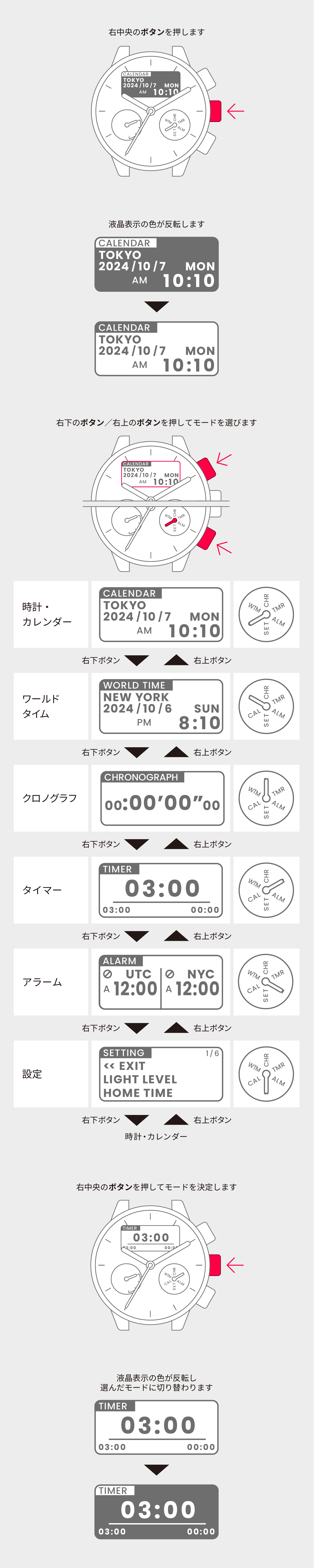
To use the timer


View in illustrations

1
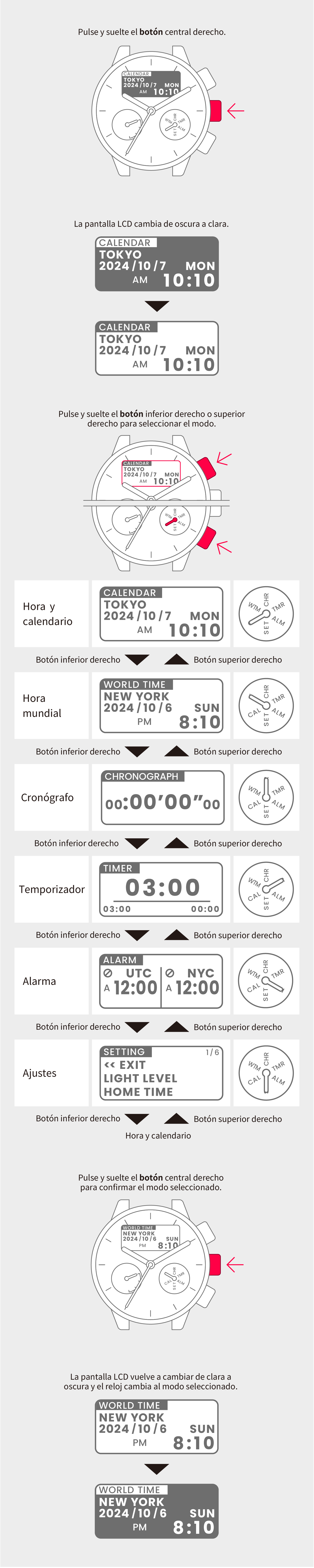
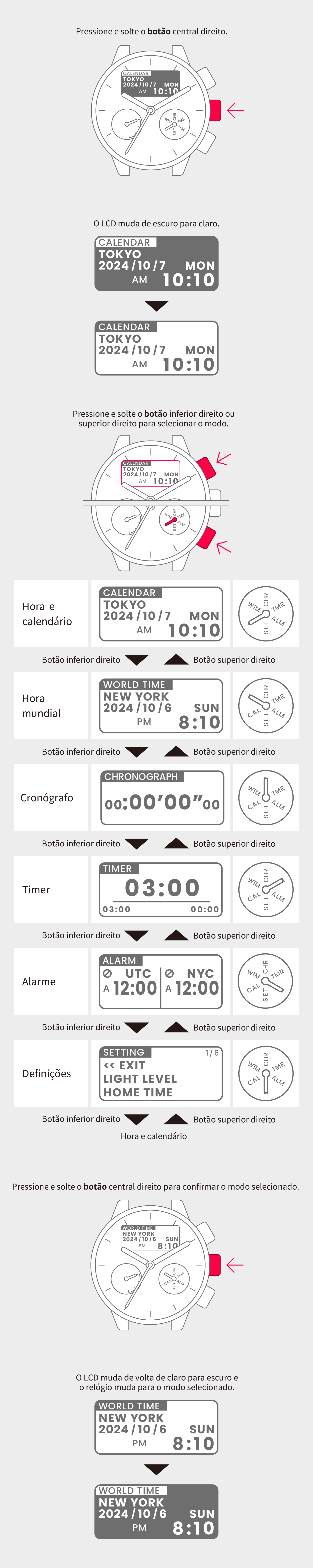
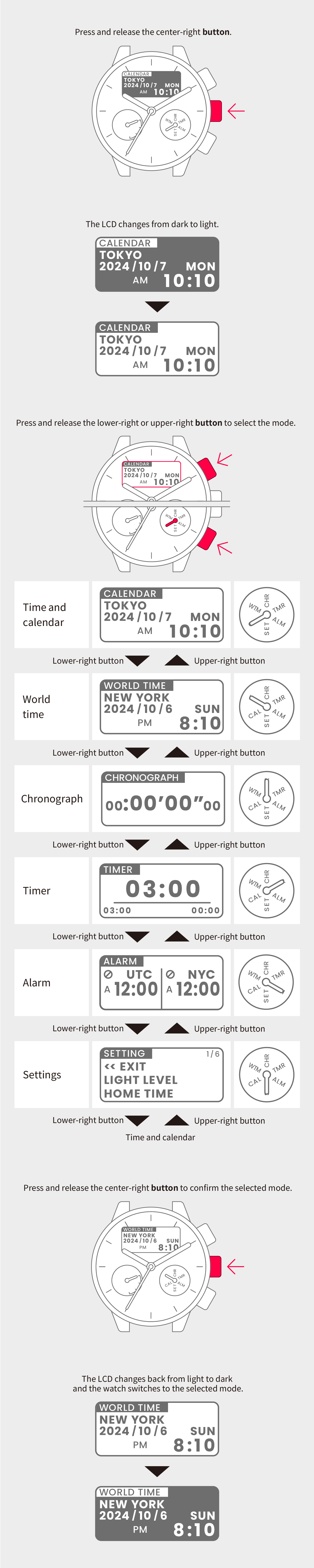
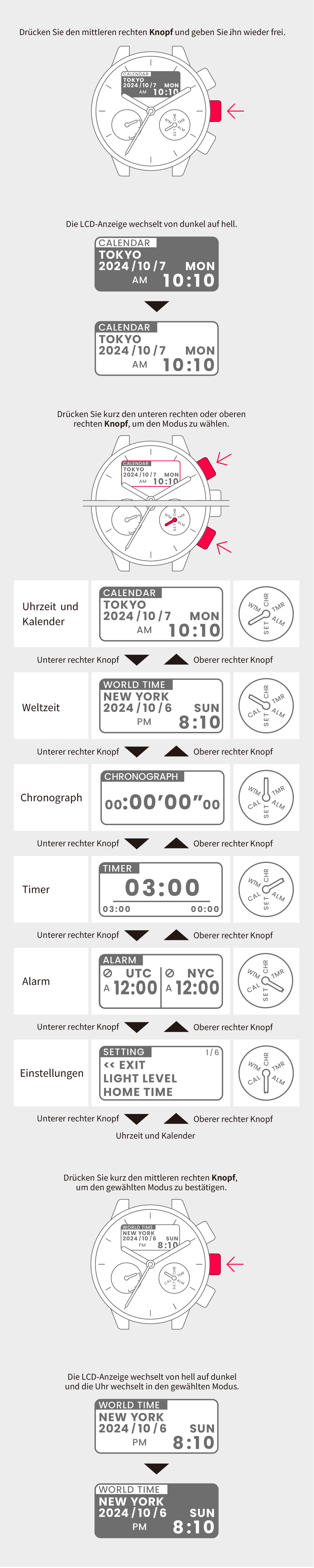
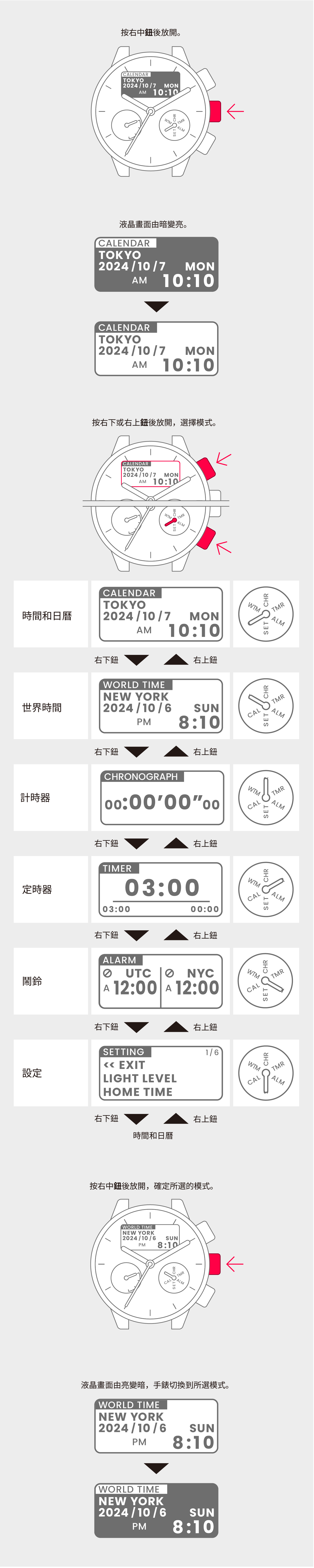
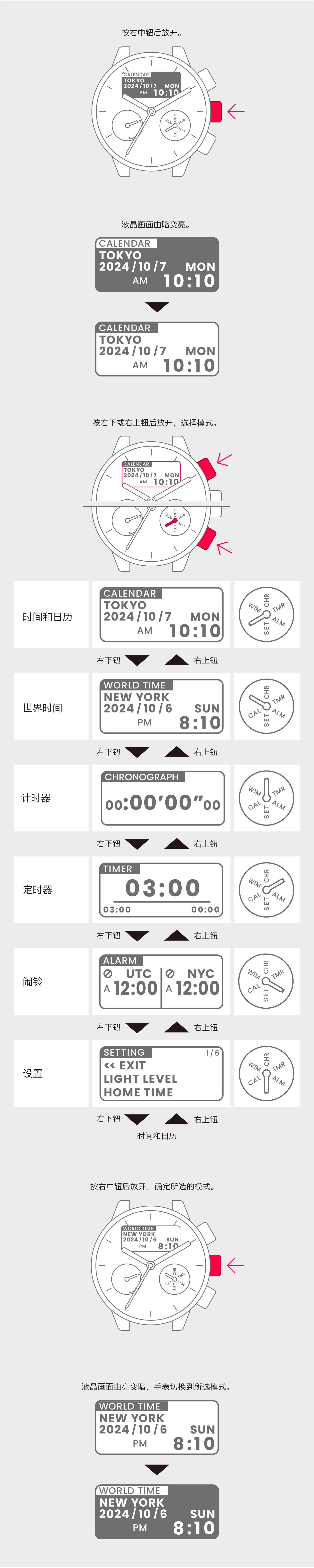
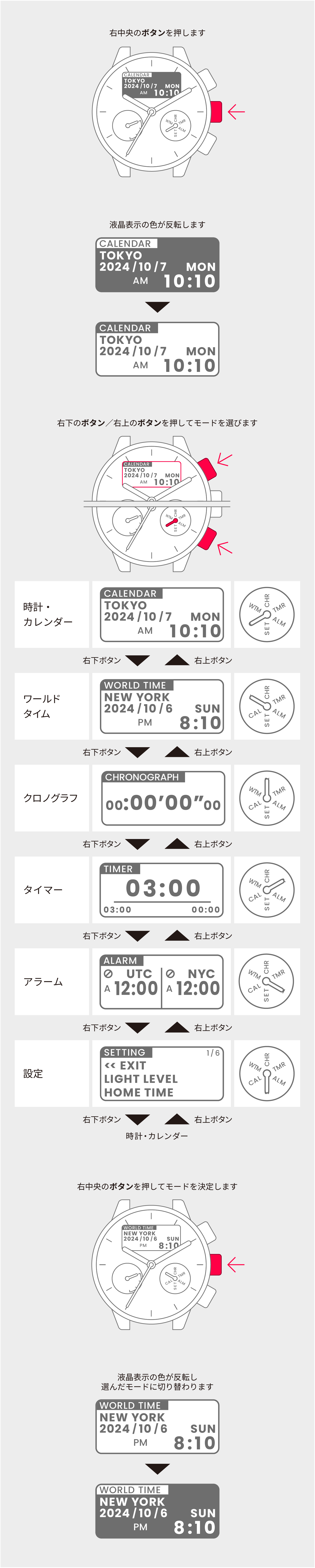
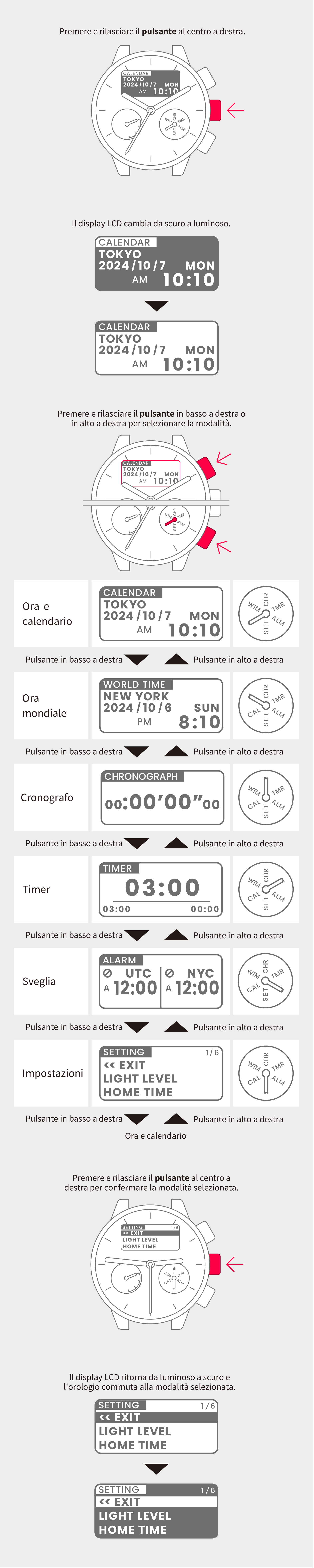
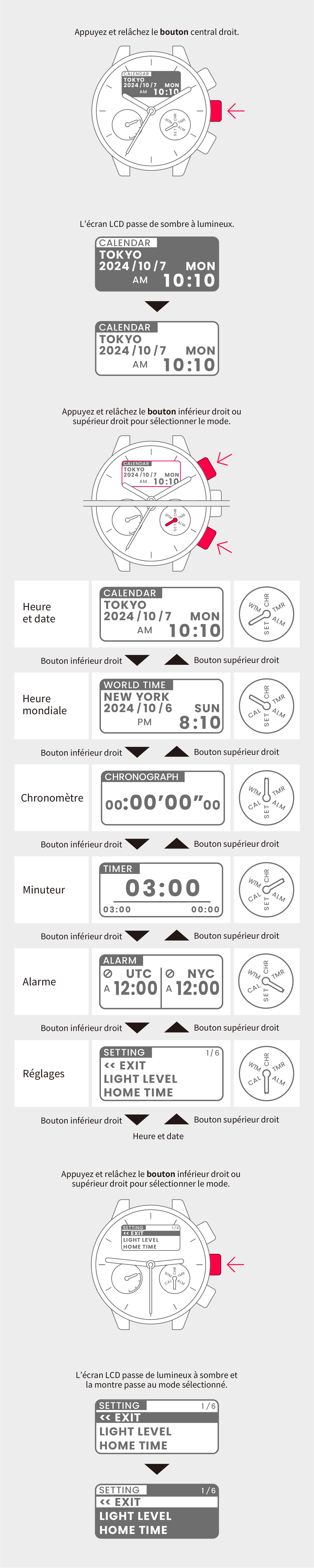
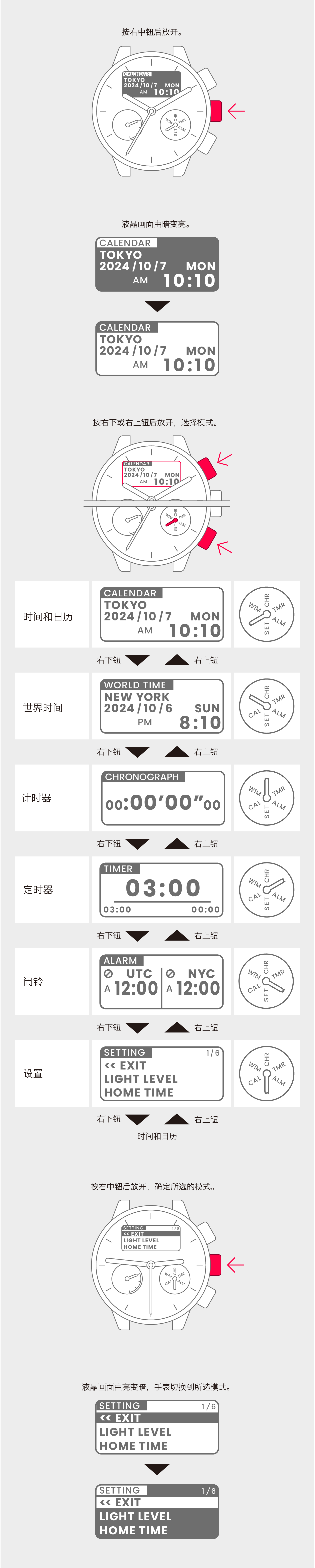
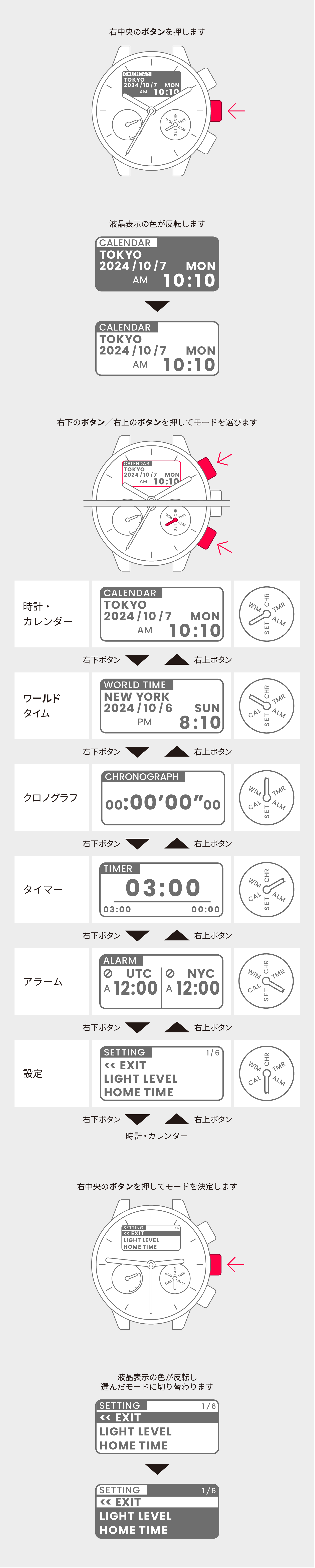
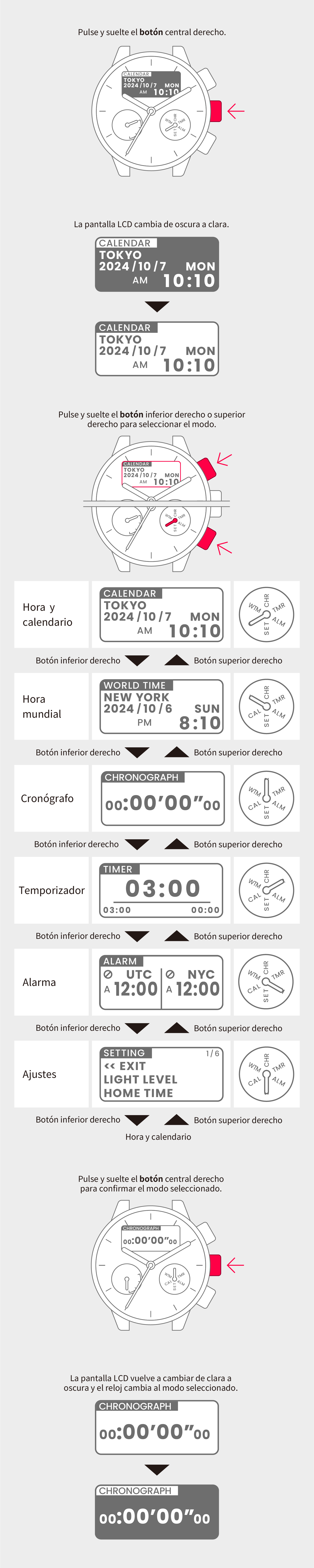
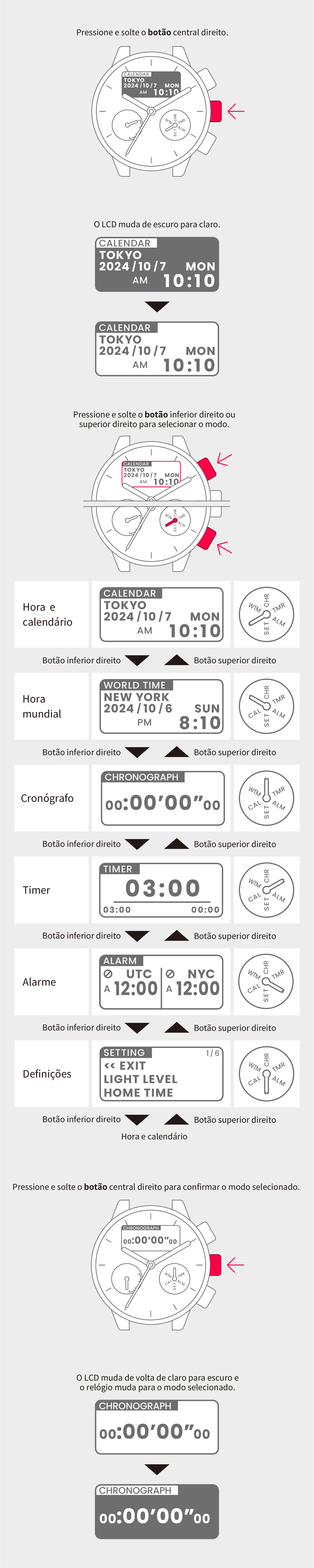
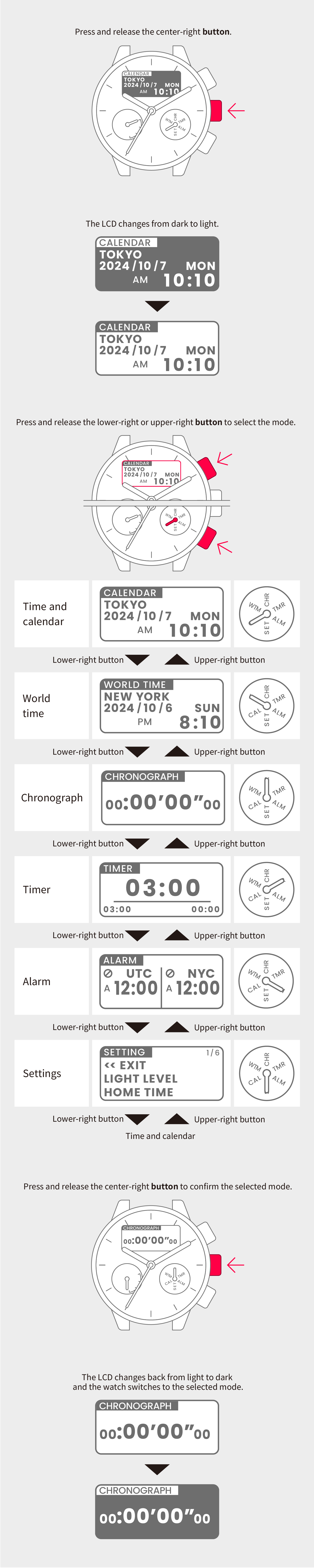
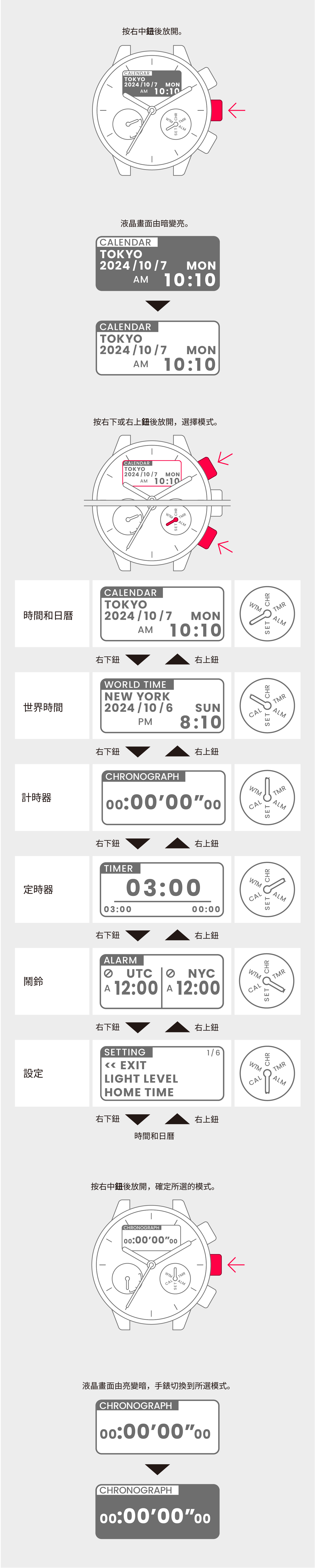
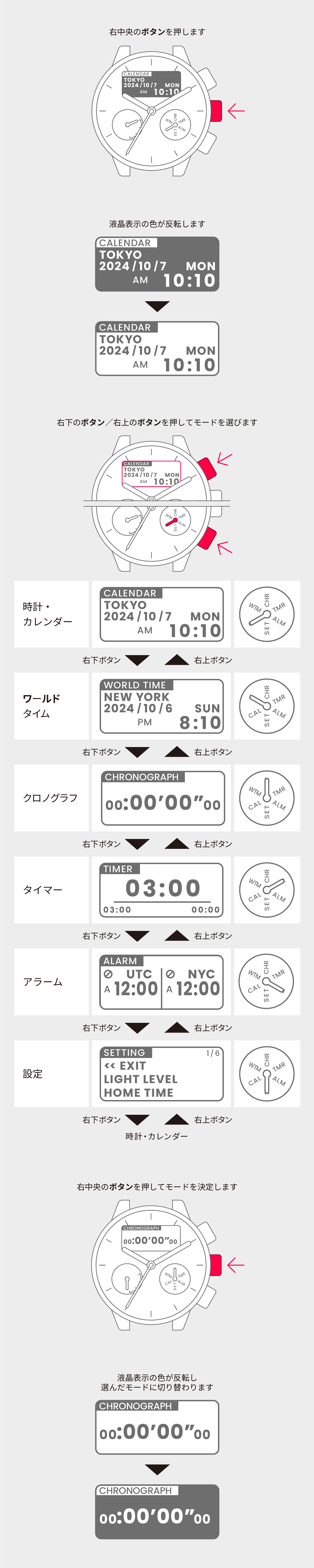
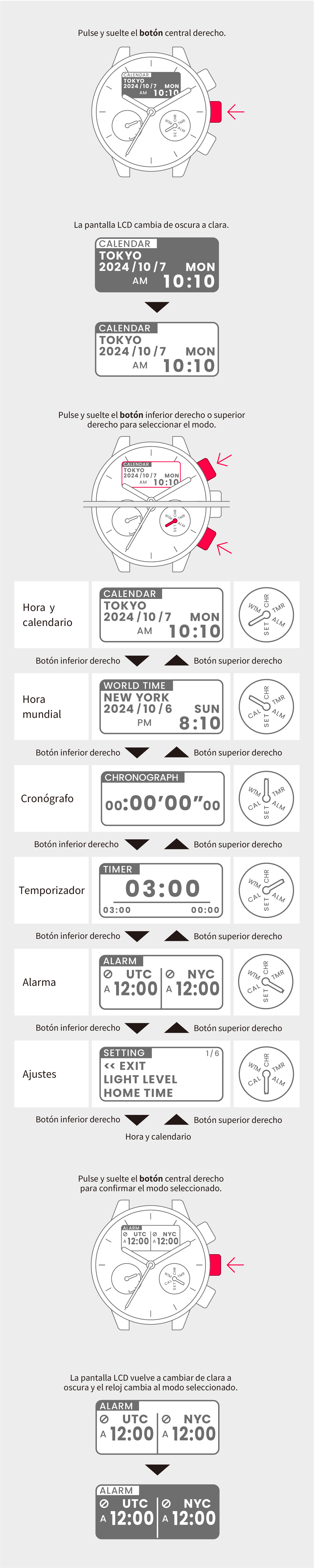
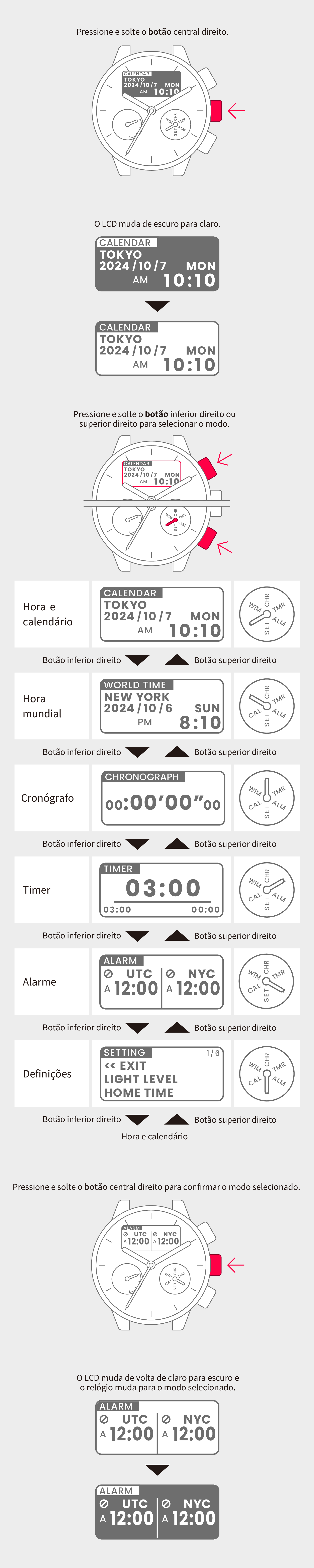
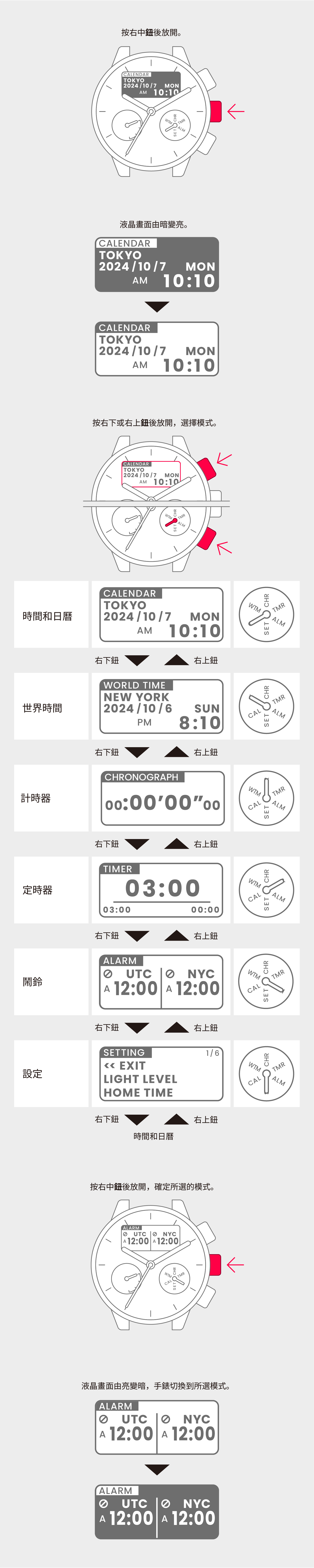
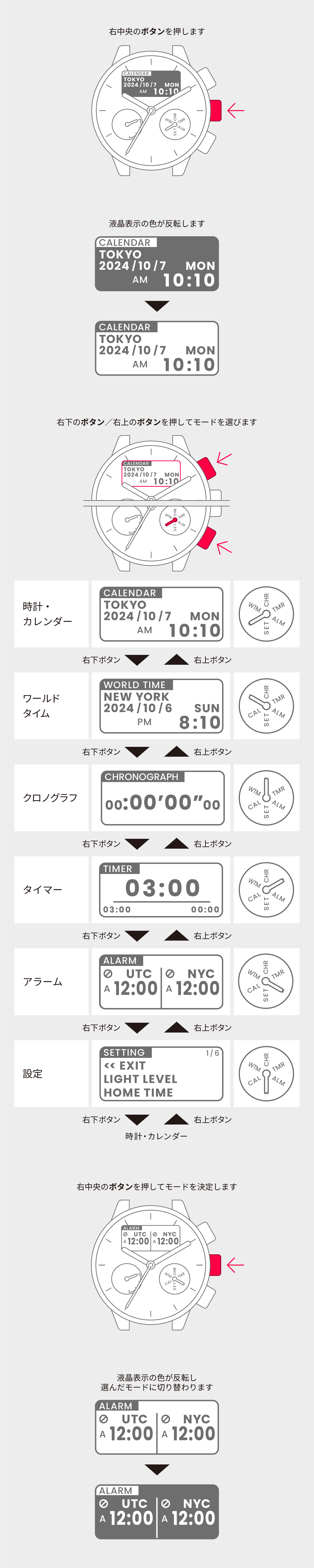
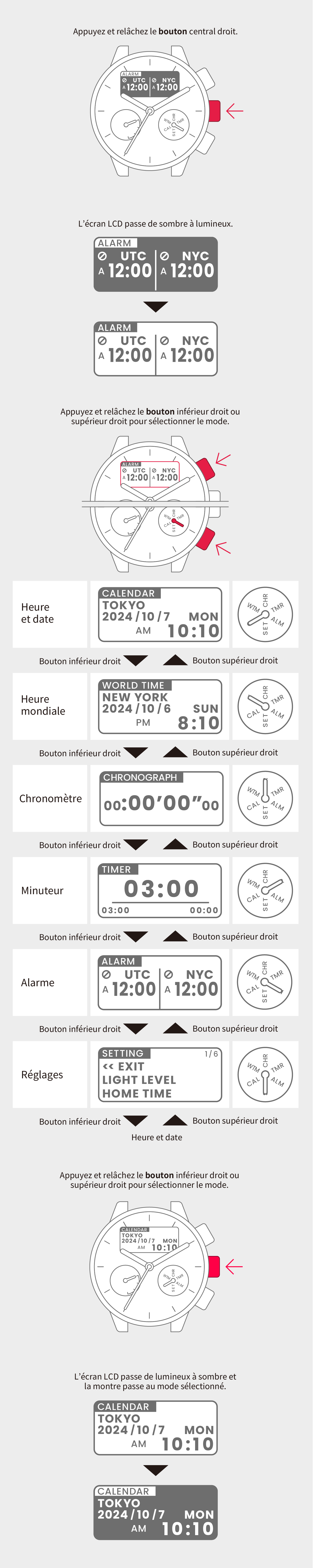
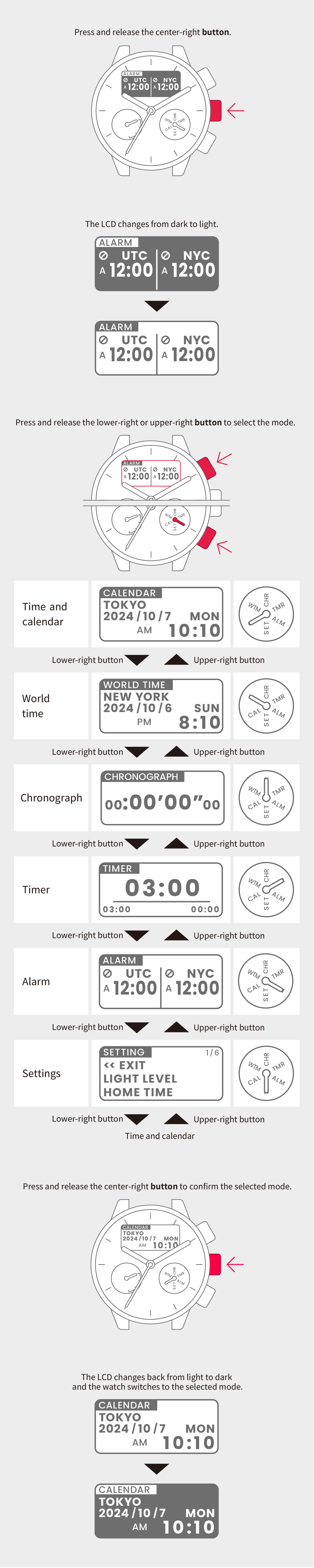
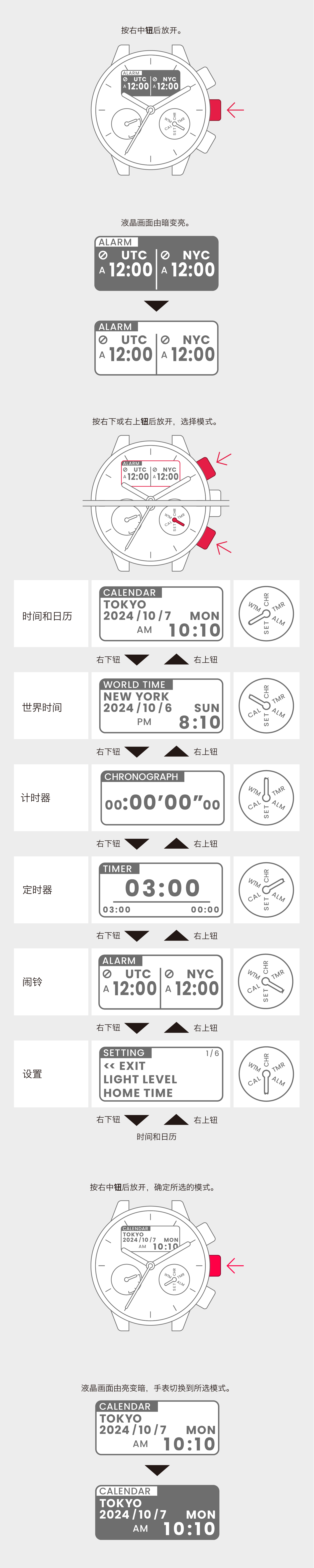
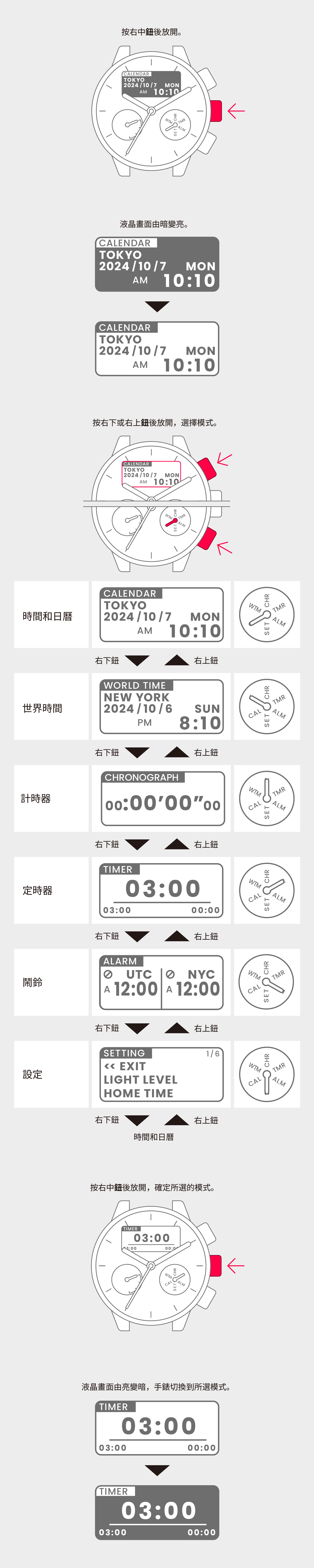
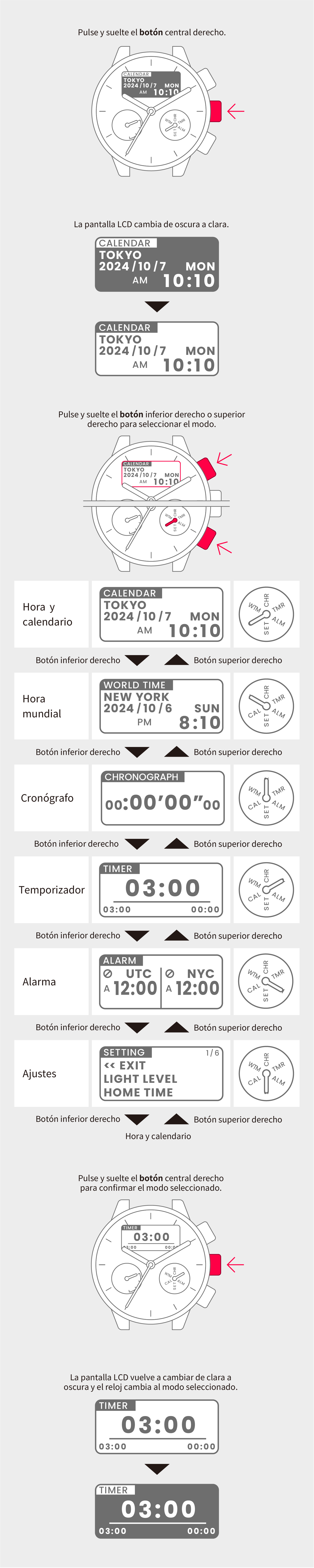
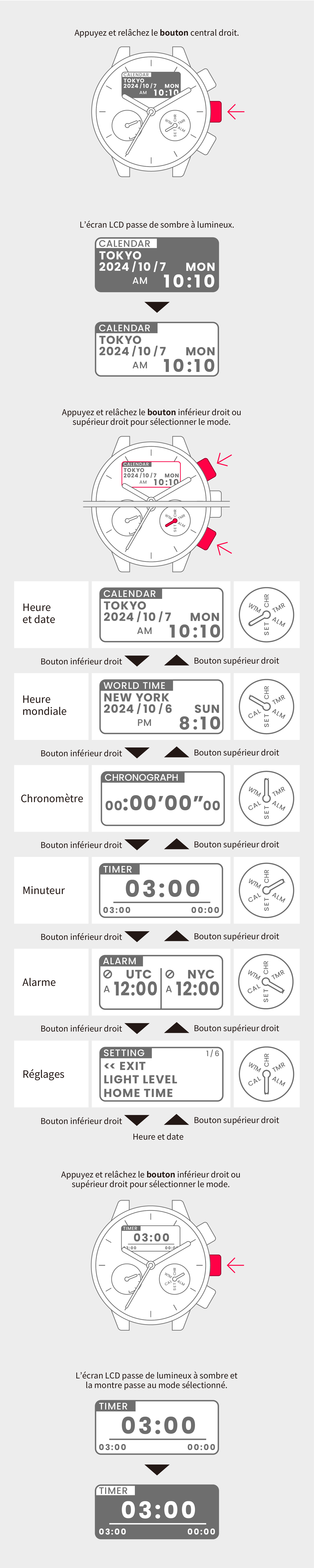
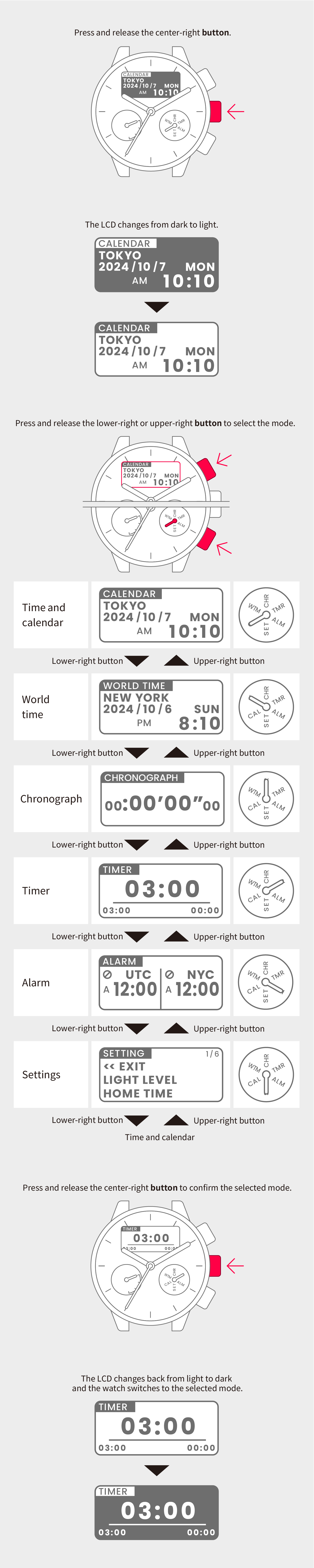
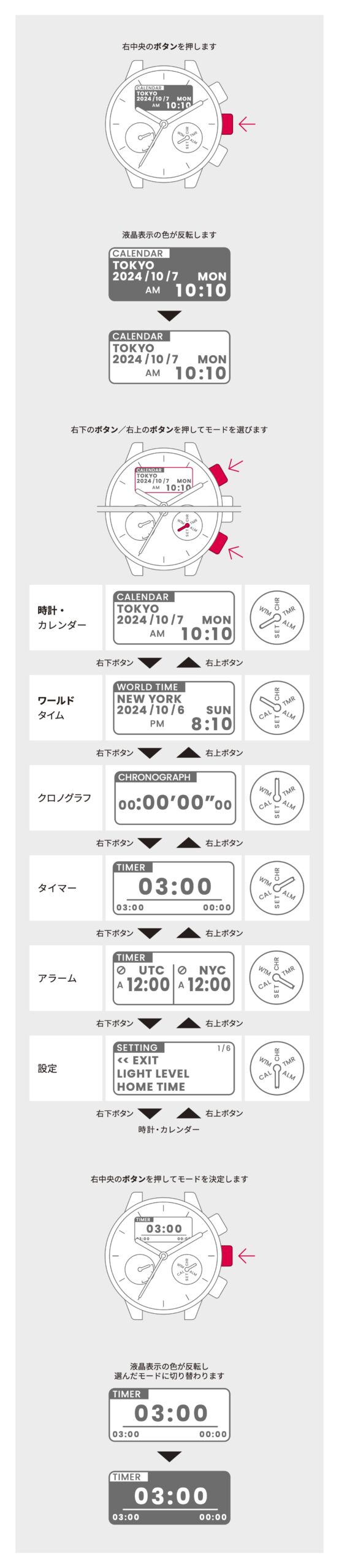
Switch to Timer mode
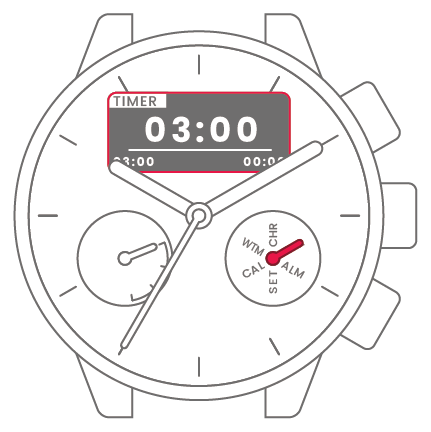

2
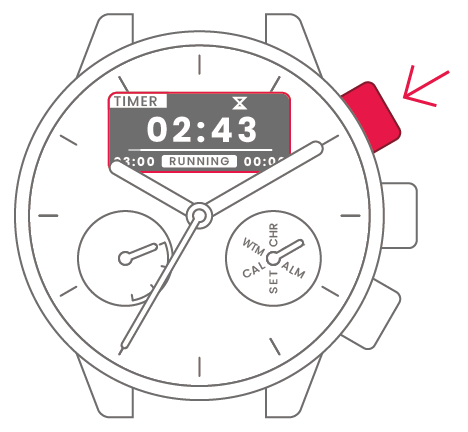
Press and release the upper-right
button to start the timer.
 |
Timer set |
The default setting is 3 minutes.
To pause the timer mid-way, press and release the upper-right button.
When the set time is reached, “TIMER” is displayed and a 5-second tone sounds.
Press and release any button to stop the tone.
The icon is displayed while the timer is running.
To change the timer setting
To change the timer setting
View in illustrations
1
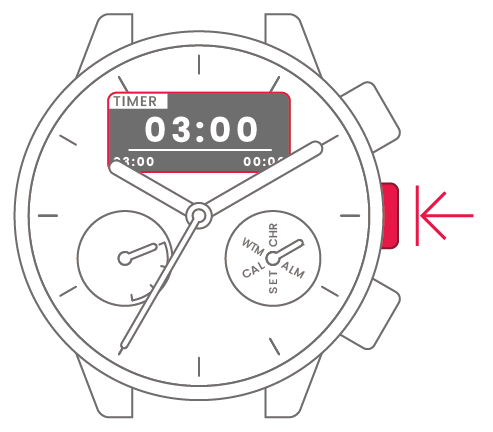
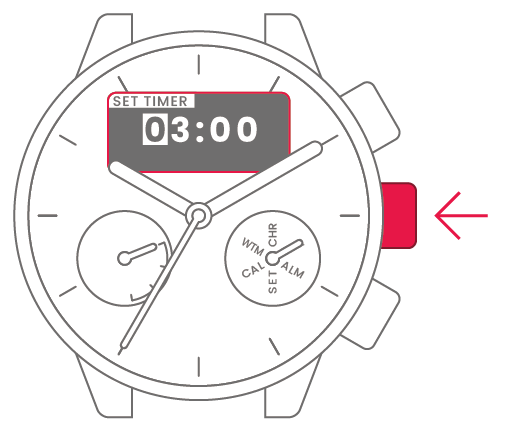
Press and hold the center-right
button for at least 2 seconds
while the timer is stopped.
2
Press and release the lower-right
or upper-right button to change
the minutes or seconds on the
timer.
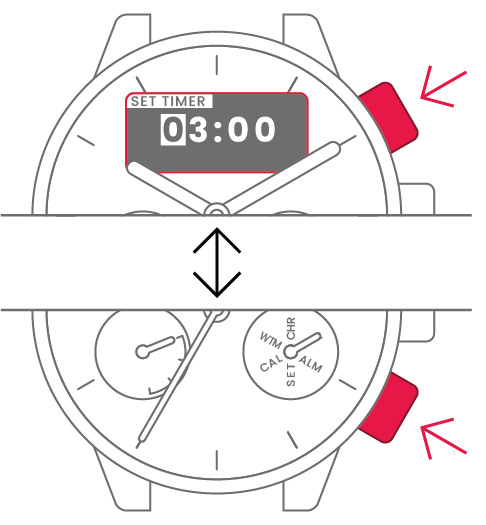
| Minutes (tens digit) |
Press and release the lower-right or upper-right button to change. |  |
 |
Center-right button |
| Minutes (ones digit) |
Press and release the lower-right or upper-right button to change. |  |
|
Center-right button |
| Seconds (tens digit) |
Press and release the lower-right or upper-right button to change. |  |
|
Center-right button |
| Seconds (ones digit) |
Press and release the lower-right or upper-right button to change. |  |
|
Center-right button |
| Setting complete |  |