Movement No. 9054
To set the hour hand to another time




View in illustrations

1
Check the other time and date.

2
Pull the crown out 1 step.
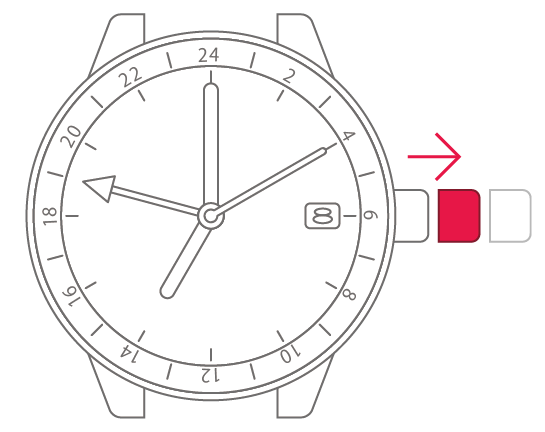

3
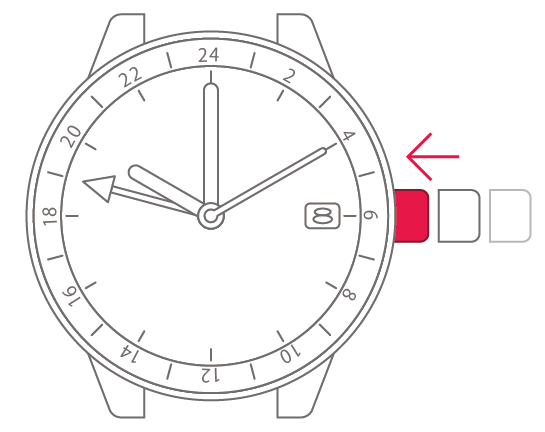
Turn the crown to set the hour
hand to the other time.


4
Push the crown back in to
complete the process.
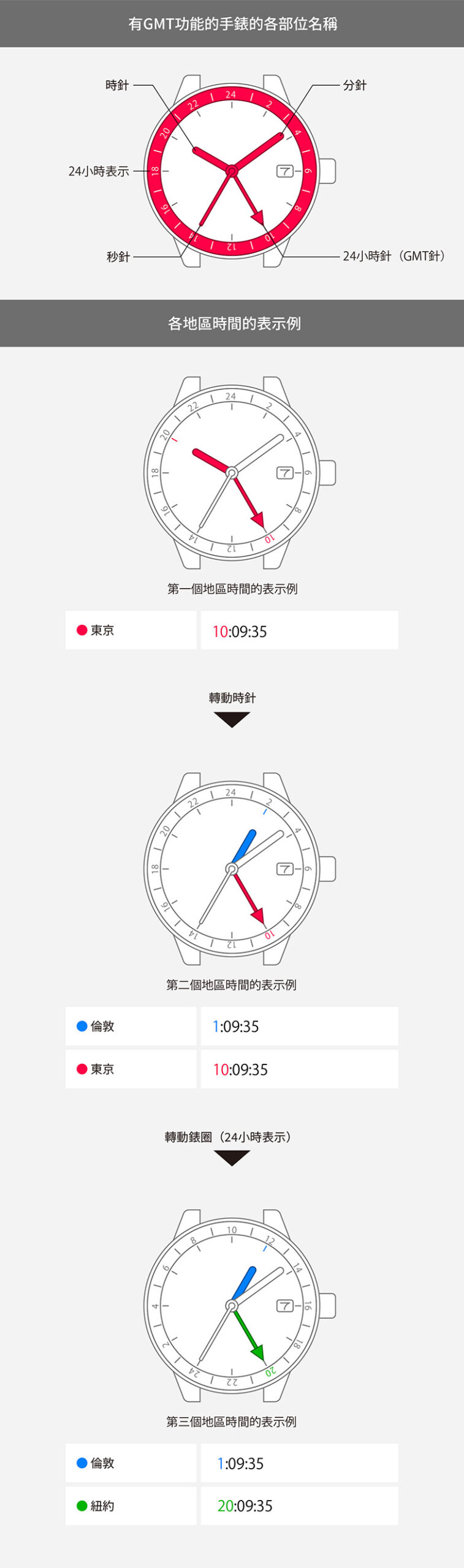
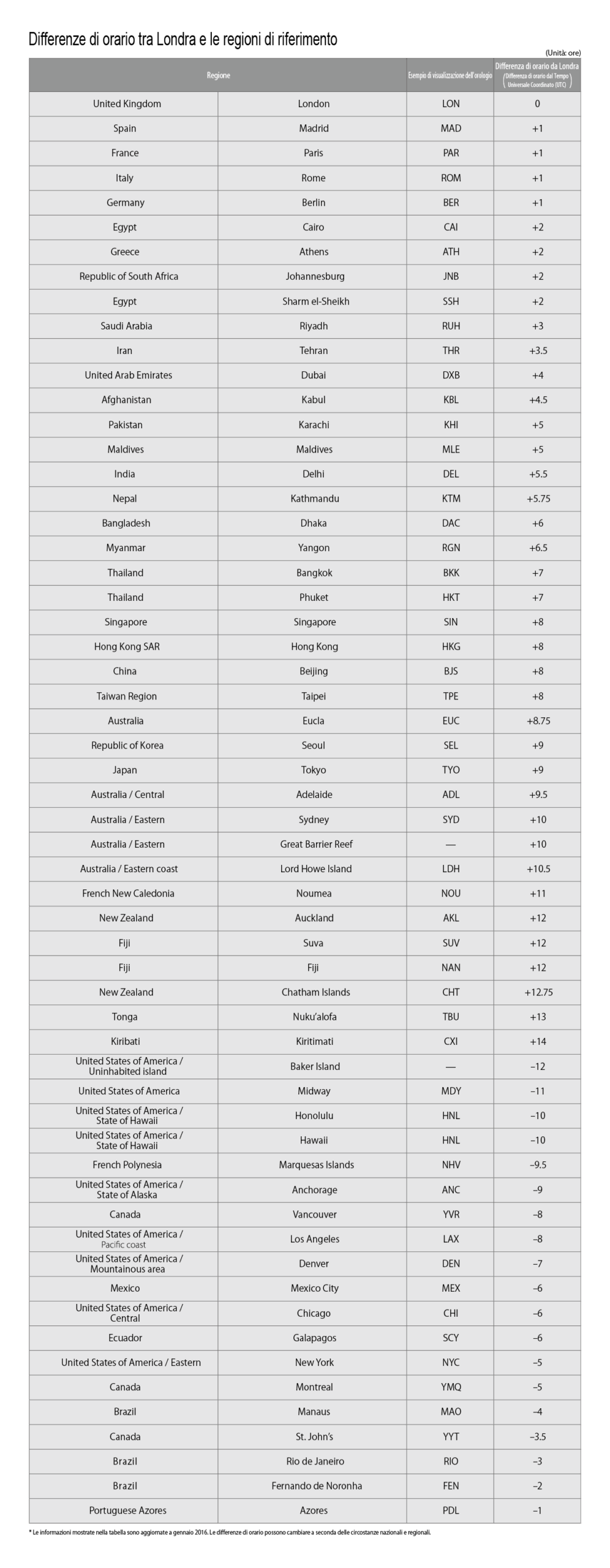
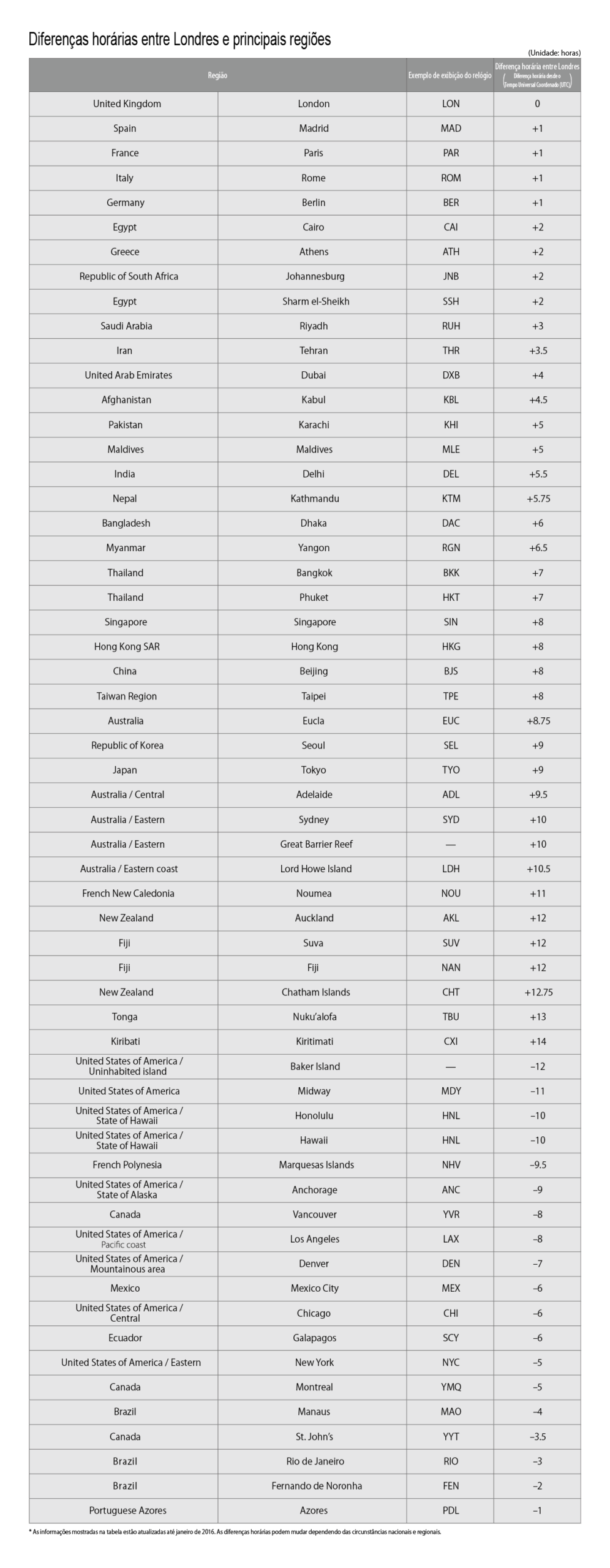
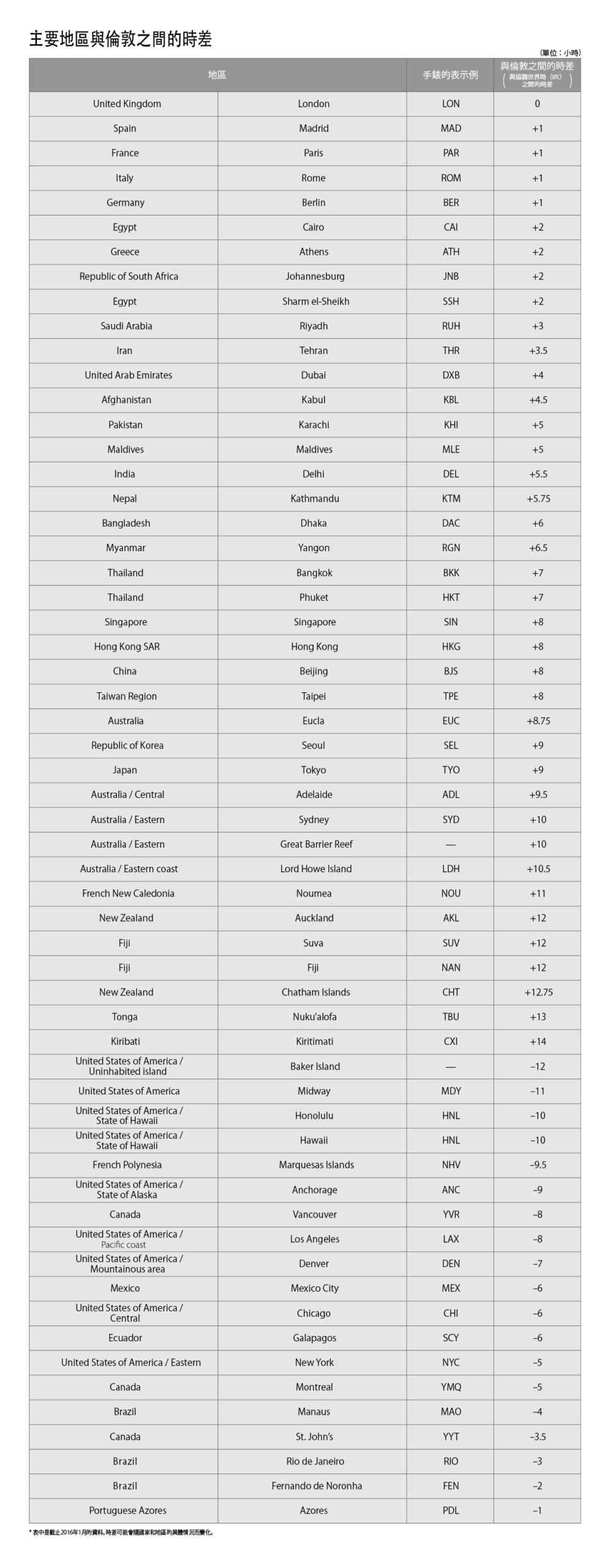
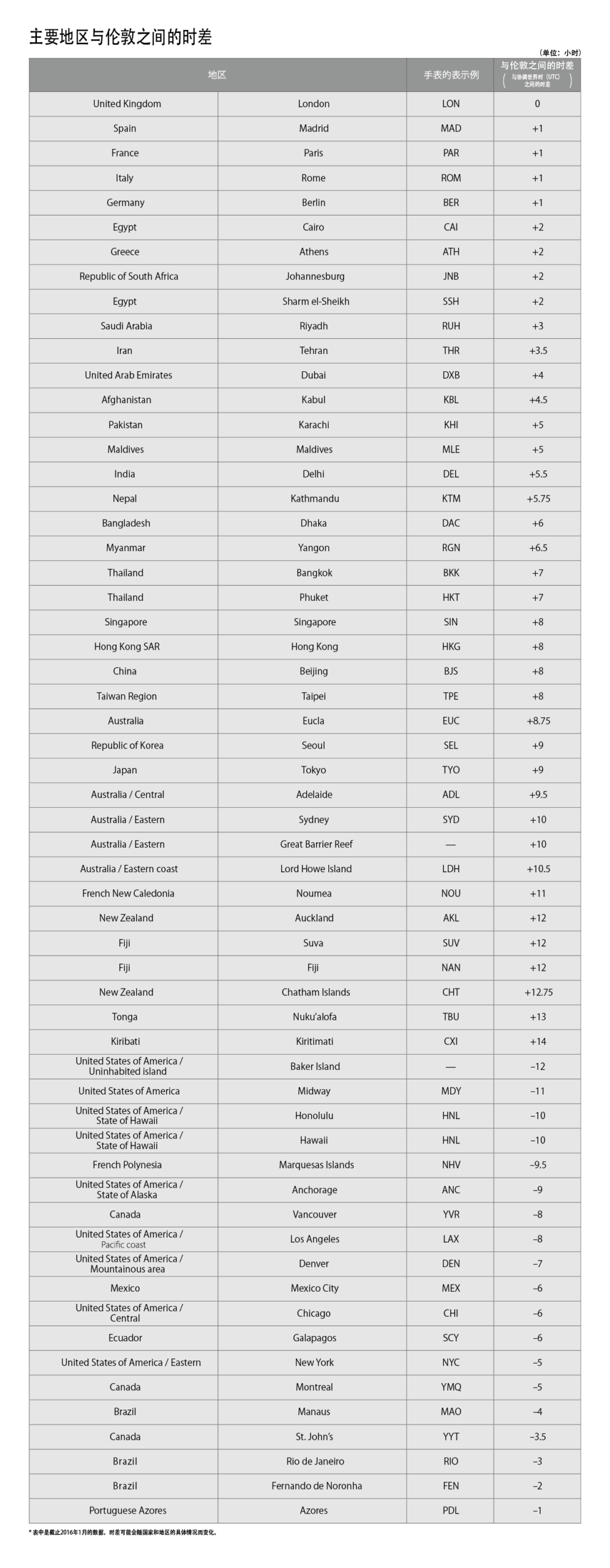
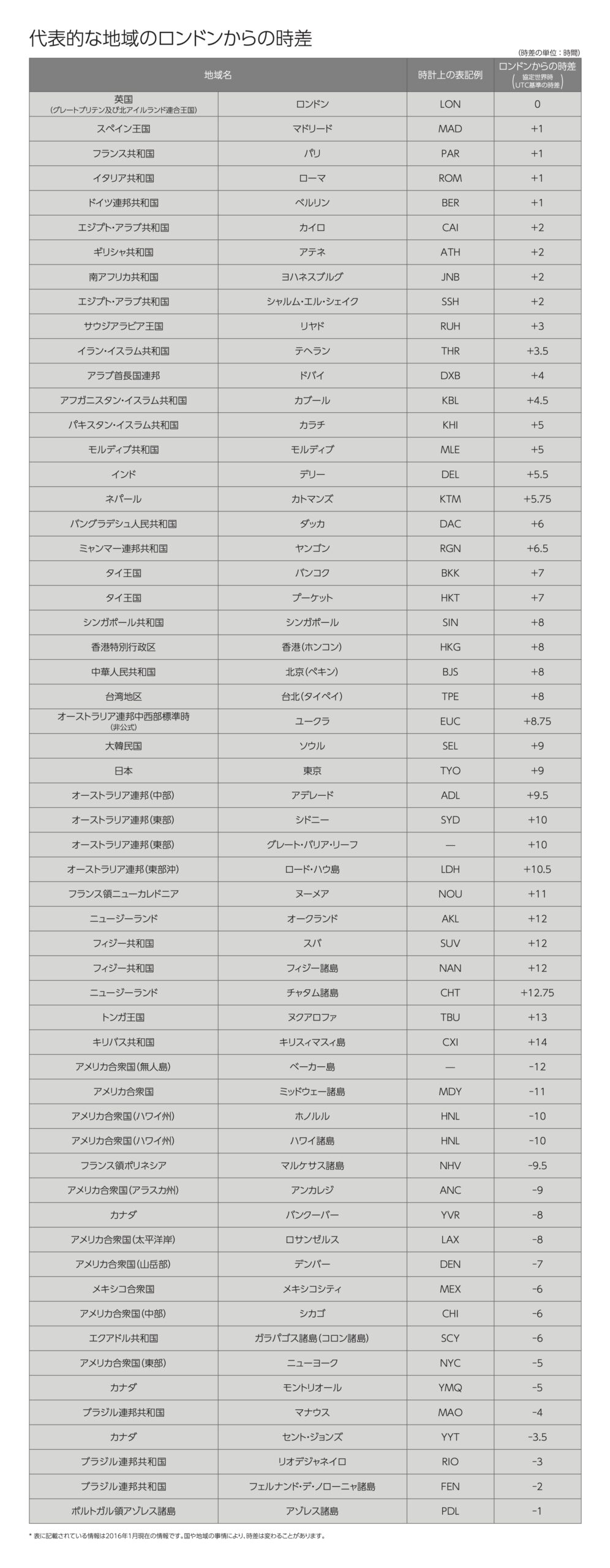
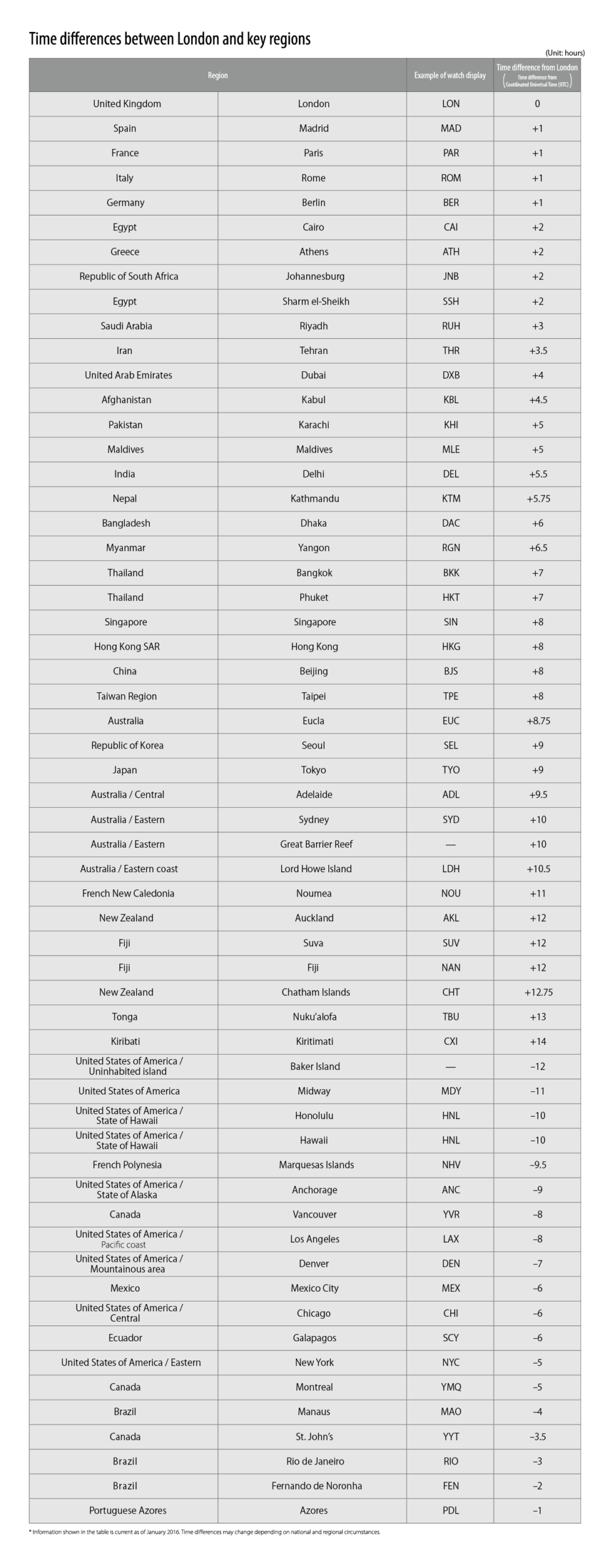
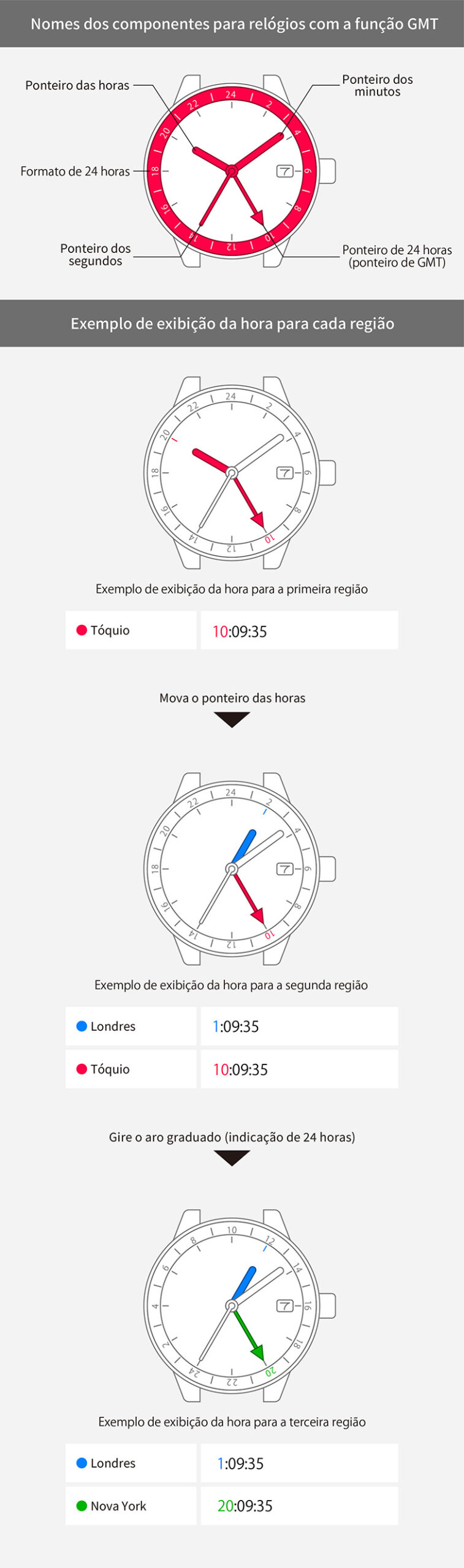
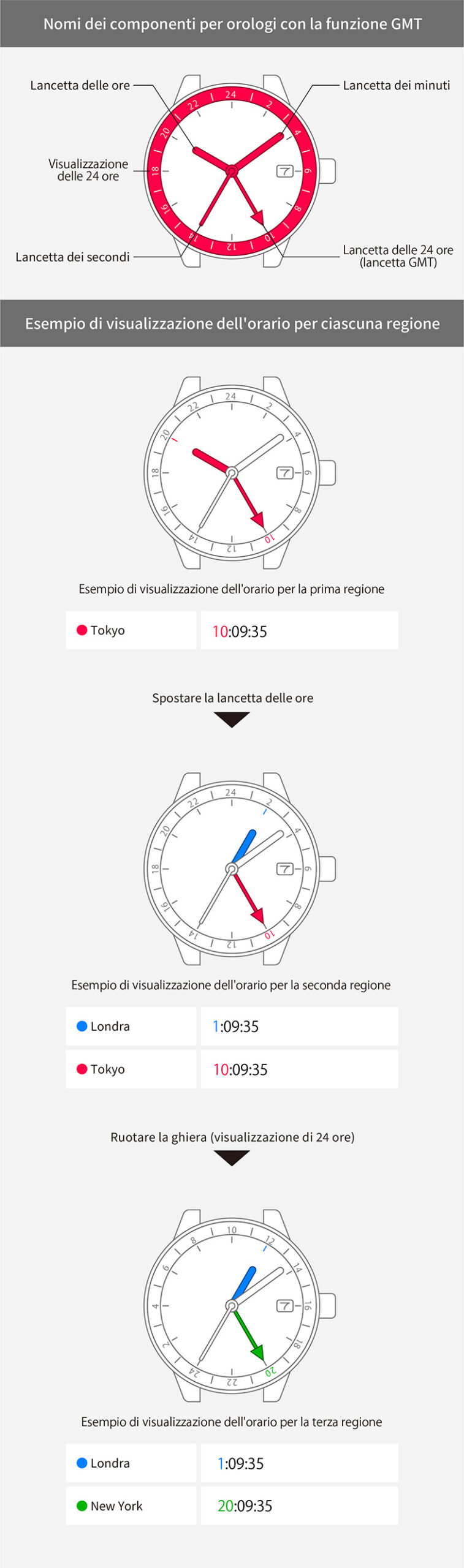
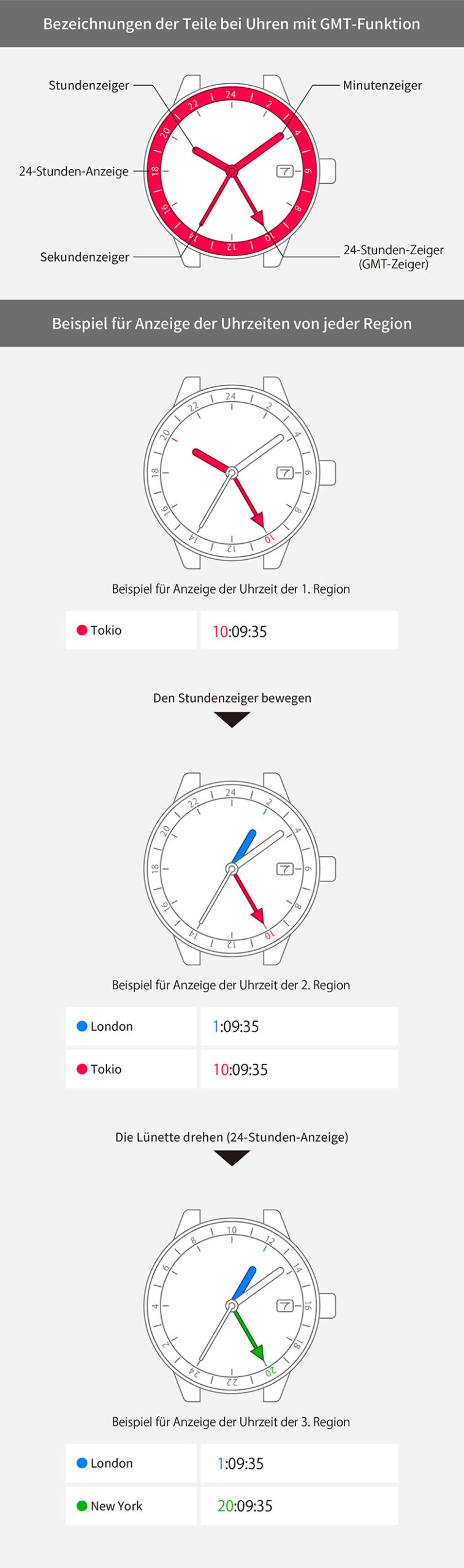
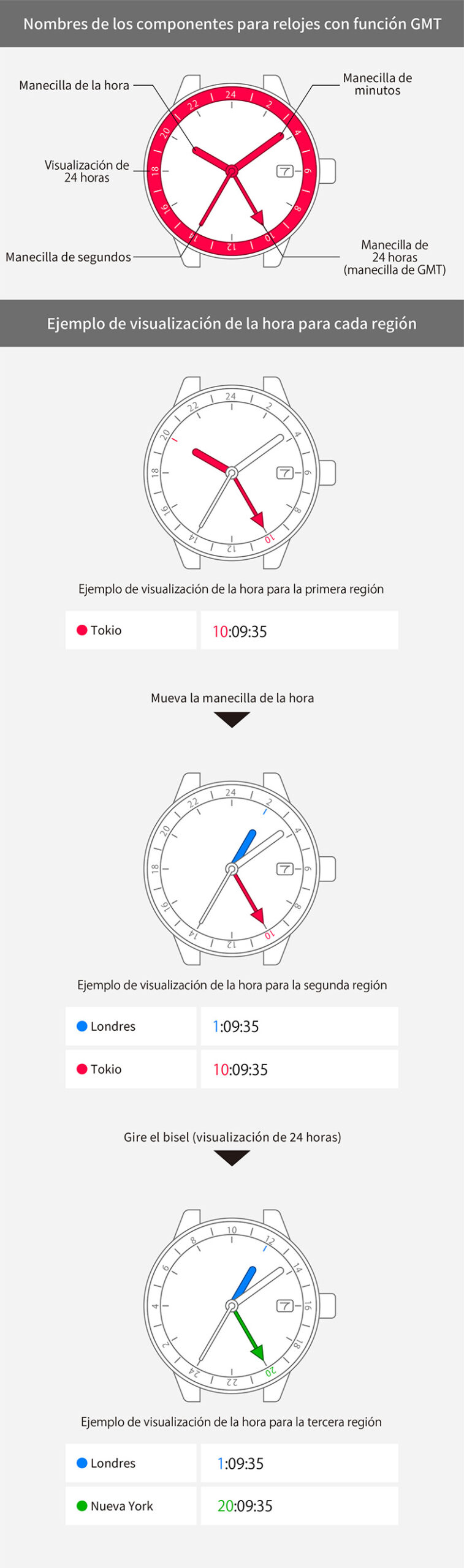
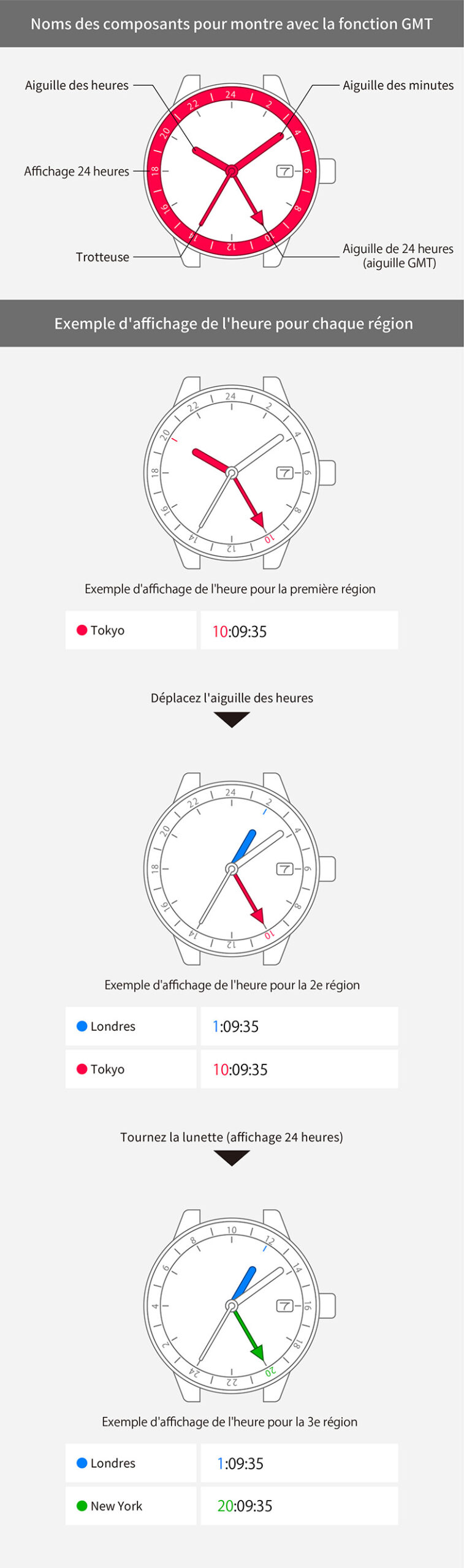
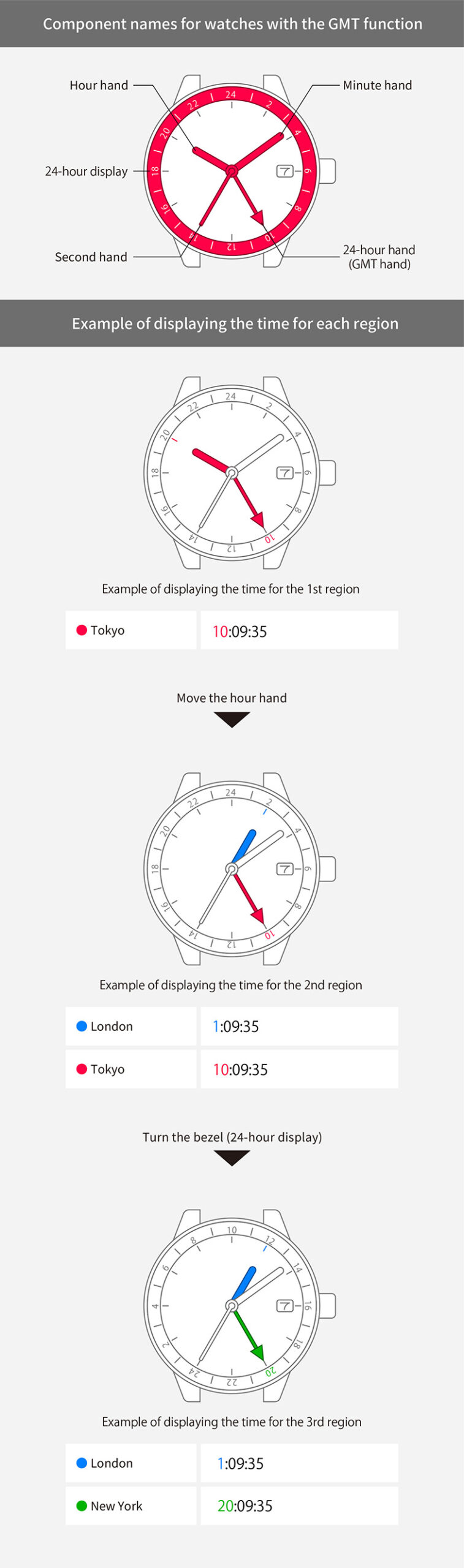
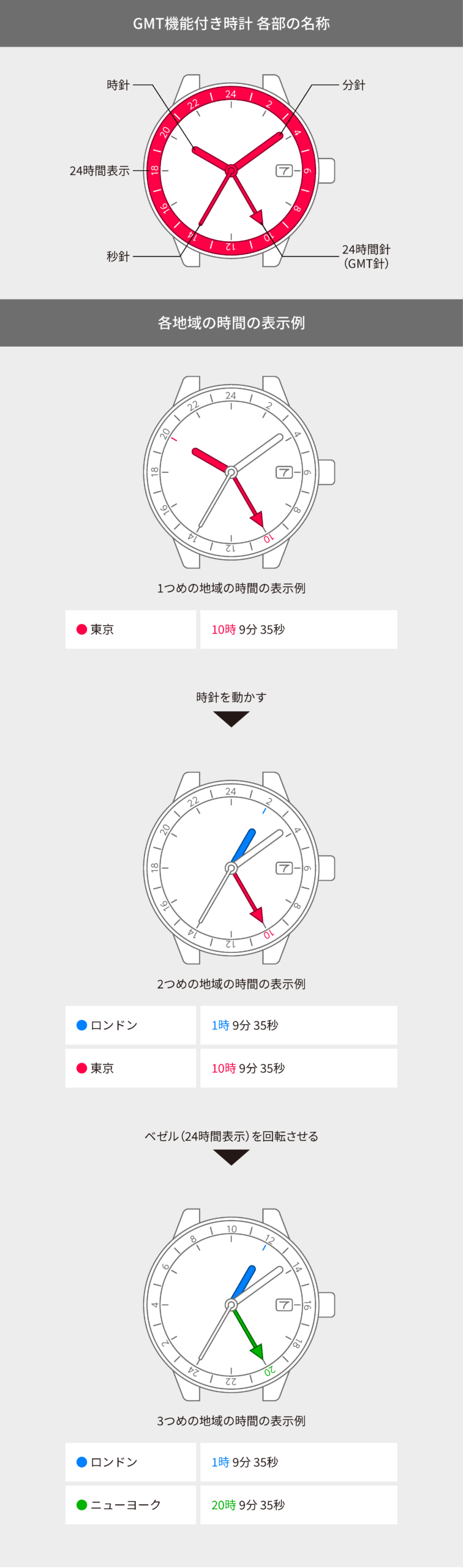
You can use the time difference setting function to set the hour hand to a different time and thereby simultaneously display the time for two regions.
When the watch is stopped, wind the mainspring.
On models with a rotating bezel, turn the bezel so that “24” is at the top (in the 12 o’clock position).


View in illustrations

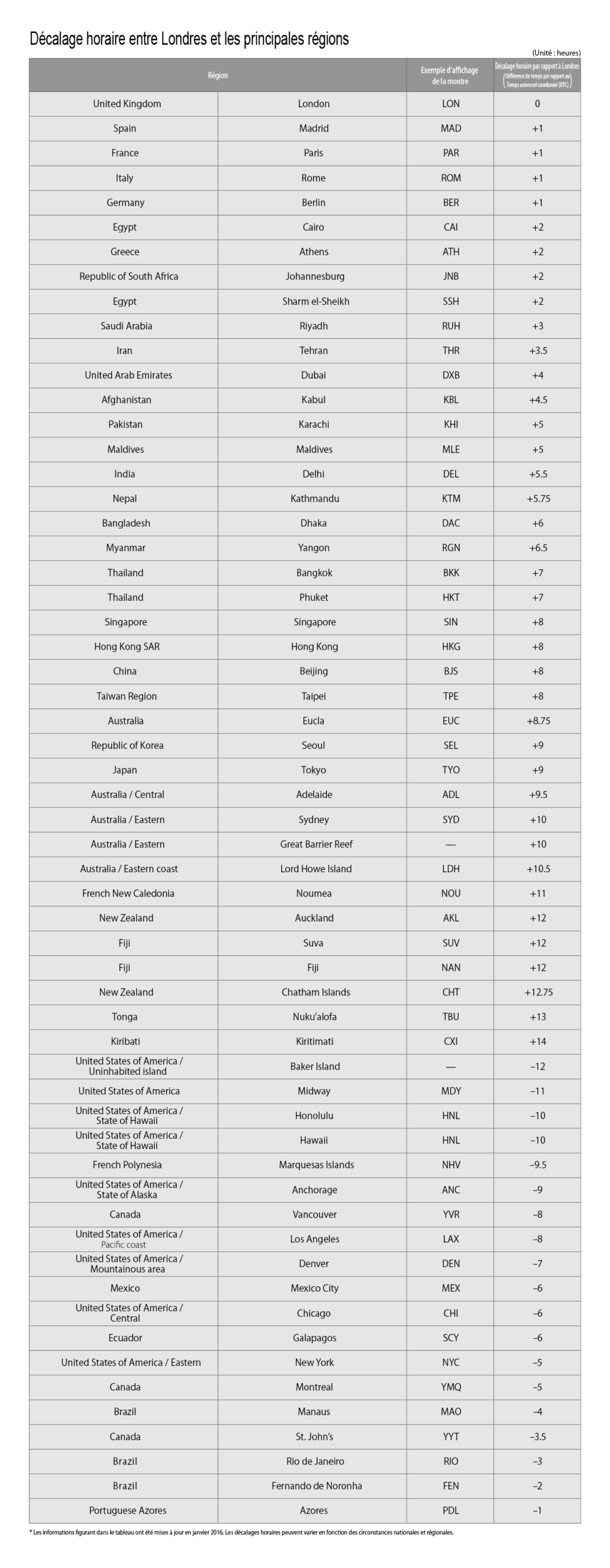
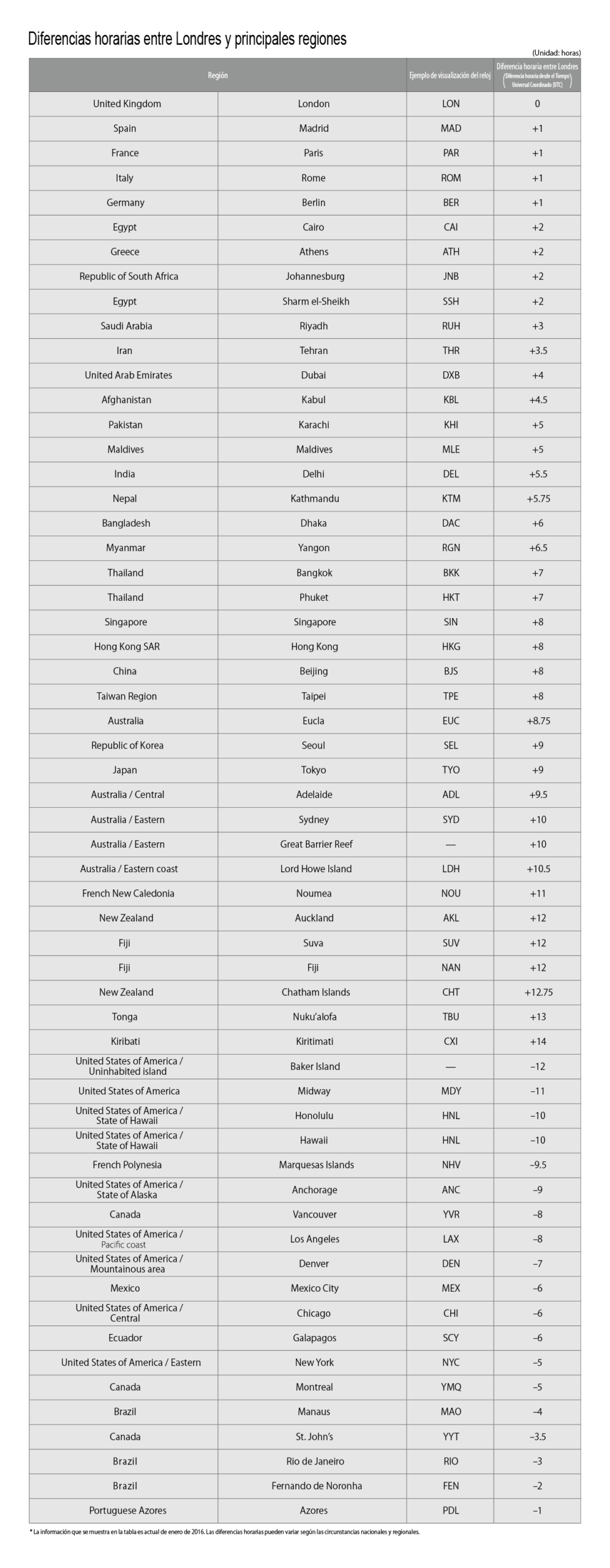
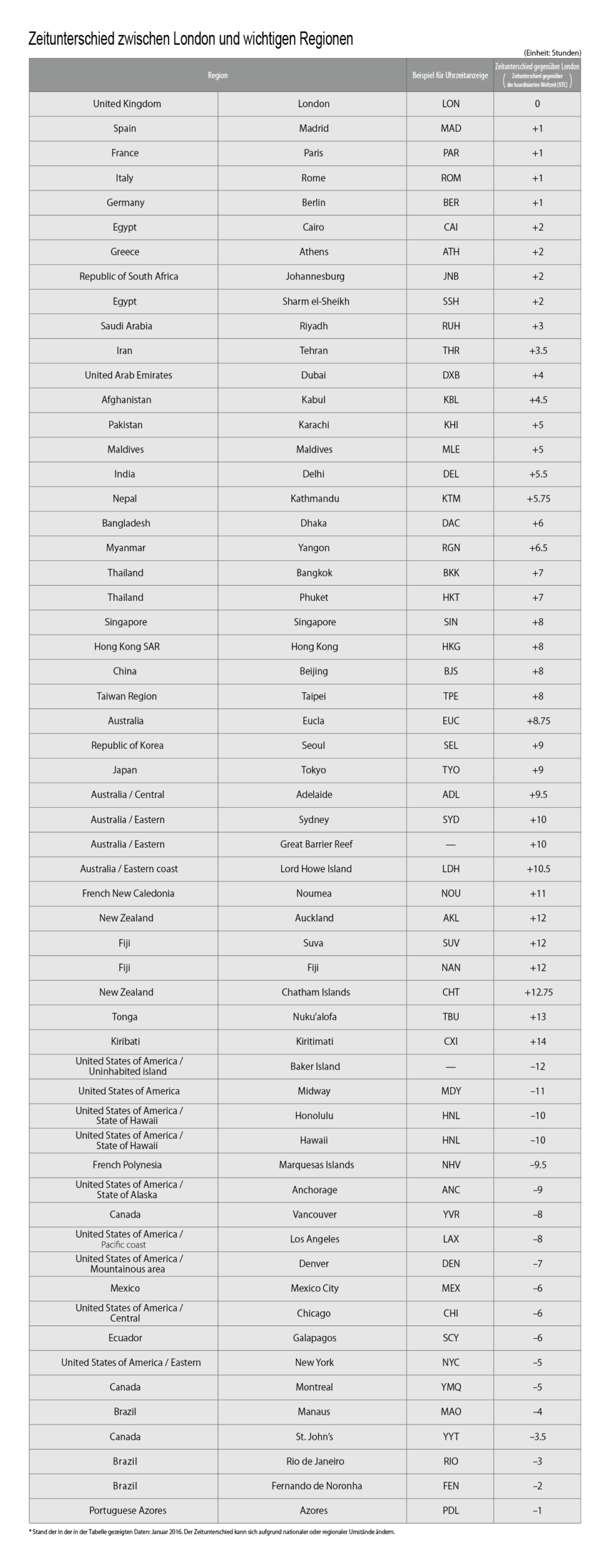
To move the hour hand from Tokyo, 7:00 pm on the 8th to London, 10:00 am on the 8th
1
Check the other time and date.
Search for “Region, current time” on the Internet.
(E.g. “London, current time”)

2
Pull the crown out 1 step.


3
Turn the crown to set the hour
hand to the other time.

The hour hand and date display move synchronously.
The watch moves in 1-hour increments.
Switch the date display to check whether the time is am or pm.
Take care not to turn the crown backwards while switching the date display. Doing so will cause the watch to show the wrong date.

4
Push the crown back in to
complete the process.
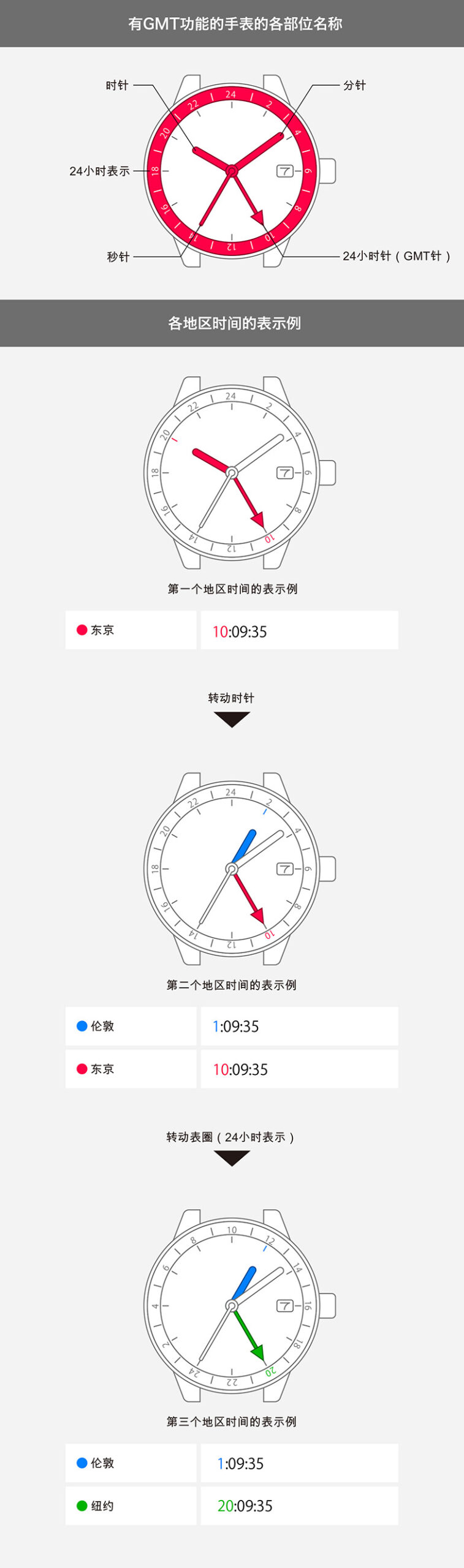
The current time is shown by the 24-hour hand, and the other time is shown by the hour, minute and second hands and by the date display.