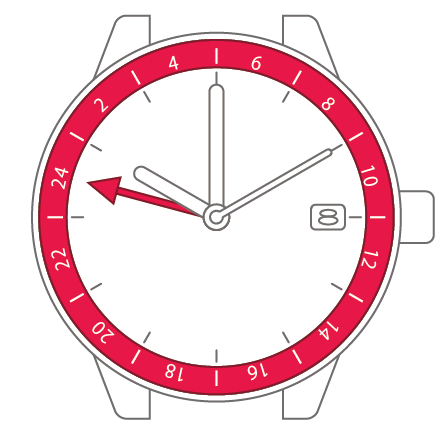
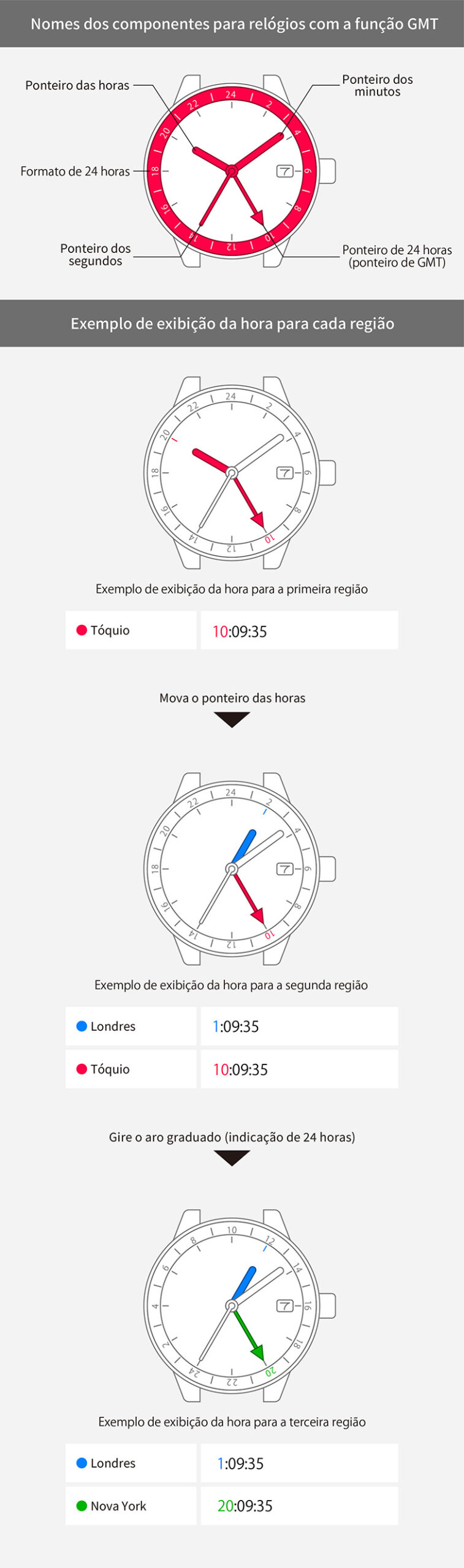
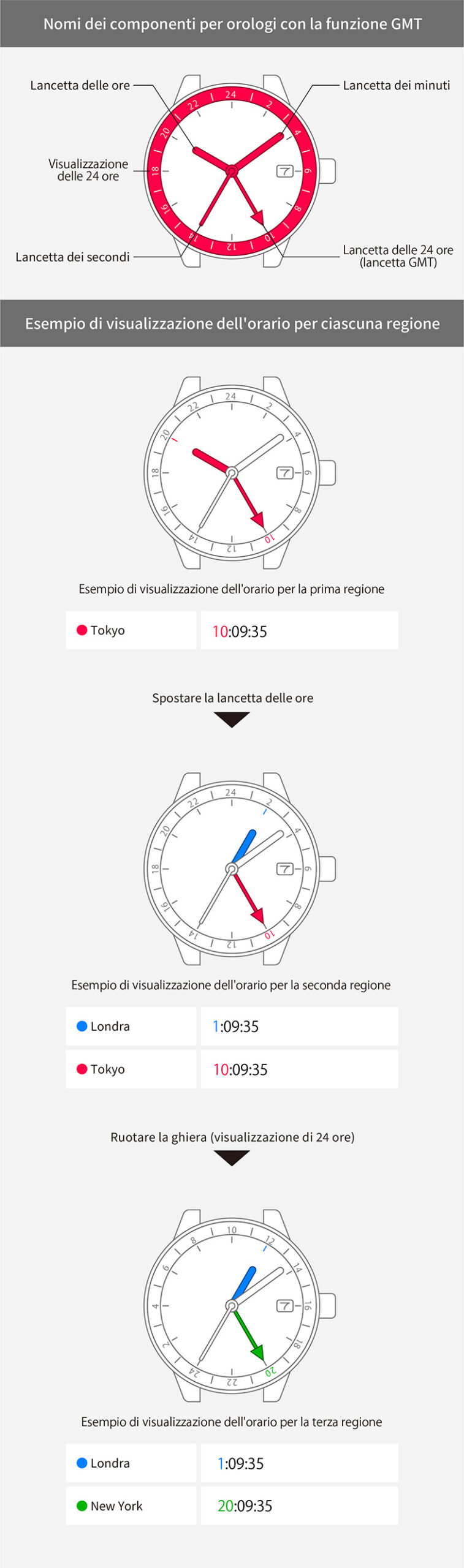
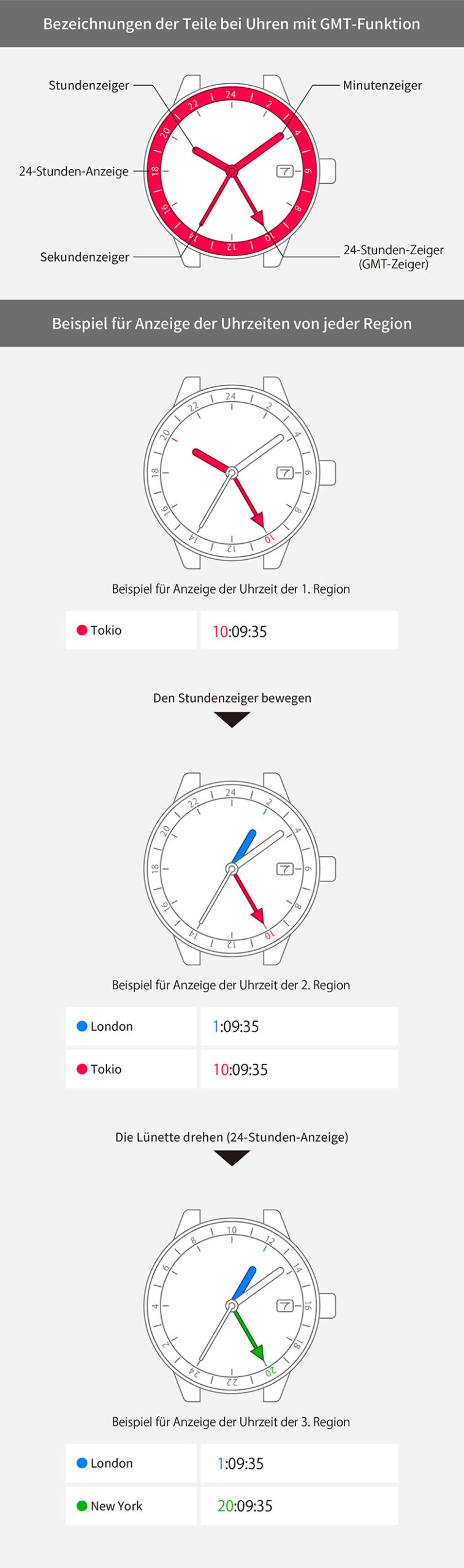
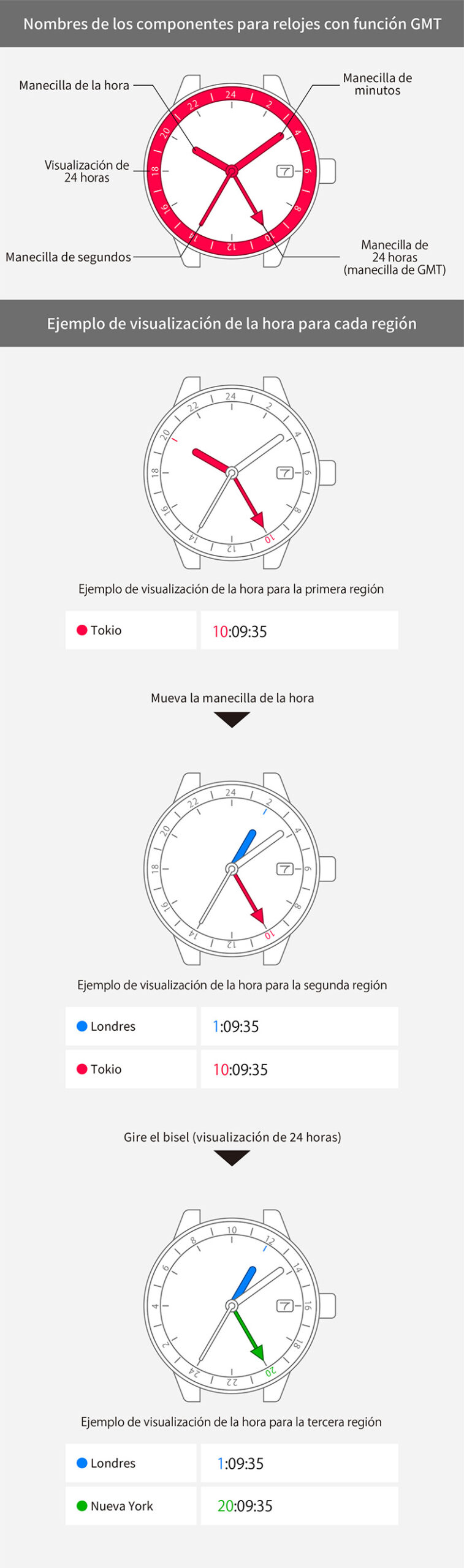
Movement No. 9054
To use the GMT function


Set the time for the 1st region
Set the time for the 1st region


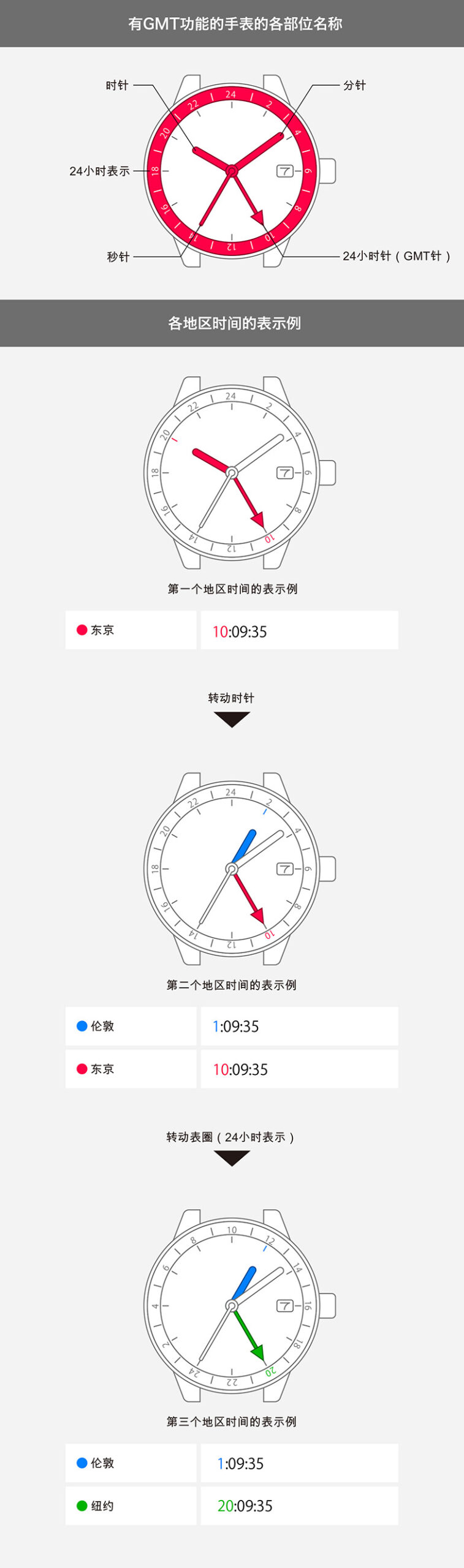
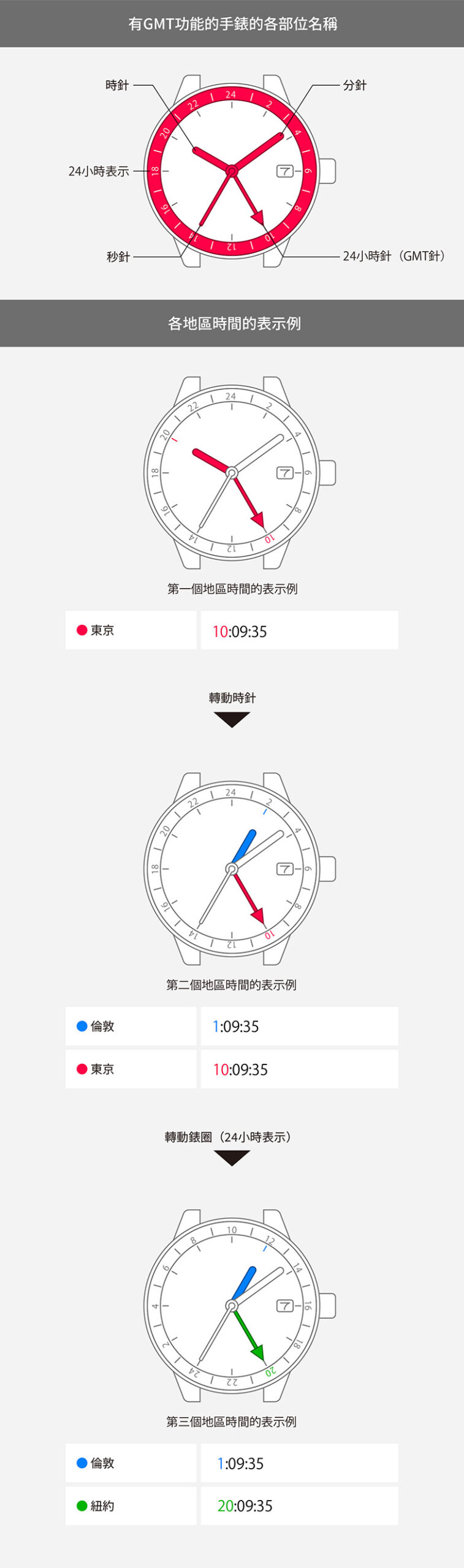
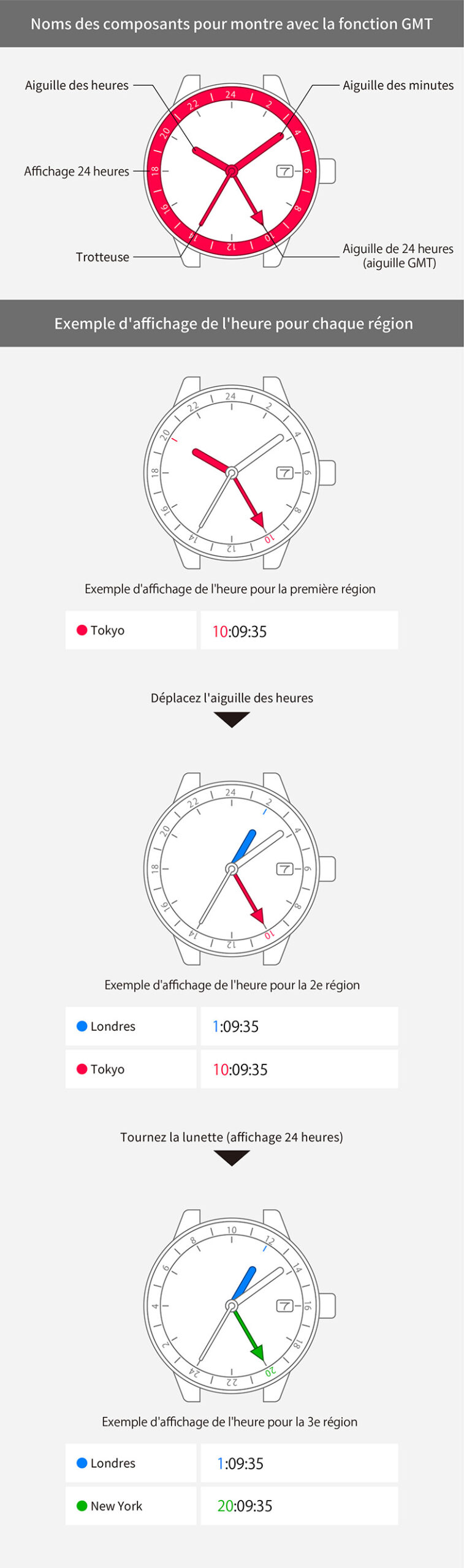
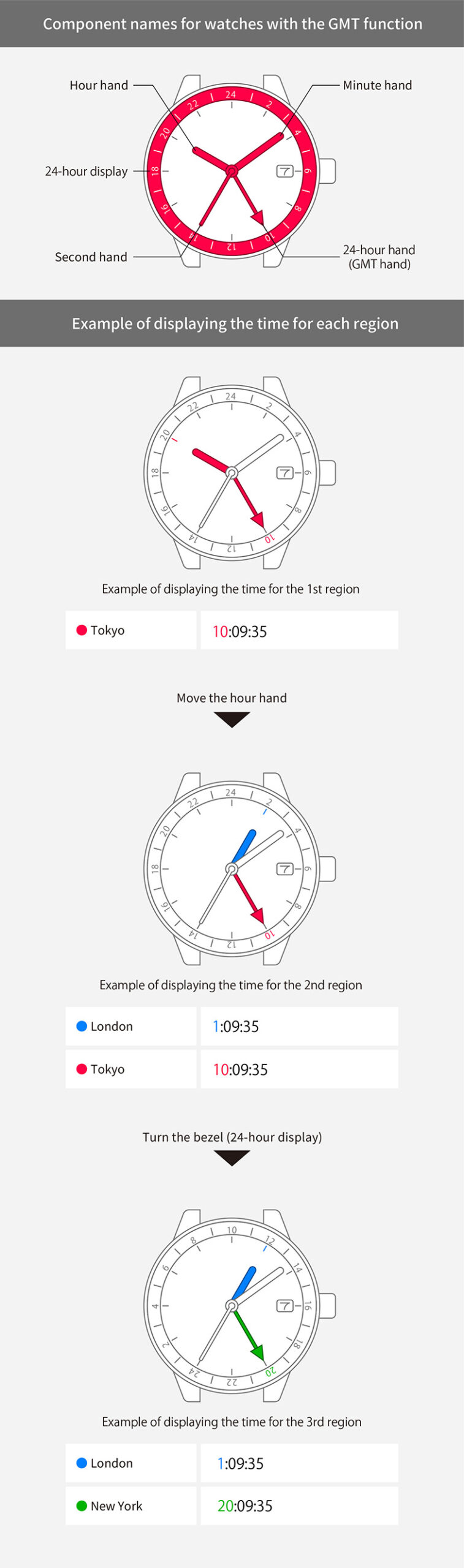
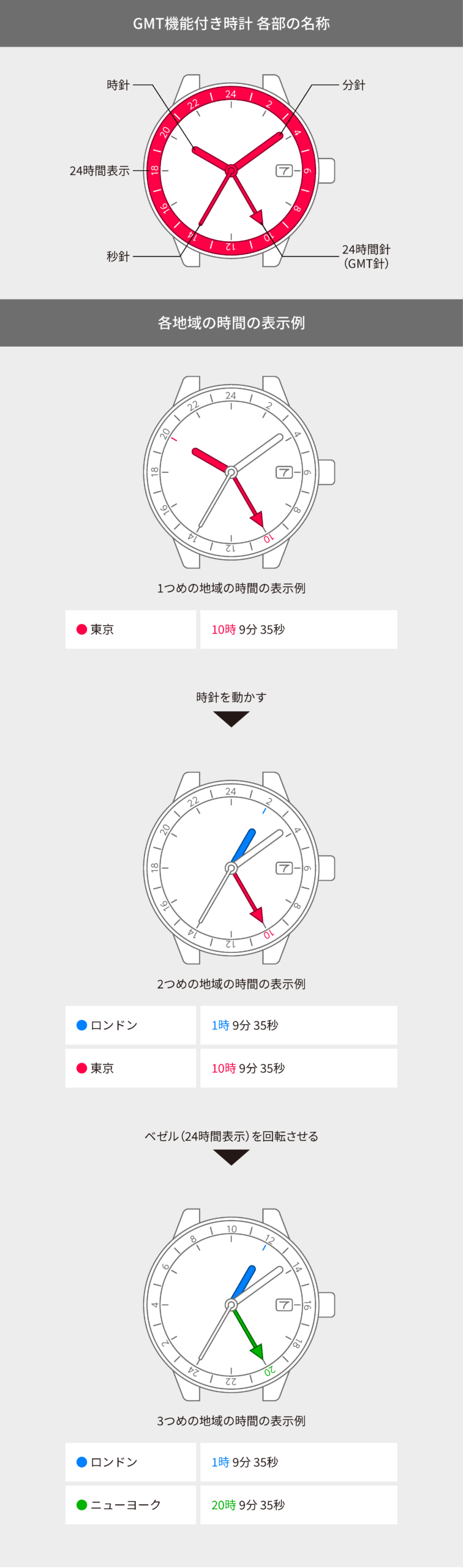
View in illustrations
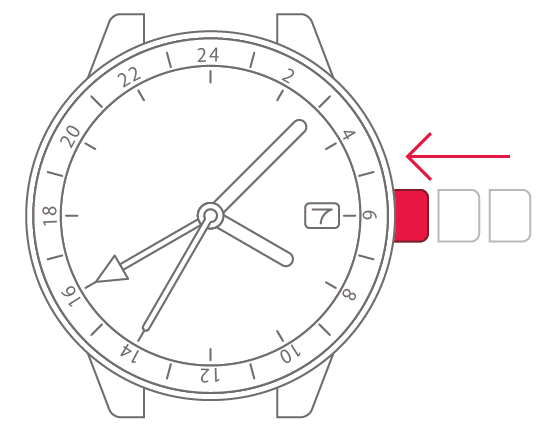
1
Check that the crown is fully
pushed in.

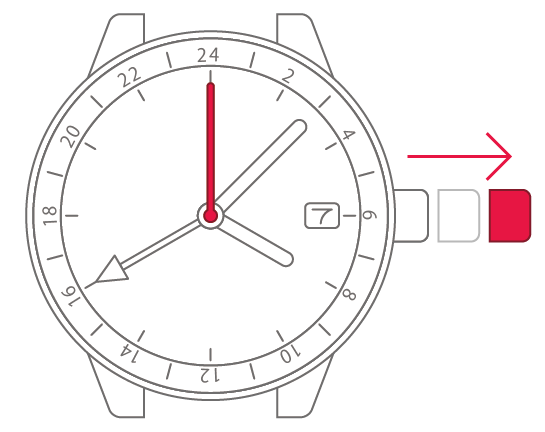
2
With the second hand pointing to
0 seconds, pull the crown out
2 steps.
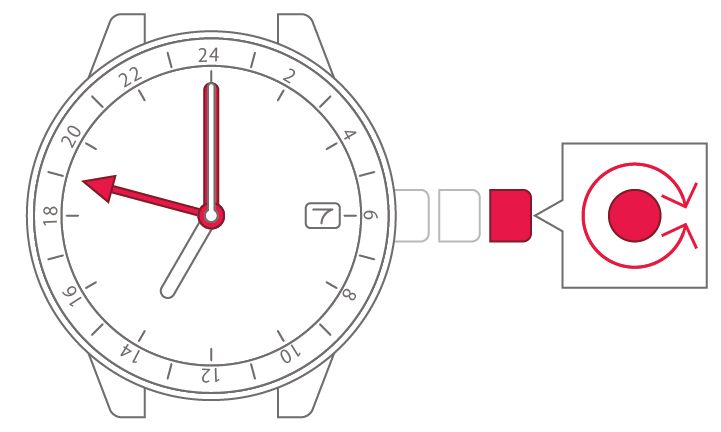
3
Turn the crown to set the minute
and hour (24-hour time).
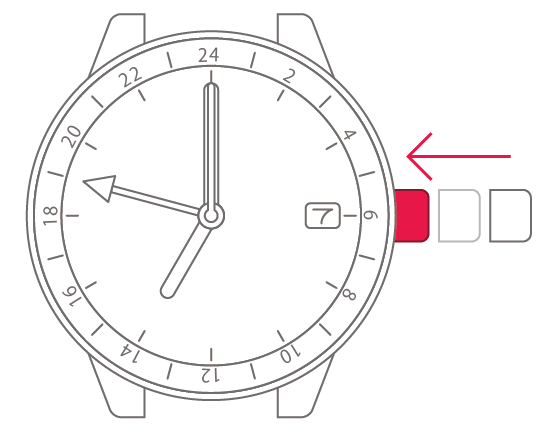
4
Push the crown back in when the
time matches the time signal or
other source.
5
Pull the crown out 1 step.
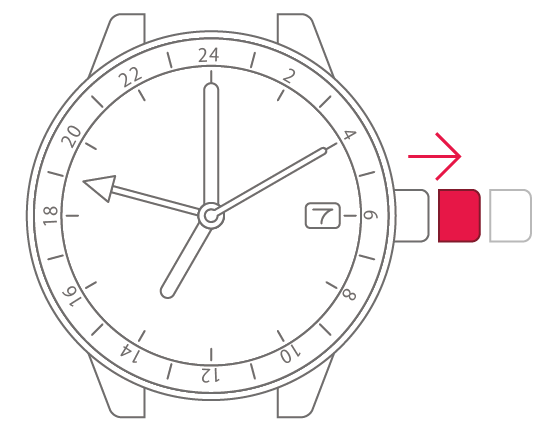
6
Turn the crown to set the time
and date.
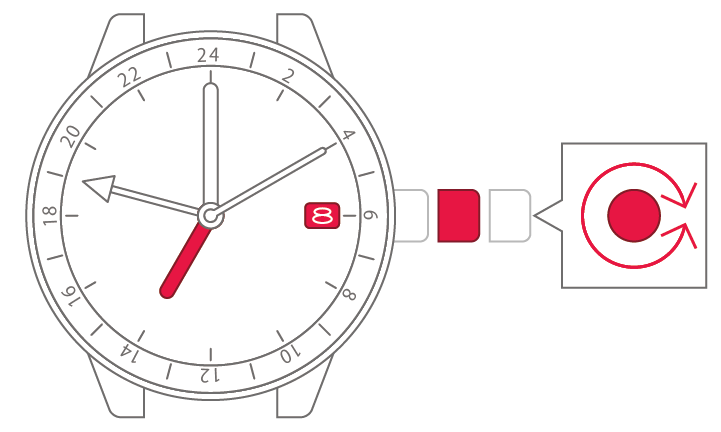
7
Push the crown back in to
complete the process.

Set the time for the 2nd region
Set the time for the 2nd region
View in illustrations
1
Check the time and date for the
2nd region.
2
Pull the crown out 1 step.
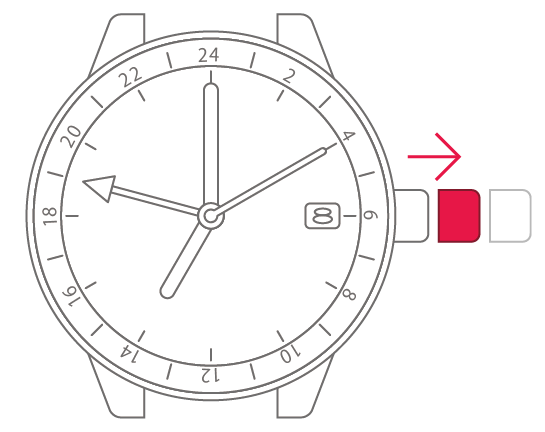
3
Turn the crown to set the time
and date for the 2nd region.

4
Push the crown back in to
complete the process.
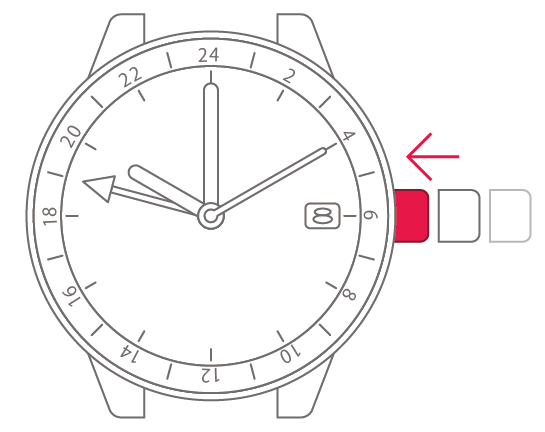
View in illustrations
1
Check that the crown is fully
pushed in.
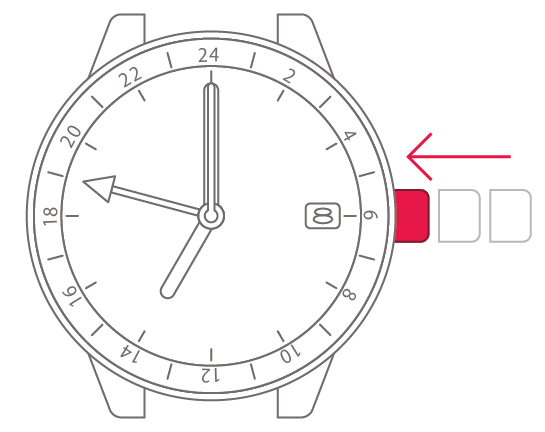
2
With the second hand pointing to
0 seconds, pull the crown out
2 steps.
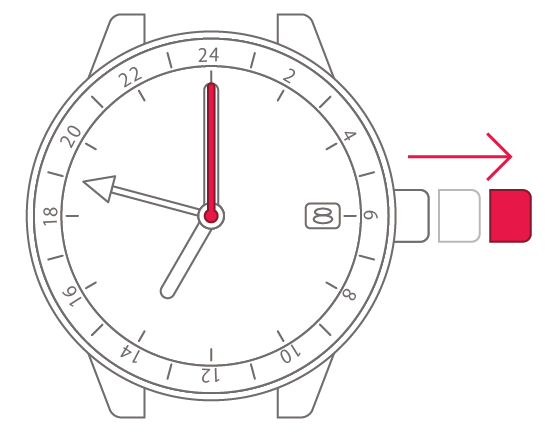
3
Turn the crown to set the
24-hour hand to the time for the
2nd region.
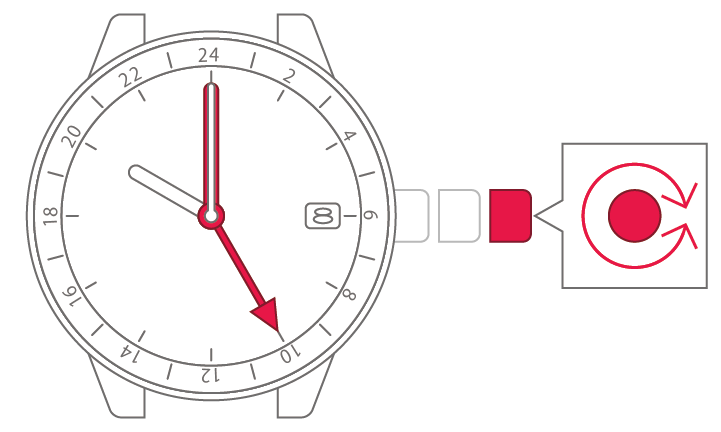
4
Push the crown back in when the
time matches the time signal or
other source.
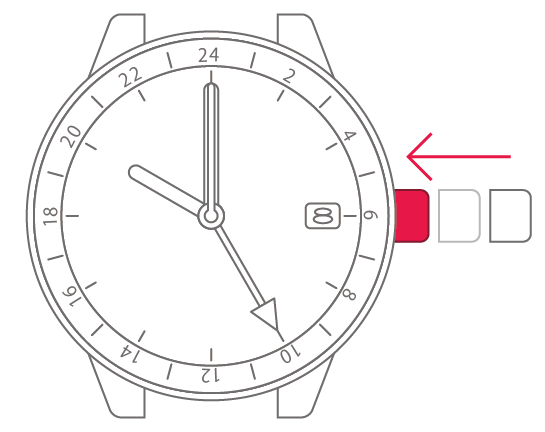
5
Pull the crown out 1 step.
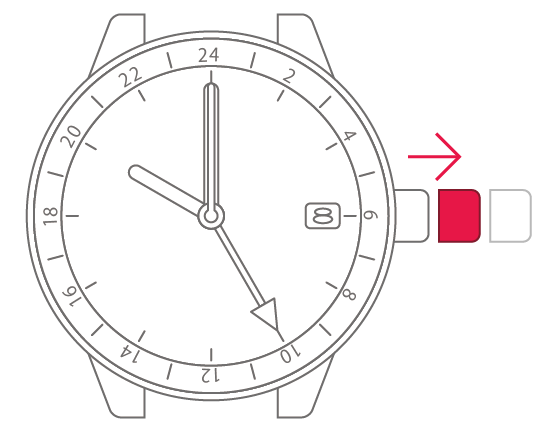
6
Turn the crown to set the time
and date for the 1st region.

7
Push the crown back in to
complete the process.

Set the time for the 3rd region
Set the time for the 3rd region
View in illustrations
1
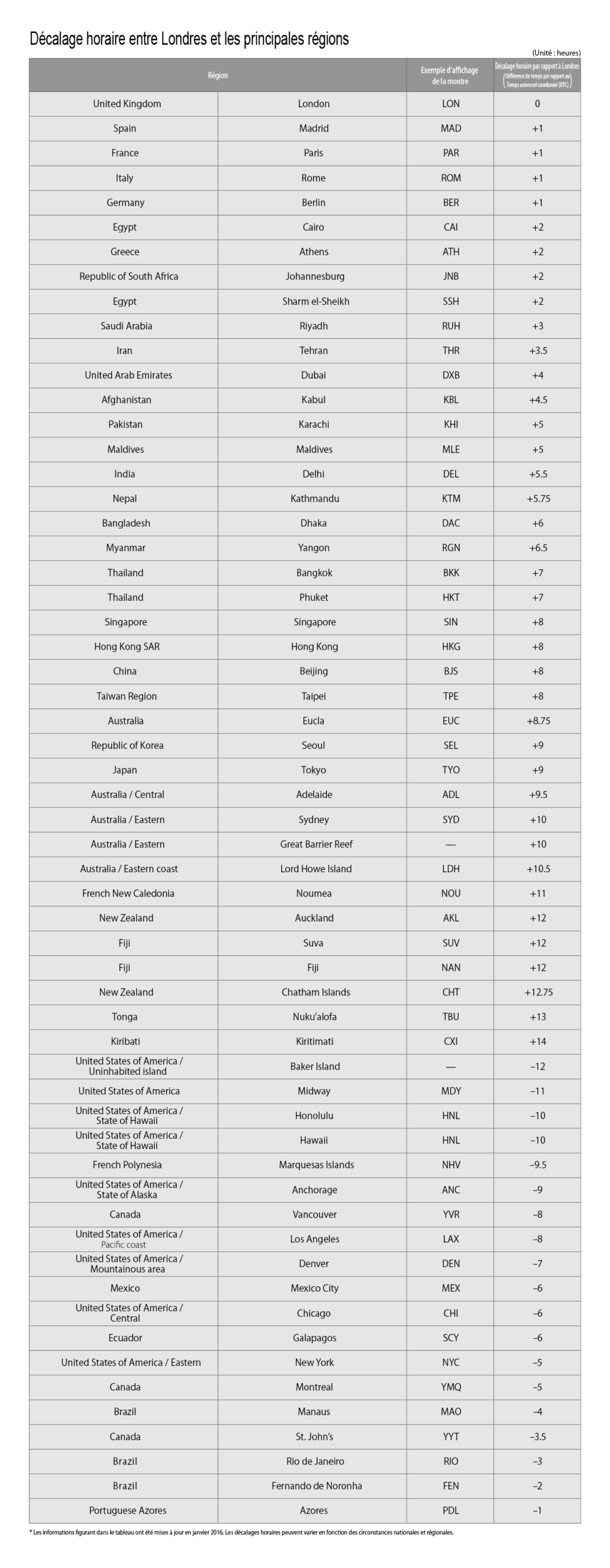
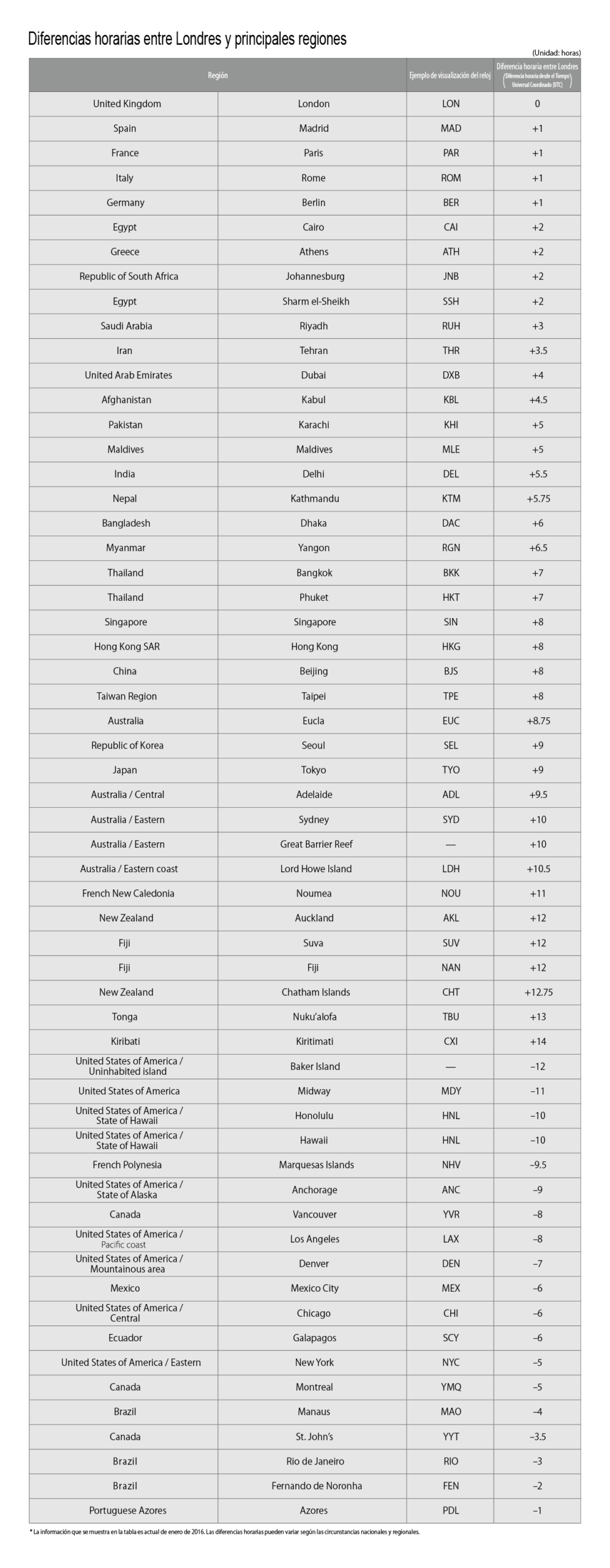
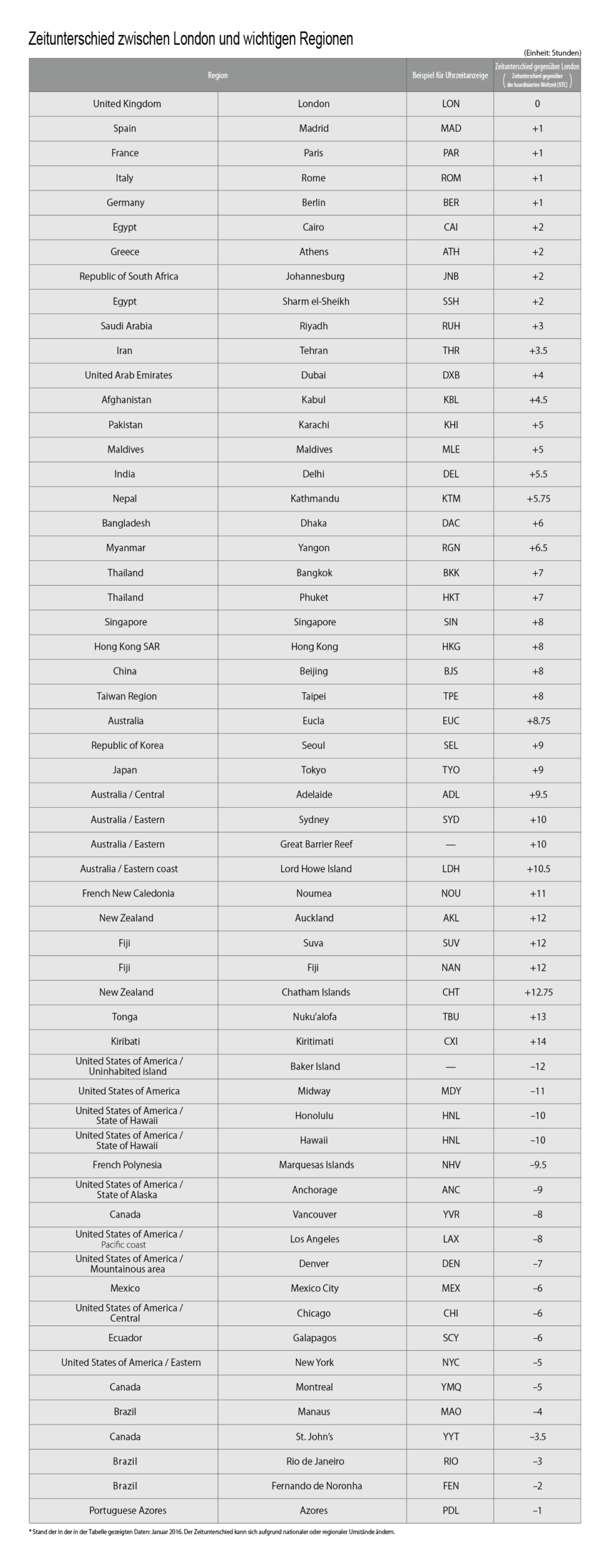
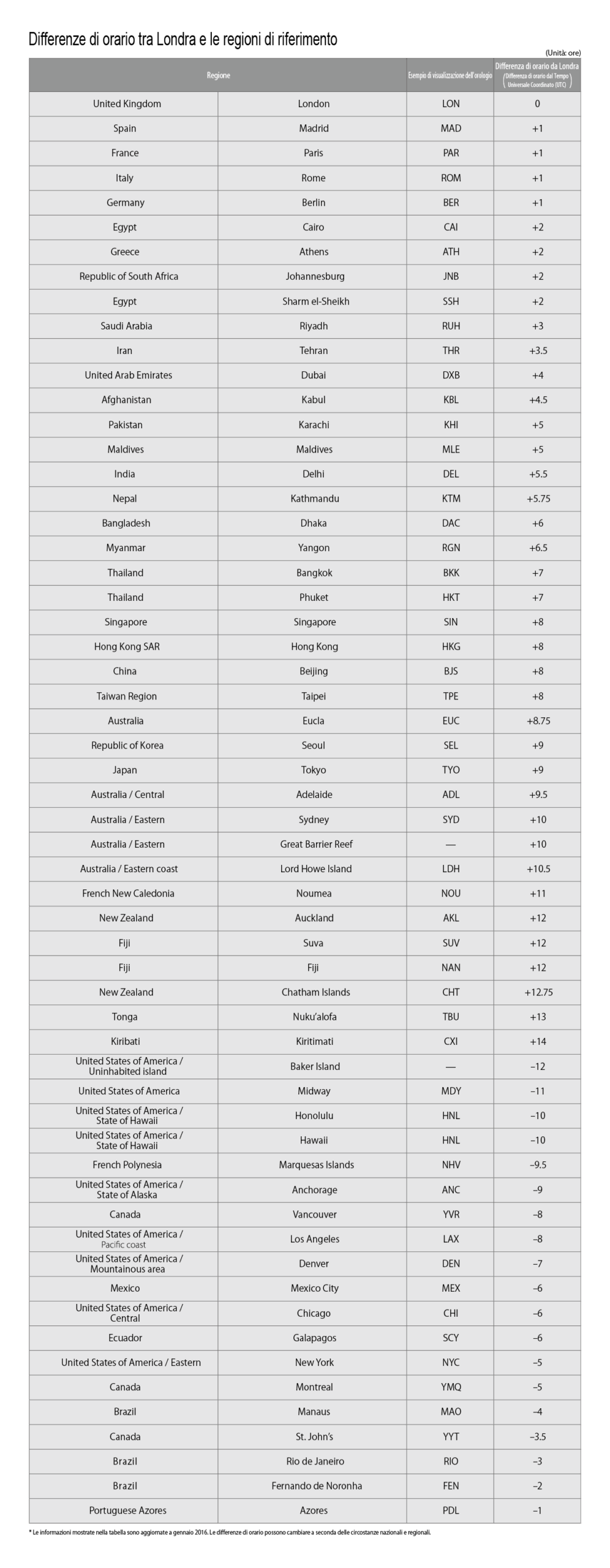
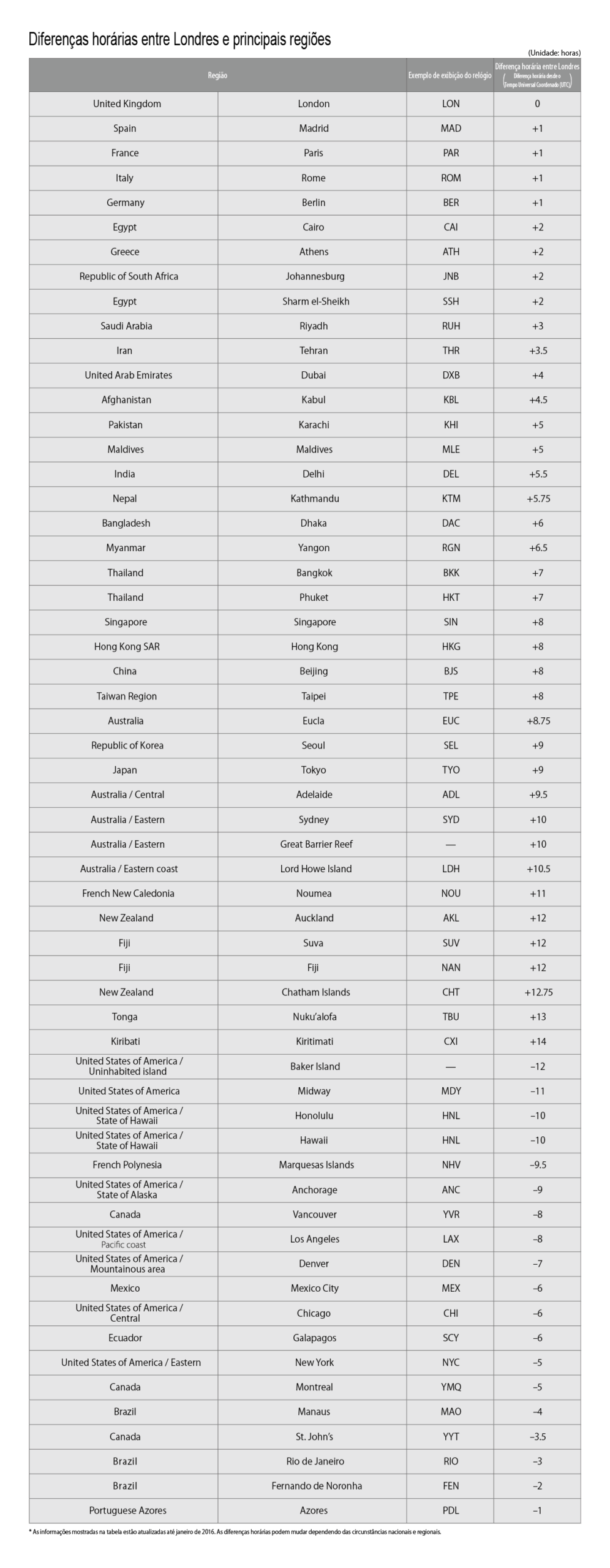
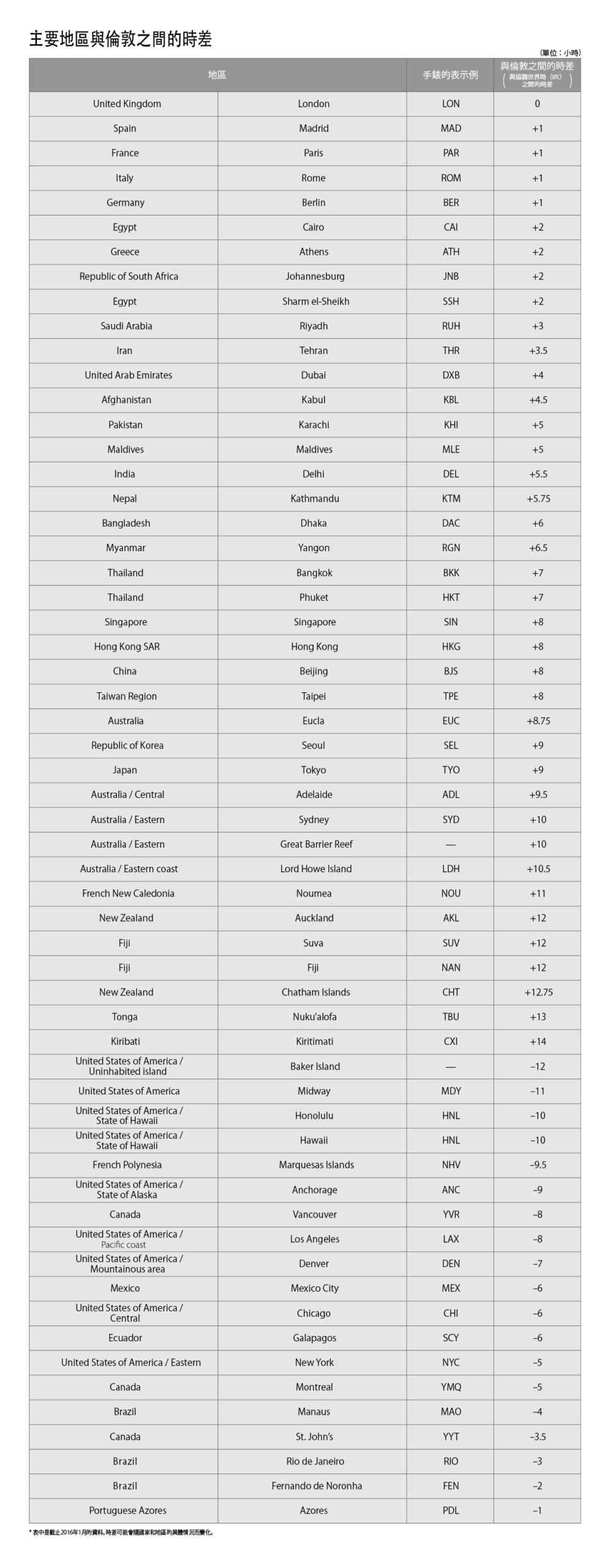
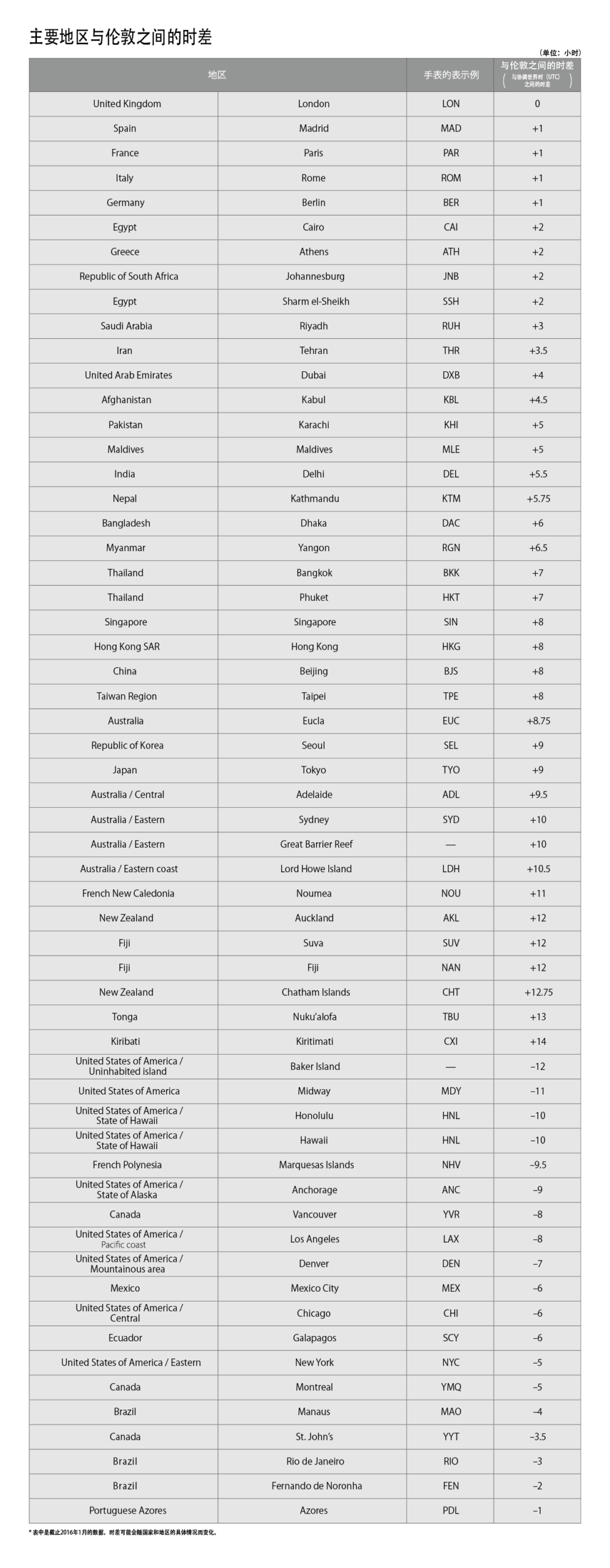
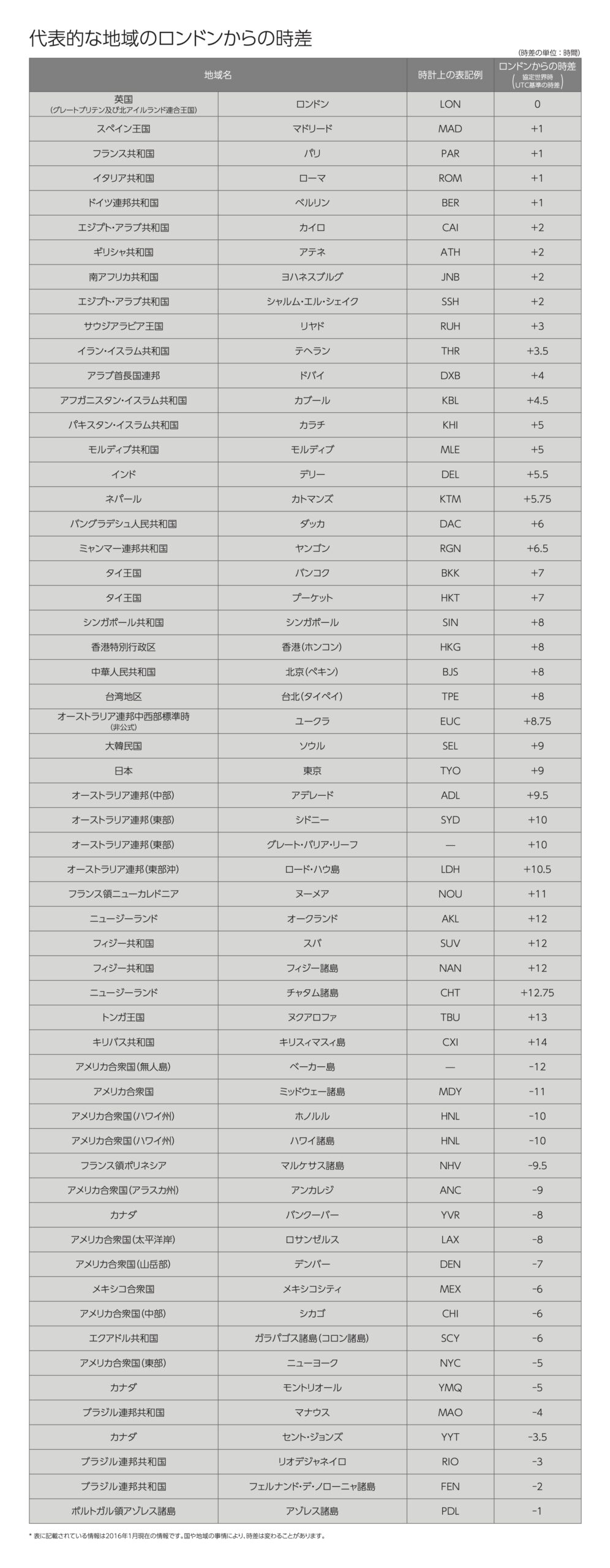
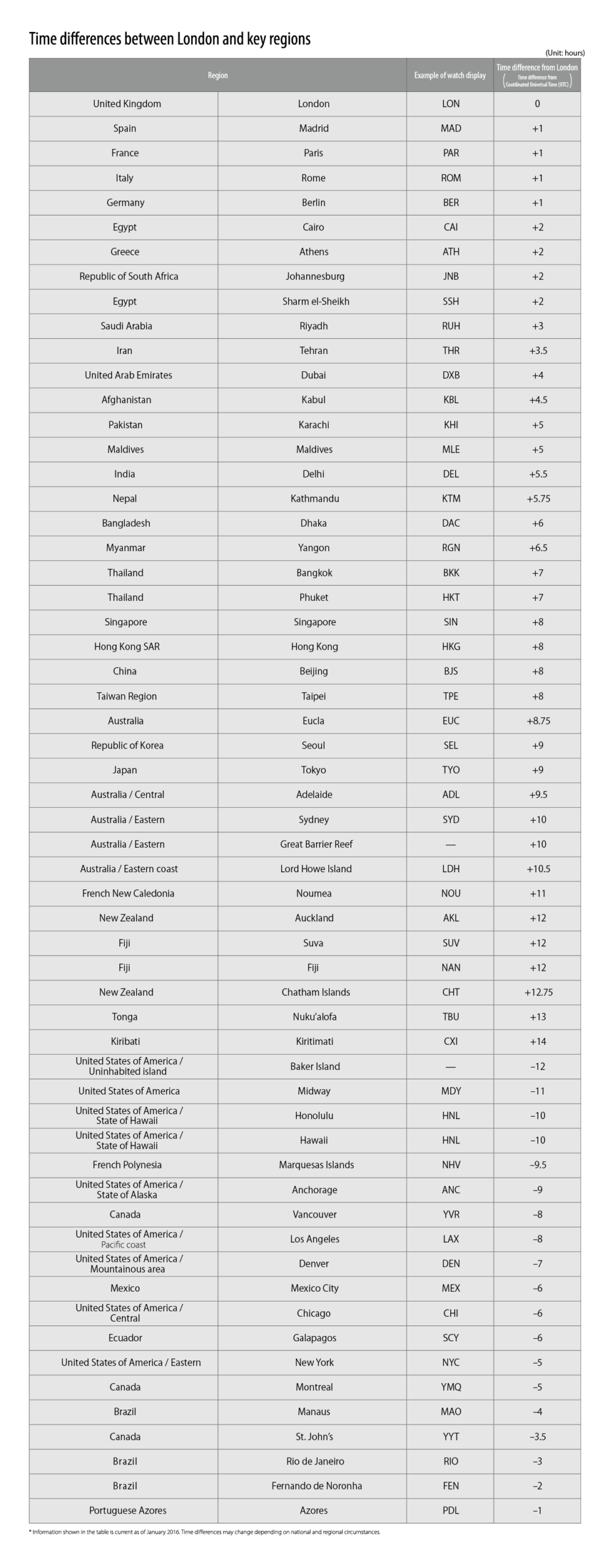
Check the time difference from
London for the 1st region.
| Region |
Time difference between
London and the 1st region  |
|---|---|
| Tokyo | +9 |
2
Check the time difference from
London for the 3rd region.
| Region |
Time difference between
London and the 3rd region  |
|---|---|
| Honolulu | -10 |
3
Subtract
 from
from 
|
ー | |
= |  |
|---|---|---|---|---|
| +9 | ー | ー10 | = | +19 |
4
Turn the bezel by the amount

(time).
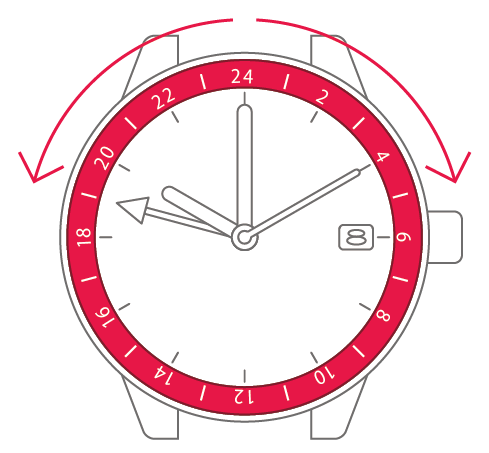
| If the amount (time) is negative (-), turn the bezel counterclockwise. |
If the amount (time) is positive (+), turn the bezel clockwise. |
5
Check the time for the 3rd
region.