
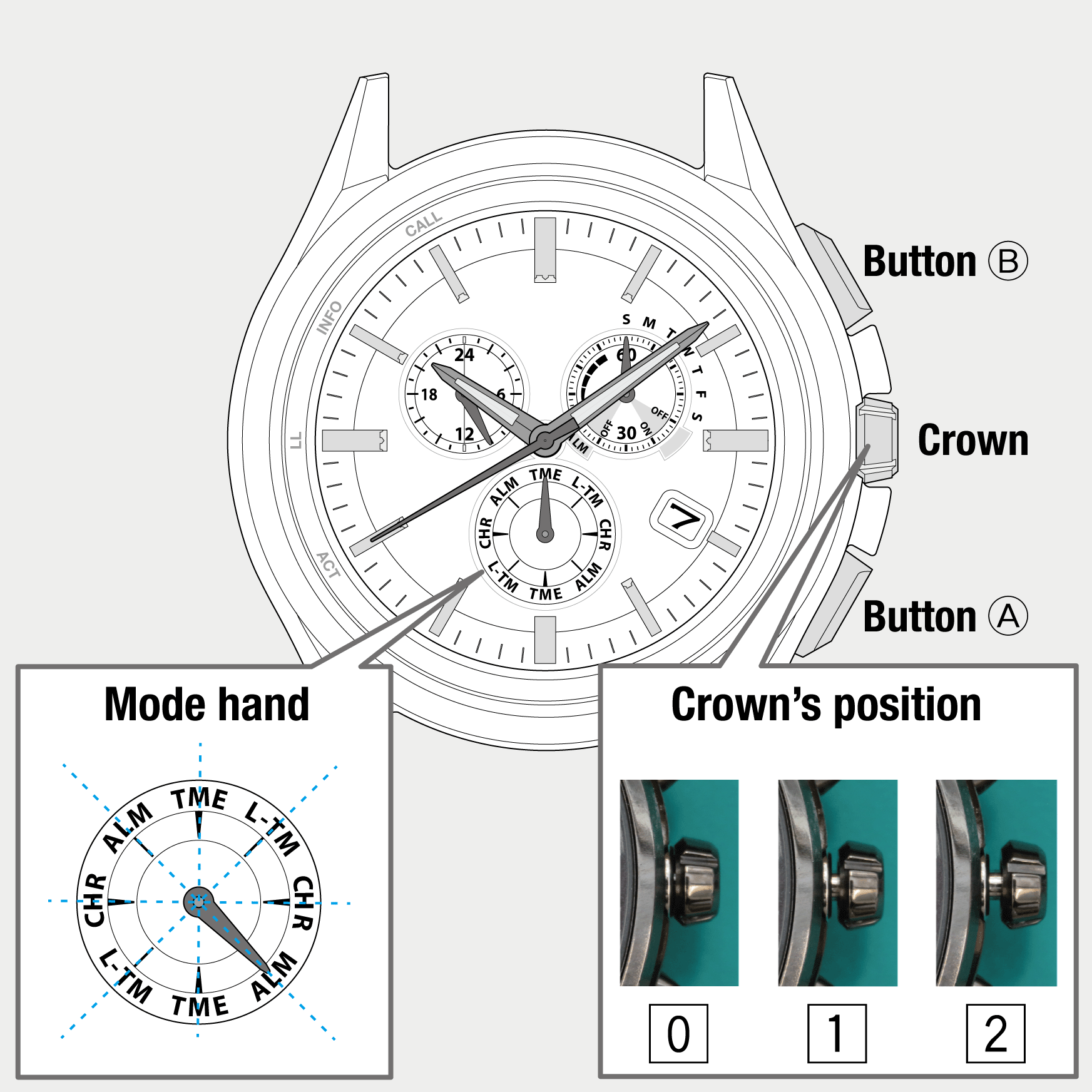
 Cal. No. W770
 Refine your search
W770
Before connecting with a smartphone
Testing the vibration of notification
The vibration of notification can be checked.
- You cannot test it while the power reserve level is in "0".
- The vibration settings must be executed on the app.
- Pull the crown out to position 1.
- Rotate the crown to change the mode to [ALM].
- Push the crown in to position 0.
- Press and release the upper right button B.
- Pull the crown out to position 1.
- Rotate the crown to change the mode to [TME].
- Push the crown in to position 0.
The second hand points to 30 seconds and stops.
The watch starts vibrating.
!
Notification vibration is repeated five times.
The second hand points to 30 seconds and stops.
The second hand and function hand return to normal indication.